
赶紧收藏!鸿蒙ArkTS如何使用http进行网络通信(前后端示例)
1.鸿蒙http模块
鸿蒙官方提供'@ohos.net.http'模块,它支持应用通过HTTP发起一个数据请求,支持常见的GET、POST、OPTIONS、HEAD、PUT、DELETE、TRACE、CONNECT方法。
在实际应用场景中,GET、POST使用较多,因此,基于这两种请求方式,封装简单的http工具库
2.http工具库示例
xport class HttpInterface {
    static readonly TAG = 'HttpInterface'
    static readonly HTTP_READ_TIMEOUT = 90 * 1000; //90ms
    static readonly HTTP_CONNECT_TIMEOUT = HttpInterface.HTTP_READ_TIMEOUT;
    static readonly CONTENT_TYPE_HEADER = {
        'Content-Type': 'application/json'
    }
    static httpRequest(
        url: string,
        params?: string | Object | ArrayBuffer,
        header?: Object
    ): Promise {
        // 每一个httpRequest对应一个HTTP请求任务,不可复用
        const request = http.createHttp();
        let method = http.RequestMethod.POST
        if (params == null || params == undefined) {
            method = http.RequestMethod.GET
            console.info(`${HttpInterface.TAG} http get request url  :${url}, httpHeader:${JSON.stringify(header)}`)
        } else {
            console.info(`${HttpInterface.TAG} http post request url  :${url}, httpHeader:${JSON.stringify(header)} params:${JSON.stringify(params)}`)
        }
        const responseResult = request.request(url, {
            // 超时时间
            readTimeout: HttpInterface.HTTP_READ_TIMEOUT,
            connectTimeout: HttpInterface.HTTP_CONNECT_TIMEOUT,
            method,
            extraData: params,
            header: { ...HttpInterface.CONTENT_TYPE_HEADER, ...header },
        });
        let httpResponseResult: HttpResponseResult = new HttpResponseResult();
        return responseResult.then((data: http.HttpResponse) => {
            console.info(`${HttpInterface.TAG}  httpStatus code :${data.responseCode}, response httpheader:${JSON.stringify(data.header)} `)
            const responseCode = data.responseCode
            httpResponseResult.data = data.result
            if (responseCode === http.ResponseCode.OK) {
                httpResponseResult.resultType = HttpResponseResultType.SUCCESS
            } else if (responseCode >= http.ResponseCode.INTERNAL_ERROR) {
                httpResponseResult.resultType = HttpResponseResultType.SERVICE_ERROR
            } else if (responseCode >= http.ResponseCode.BAD_REQUEST) {
                httpResponseResult.resultType = HttpResponseResultType.CLIENT_ERROR
            } else {
                httpResponseResult.resultType = HttpResponseResultType.OTHER_ERROR
            }
            return httpResponseResult;
        }).catch((err) => {
            //
            console.error(`${HttpInterface.TAG} response error: ${JSON.stringify(err)}`)
            httpResponseResult.resultType = HttpResponseResultType.EXCEPTION
            httpResponseResult.data = JSON.stringify(err)
            return httpResponseResult
        }).finally(() => {
            console.info(`${HttpInterface.TAG} response finish httpResponseResult ---resultType: ${httpResponseResult.resultType},data:${httpResponseResult.data} }`)
            // 当该请求使用完毕时,调用destroy方法主动销毁
            request.destroy();
        })
    }
}
3.http工具库调用
3.1.鸿蒙前端http get调用
httpGet() {
        //const url = 'http://127.0.0.1:8081/user/home'
        const url = 'http://10.0.2.2:8081/user/home'
        HttpInterface.httpRequest(url).then(response => {
            if (response.resultType === HttpResponseResultType.SUCCESS) {
                console.info(`${this.TAG} httpRequest 请求成功数据: ${JSON.stringify(response.data)}`)
                this.getResponseData = JSON.stringify(response.data)
            } else {
                console.info(`${this.TAG} httpRequest 请求失败数据: ${response.resultType} error:${JSON.stringify(response.data)}`)
            }
        }).catch(err => {
            console.info(`${this.TAG} httpRequest 请求失败 error:${JSON.stringify(err)}`)
        })
    }
3.2.后端http get接口
@router.get('/home')
async def home():
    return  {"code":200,'message': "hello fastapitest", "data": {"name":"ksnowlv","age":"20"}}
3.3.鸿蒙前端http post调用
    httpPost() {
        // const url = 'http://127.0.0.1:8081/user/test'
        const url = 'http://10.0.2.2:8081/user/test'
        const pageInfo = {
            "pageIndex": 0,
            "pageNumber": 10
        }
        HttpInterface.httpRequest(url, pageInfo).then(response => {
            if (response.resultType === HttpResponseResultType.SUCCESS) {
                console.log(`${this.TAG} httpRequest 请求成功数据: ${JSON.stringify(response.data)}`)
                this.postResponseData = JSON.stringify(response.data)
            } else {
                console.log(`${this.TAG} httpRequest 请求失败数据: ${response.resultType} error:${JSON.stringify(response.data)}`)
            }
        }).catch(err => {
            console.info(`${this.TAG} httpRequest 请求失败 error:${JSON.stringify(err)}`)
        })
    }
3.4.后端http post接口
class PageInfo(BaseModel):
    pageIndex: int
    pageNumber: int
@router.post('/test')
async def home(info:PageInfo):
    xlogger.info(f"test pageIndex :{info.pageIndex},pageNumber {info.pageNumber}")
    return  {"code":200,'message': "hello fastapitest", "data": {"totolNum":1000,"pageNum":info.pageNumber, "pageIndex":info.pageIndex,"newsList":[{"title":"热门新闻", "subTitle":"北京新闻,新能源车","descption":"这是北京新闻"}]}}
4.效果
4.1.鸿蒙前端
控制台关于HttpInterface日志情况
05-27 14:28:24.667  17156-153    0FEFE/JsApp                    com.example.base_demo           I  HttpInterface http get request url  :http://10.0.2.2:8081/user/home, httpHeader:undefined
05-27 14:28:25.003  17156-153    0FEFE/JsApp                    com.example.base_demo           I  HttpInterface  httpStatus code :200, response httpheader:{"content-length":"79","content-type":"application/json","date":"Mon, 27 May 2024 06:28:25 GMT","server":"uvicorn"}
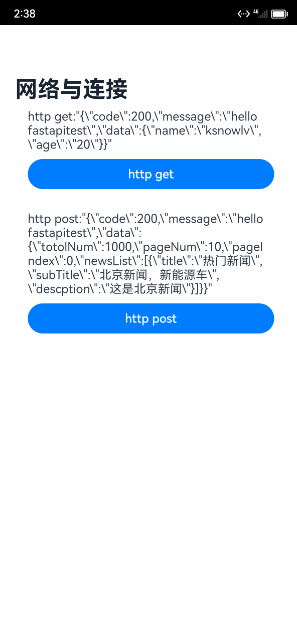
05-27 14:28:25.004  17156-153    0FEFE/JsApp                    com.example.base_demo           I  HttpInterface response finish httpResponseResult ---resultType: 1,data:{"code":200,"message":"hello fastapitest","data":{"name":"ksnowlv","age":"20"}} }
05-27 14:29:39.440  17156-153    0FEFE/JsApp                    com.example.base_demo           I  HttpInterface http post request url  :http://10.0.2.2:8081/user/test, httpHeader:undefined params:{"pageIndex":0,"pageNumber":10}
05-27 14:29:39.708  17156-153    0FEFE/JsApp                    com.example.base_demo           I  HttpInterface  httpStatus code :200, response httpheader:{"content-encoding":"gzip","content-length":"187","content-type":"application/json","date":"Mon, 27 May 2024 06:29:39 GMT","server":"uvicorn","vary":"Accept-Encoding"}
05-27 14:29:39.708  17156-153    0FEFE/JsApp                    com.example.base_demo           I  HttpInterface response finish httpResponseResult ---resultType: 1,data:{"code":200,"message":"hello fastapitest","data":{"totolNum":1000,"pageNum":10,"pageIndex":0,"newsList":[{"title":"热门新闻","subTitle":"北京新闻,新能源车","descption":"这是北京新闻"}]}} }
页面显示效果
4.2 后端控制台
2024-05-27 14:28:25.642 | INFO     | app.core.xlogger:dispatch:30 - Request: GET http://10.0.2.2:8081/user/home Headers({'host': '10.0.2.2:8081', 'user-agent': 'libcurl-agent/1.0', 'accept': '*/*', 'accept-encoding': 'gzip', 'content-type': 'application/json'})
2024-05-27 14:28:25.644 | DEBUG    | app.core.xlogger:dispatch:33 - Request query_params: {}
2024-05-27 14:28:25.645 | WARNING  | app.core.xlogger:dispatch:48 - total time cost: 0.003578662872314453
2024-05-27 14:28:25.645 | INFO     | app.core.xlogger:dispatch:50 - Response status code: 200 Response headers: MutableHeaders({'content-length': '79', 'content-type': 'application/json'})
2024-05-27 14:28:25.646 | INFO     | app.core.xlogger:dispatch:55 - Response Body: b'{"code":200,"message":"hello fastapitest","data":{"name":"ksnowlv","age":"20"}}'
2024-05-27 14:29:40.318 | INFO     | app.core.xlogger:dispatch:30 - Request: POST http://10.0.2.2:8081/user/test Headers({'host': '10.0.2.2:8081', 'user-agent': 'libcurl-agent/1.0', 'accept': '*/*', 'accept-encoding': 'gzip', 'content-type': 'application/json', 'content-length': '31'})
2024-05-27 14:29:40.319 | DEBUG    | app.core.xlogger:dispatch:33 - Request query_params: {}
2024-05-27 14:29:40.321 | INFO     | app.api.users.userrouter:home:37 - test pageIndex :0,pageNumber 10
2024-05-27 14:29:40.322 | WARNING  | app.core.xlogger:dispatch:48 - total time cost: 0.0038661956787109375
2024-05-27 14:29:40.322 | INFO     | app.core.xlogger:dispatch:50 - Response status code: 200 Response headers: MutableHeaders({'content-length': '206', 'content-type': 'application/json'})
2024-05-27 14:29:40.323 | INFO     | app.core.xlogger:dispatch:55 - Response Body: b'{"code":200,"message":"hello fastapitest","data":{"totolNum":1000,"pageNum":10,"pageIndex":0,"newsList":[{"title":"\xe7\x83\xad\xe9\x97\xa8\xe6\x96\xb0\xe9\x97\xbb","subTitle":"\xe5\x8c\x97\xe4\xba\xac\xe6\x96\xb0\xe9\x97\xbb\xef\xbc\x8c\xe6\x96\xb0\xe8\x83\xbd\xe6\xba\x90\xe8\xbd\xa6","descption":"\xe8\xbf\x99\xe6\x98\xaf\xe5\x8c\x97\xe4\xba\xac\xe6\x96\xb0\xe9\x97\xbb"}]}}'
5.其它
5.1.为什么json不直接做解析?
http重点是通信,不包含数据适配层,json不直接做解析可由数据适配层负责处理;如果是其它格式的数据,也是数据适配层处理。
5.2. HTTP请求任务
HTTP请求任务,因不可复用,所以,没有做任务池复用及调度。可以自己做个任务池不复用,控制请求任务的调度;如果是等待中的重复任务,可以做些优化策略。
5.3.网络访问权限
项目中需要配置ohos.permission.INTERNET权限。
最后
如果你想快速提升鸿蒙技术,那么可以直接领取这份包含了:【OpenHarmony多媒体技术、Stage模型、ArkUI多端部署、分布式应用开发、音频、视频、WebGL、Napi组件、OpenHarmony内核、Harmony南向开发、鸿蒙项目实战】等技术知识点。
鸿蒙Next全套VIP学习资料←点击领取!(安全链接,放心点击)
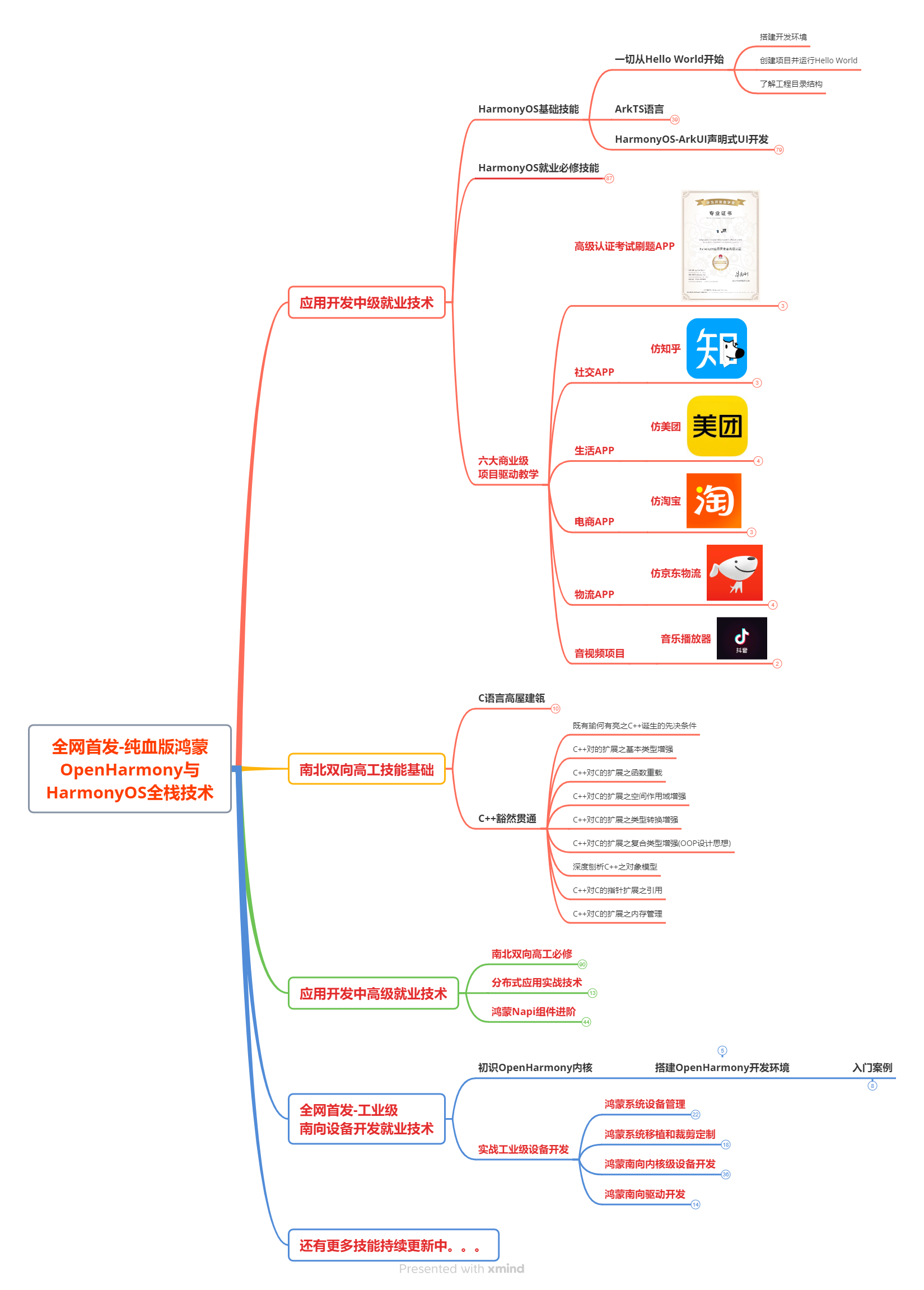
1.鸿蒙核心技术学习路线
2.大厂面试必问面试题

3.鸿蒙南向开发技术
4.鸿蒙APP开发必备

5.HarmonyOS Next 最新全套视频教程

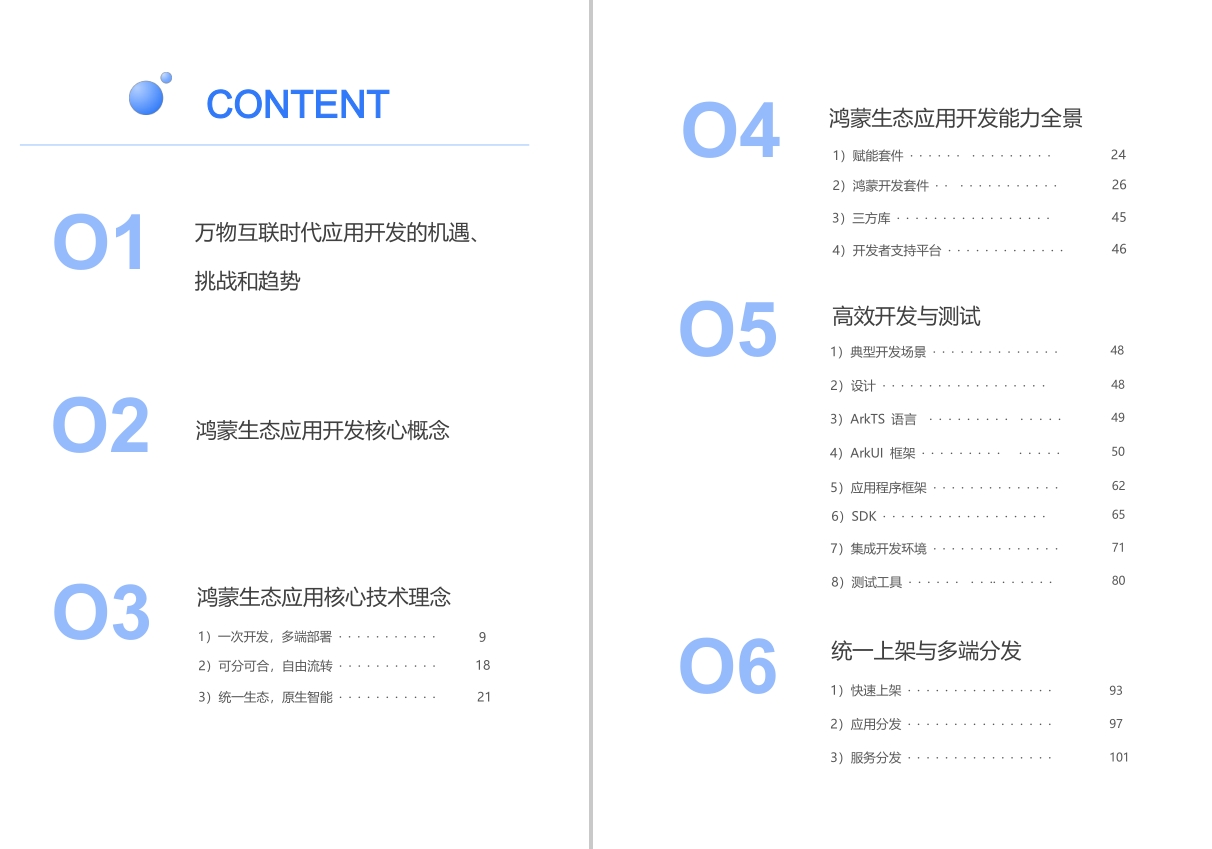
6.鸿蒙生态应用开发白皮书V2.0PDF
这份全套完整版的学习资料已经全部打包好,朋友们如果需要可以点击→鸿蒙Next全套VIP学习资料免费领取(安全链接,放心点击)
免责声明:我们致力于保护作者版权,注重分享,被刊用文章因无法核实真实出处,未能及时与作者取得联系,或有版权异议的,请联系管理员,我们会立即处理! 部分文章是来自自研大数据AI进行生成,内容摘自(百度百科,百度知道,头条百科,中国民法典,刑法,牛津词典,新华词典,汉语词典,国家院校,科普平台)等数据,内容仅供学习参考,不准确地方联系删除处理! 图片声明:本站部分配图来自人工智能系统AI生成,觅知网授权图片,PxHere摄影无版权图库和百度,360,搜狗等多加搜索引擎自动关键词搜索配图,如有侵权的图片,请第一时间联系我们,邮箱:ciyunidc@ciyunshuju.com。本站只作为美观性配图使用,无任何非法侵犯第三方意图,一切解释权归图片著作权方,本站不承担任何责任。如有恶意碰瓷者,必当奉陪到底严惩不贷!


