
vite5-webchat:基于vite5+vue3.x+element-plus网页版聊天系统
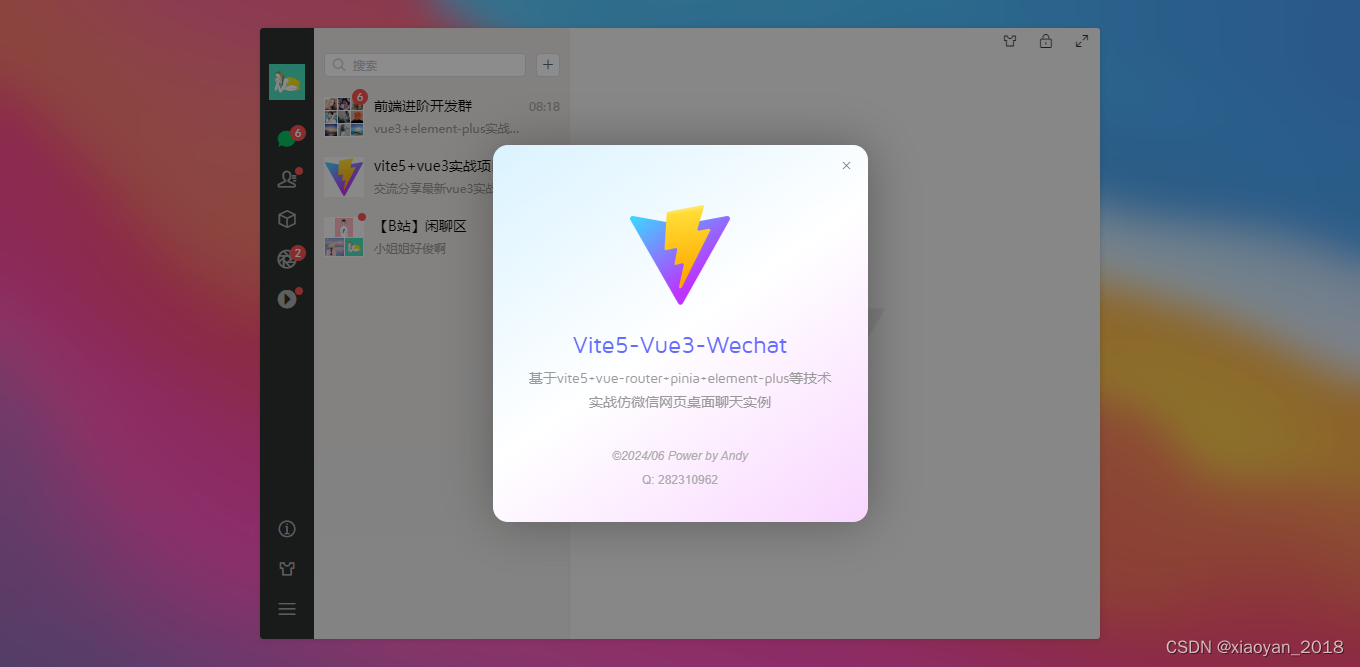
原创vite-vue3-wechat仿微信网页版界面聊天实例。
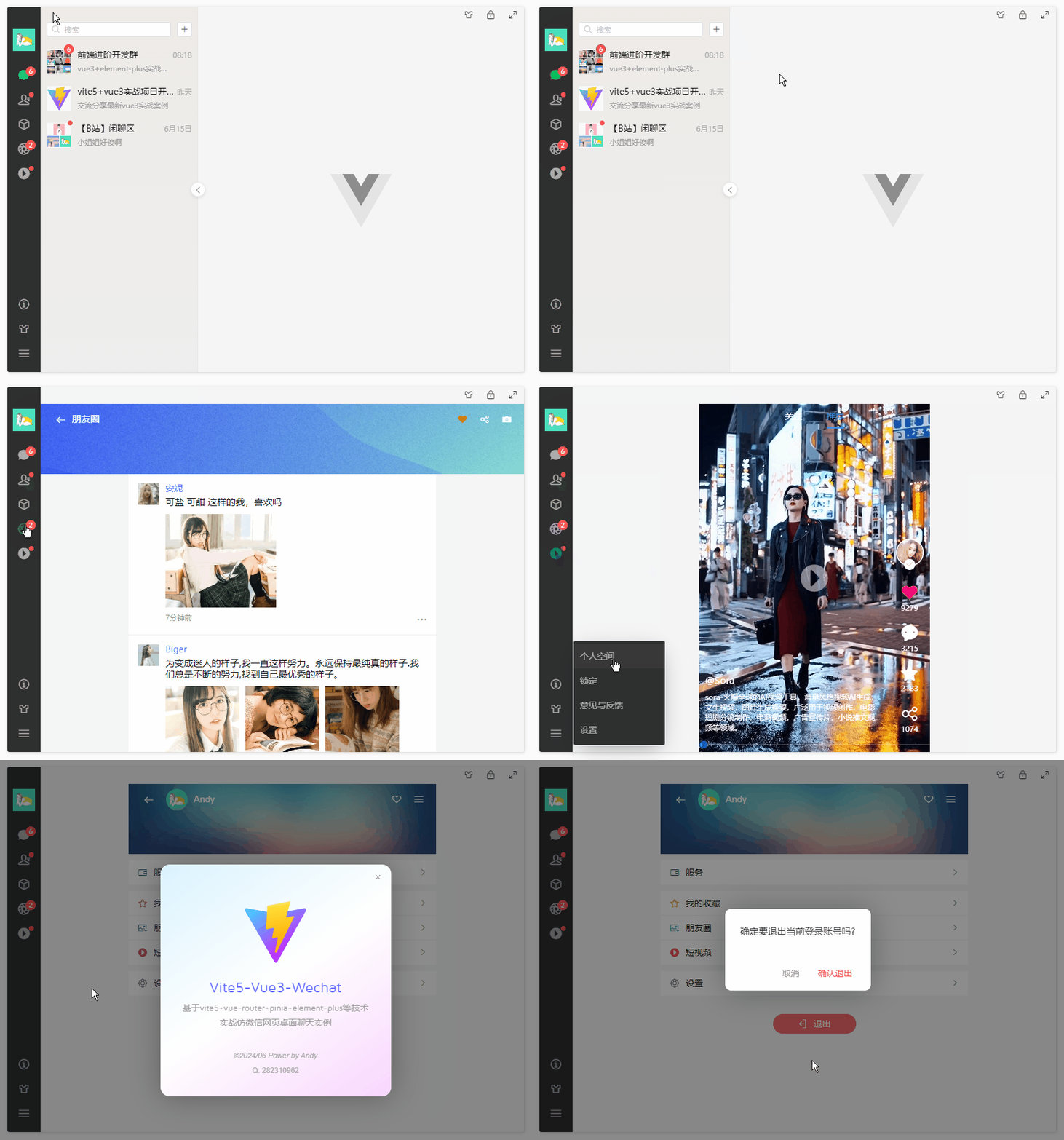
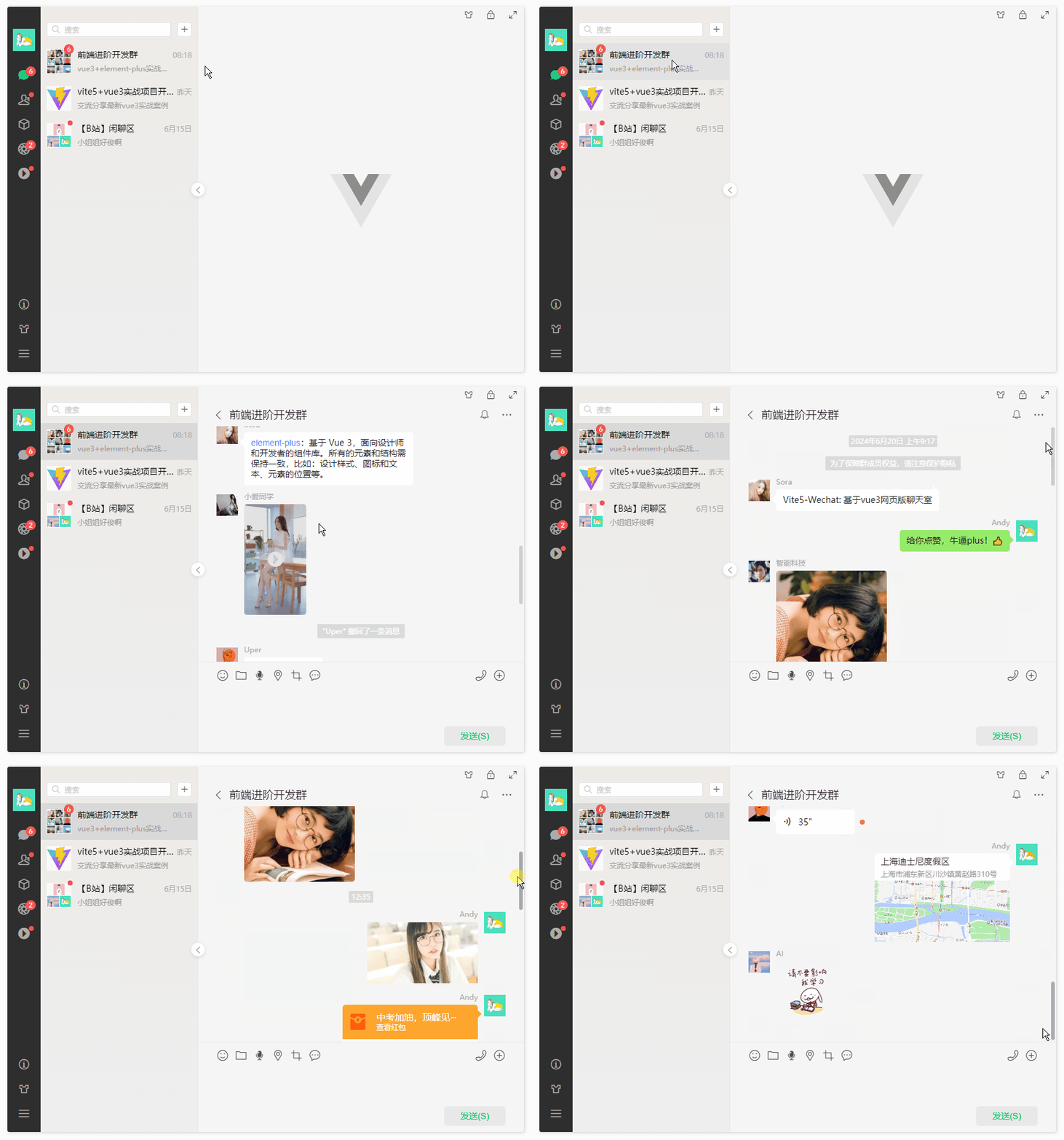
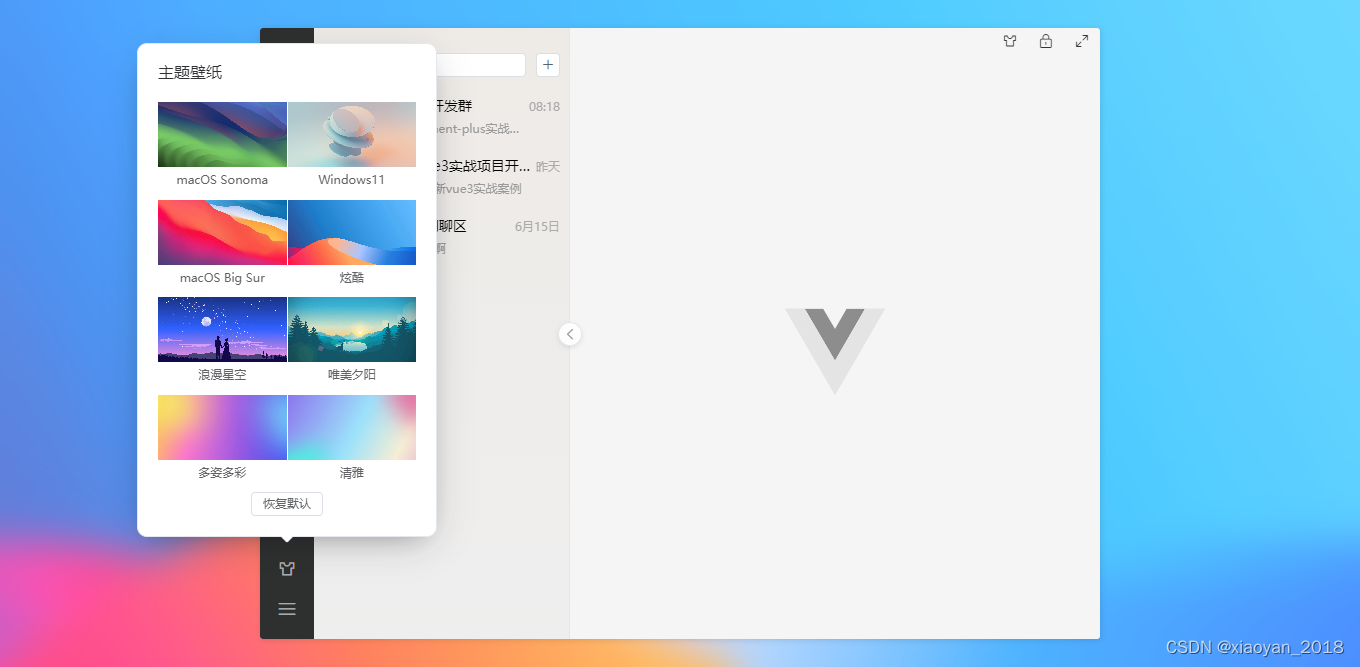
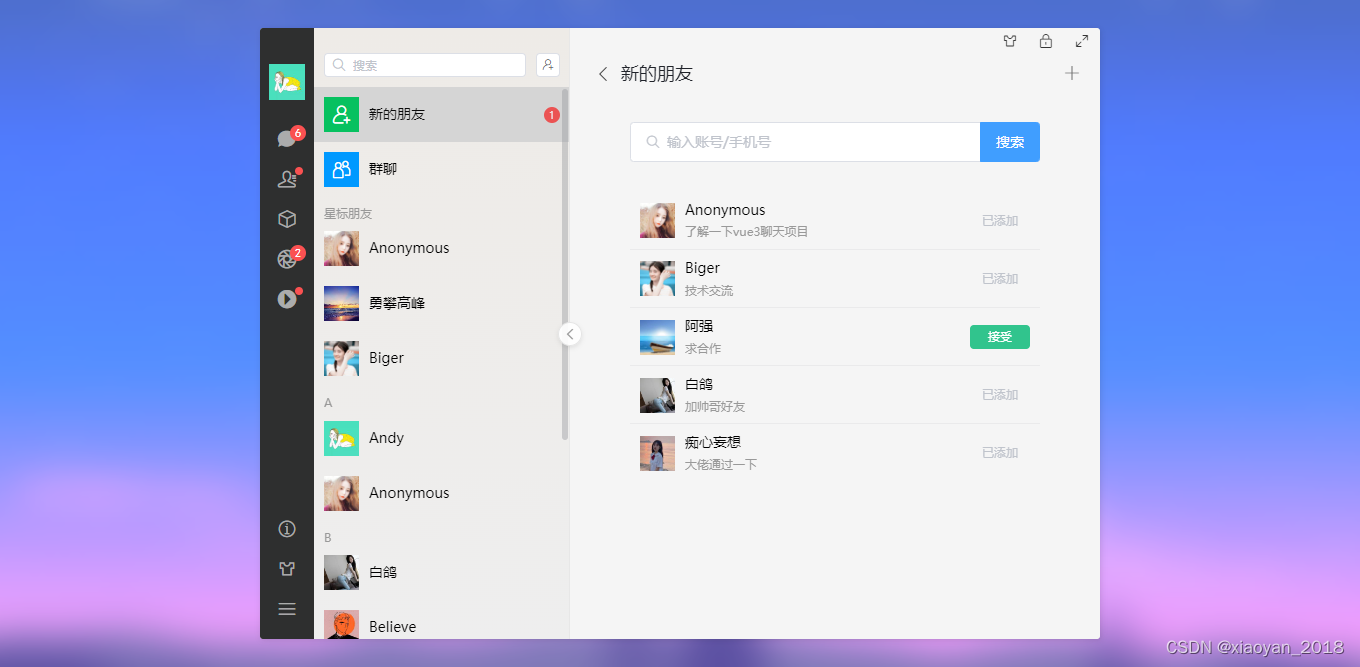
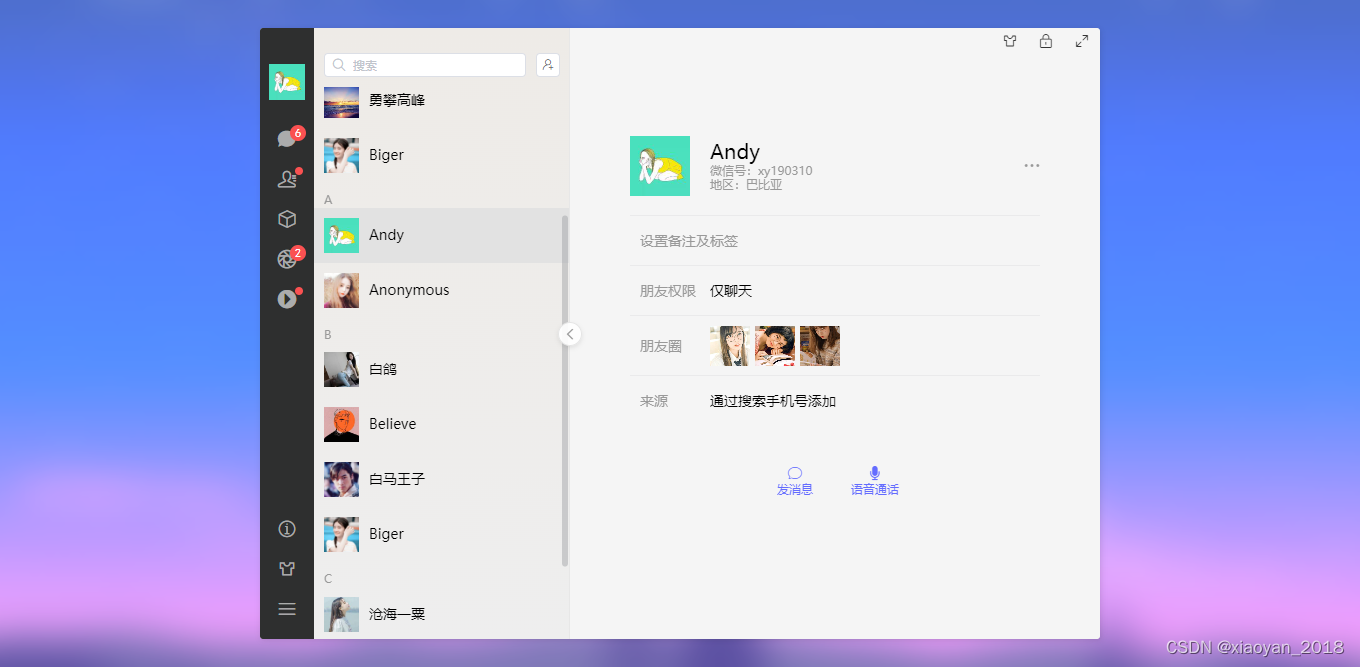
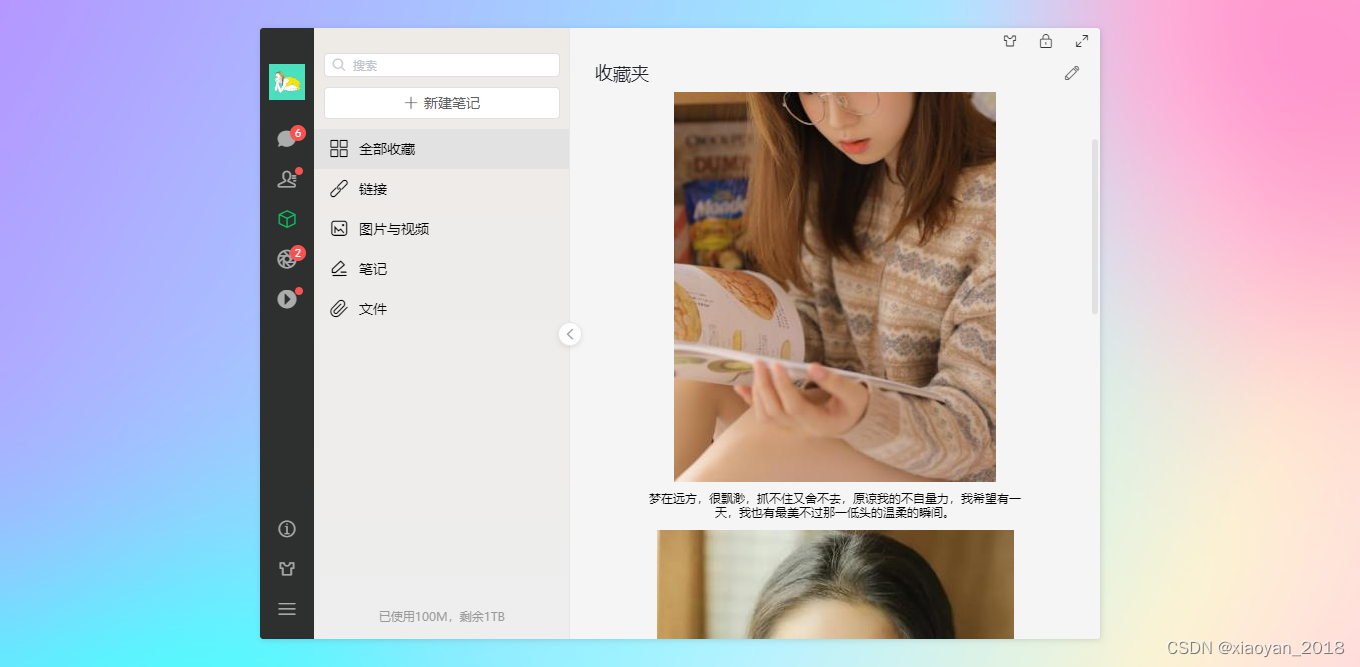
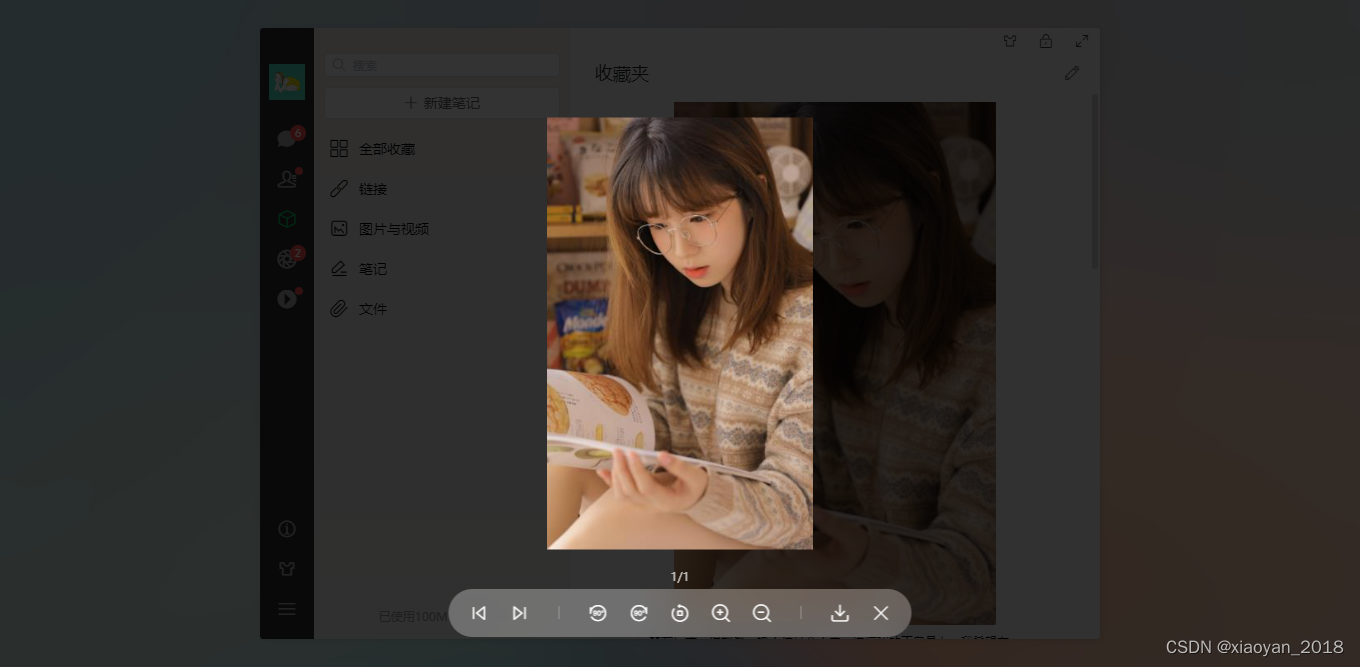
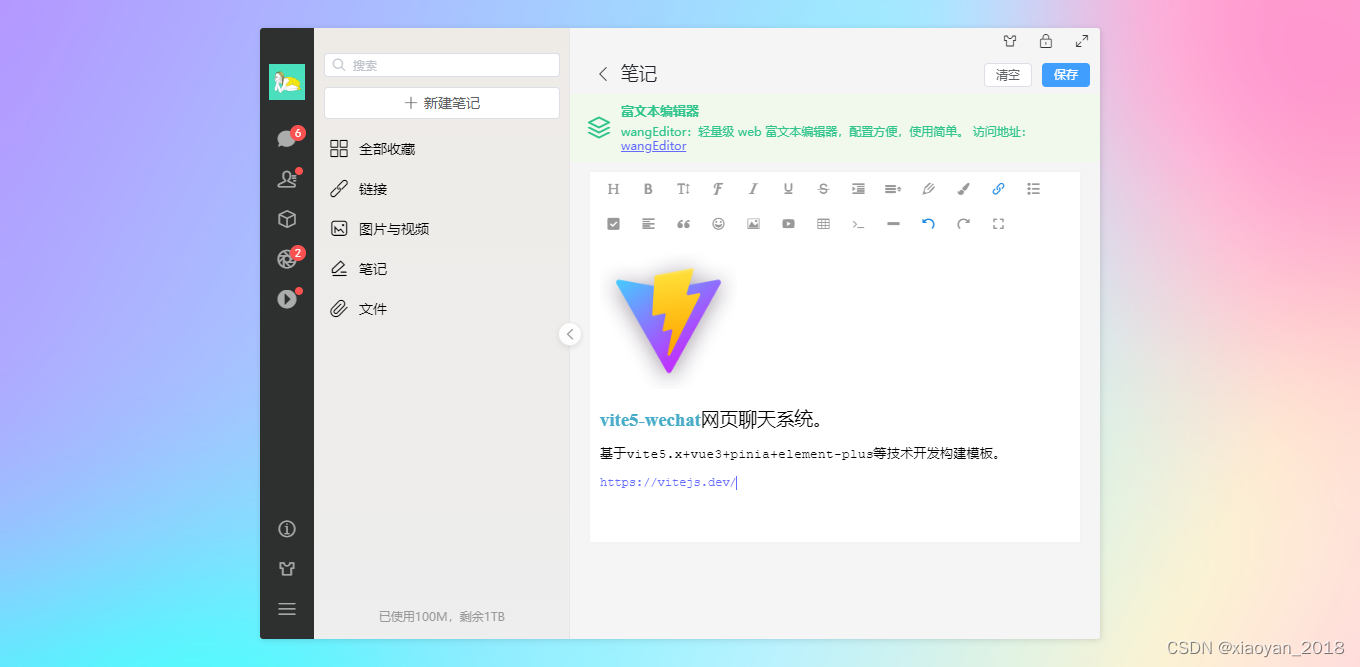
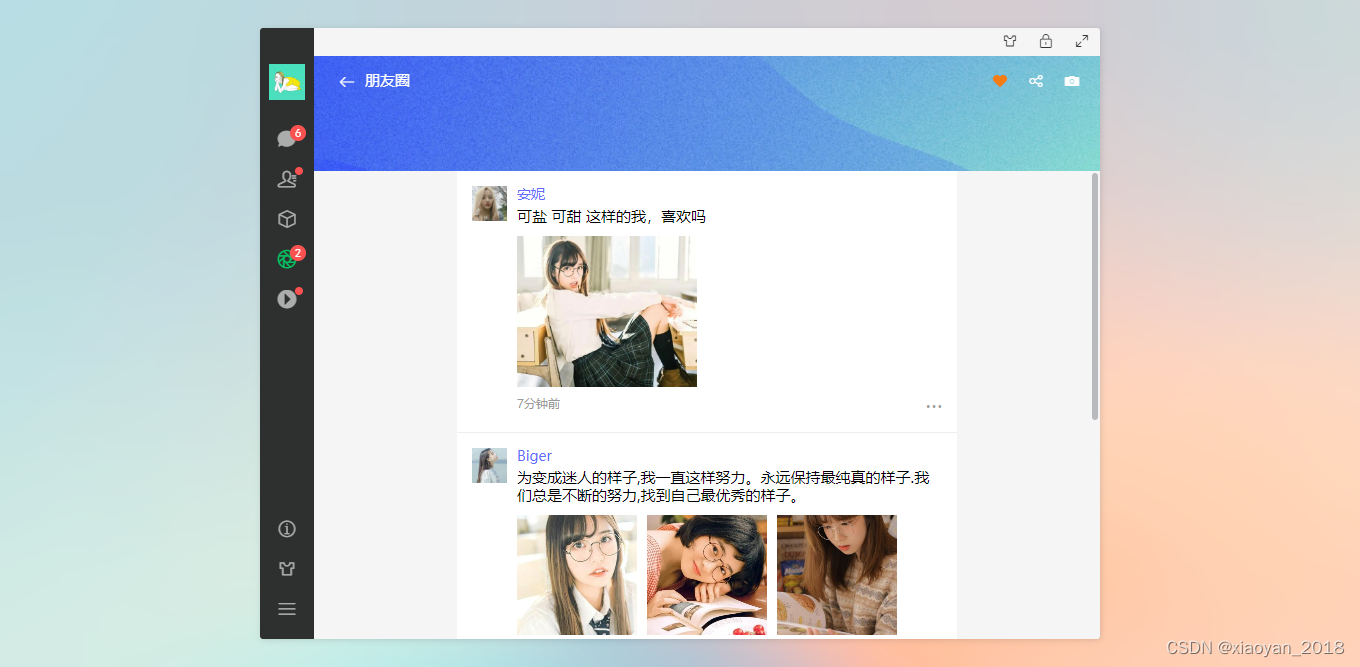
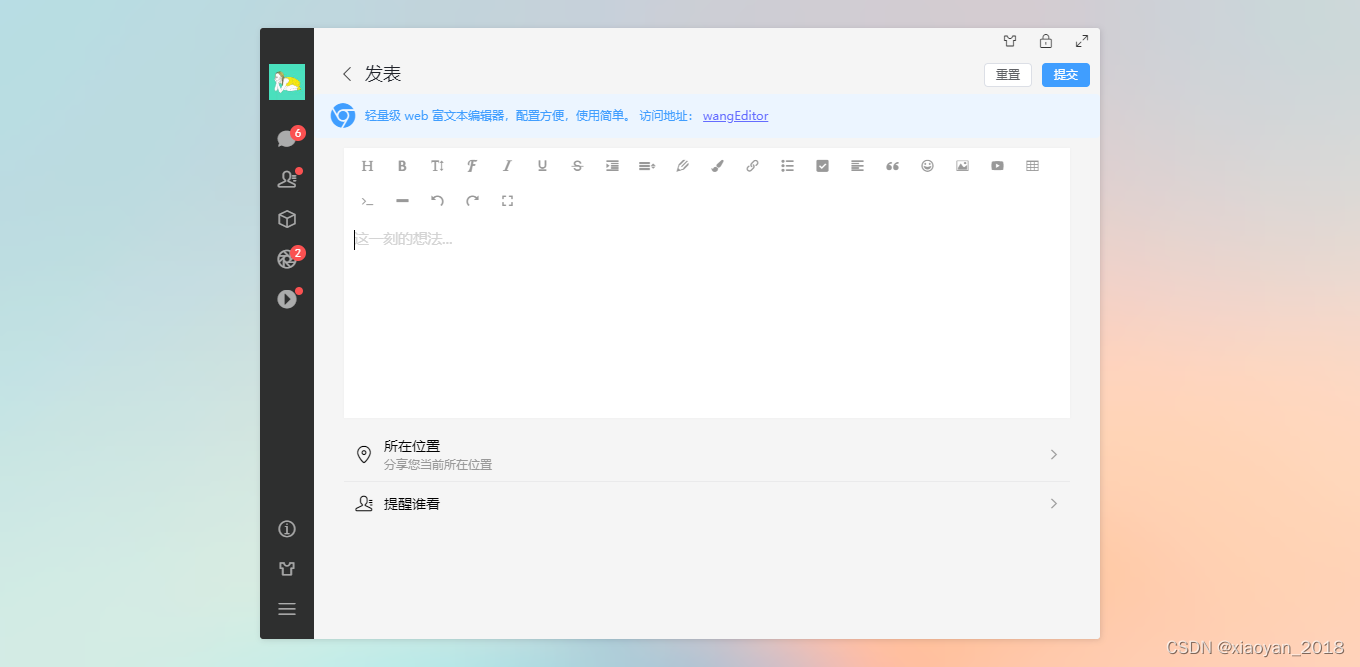
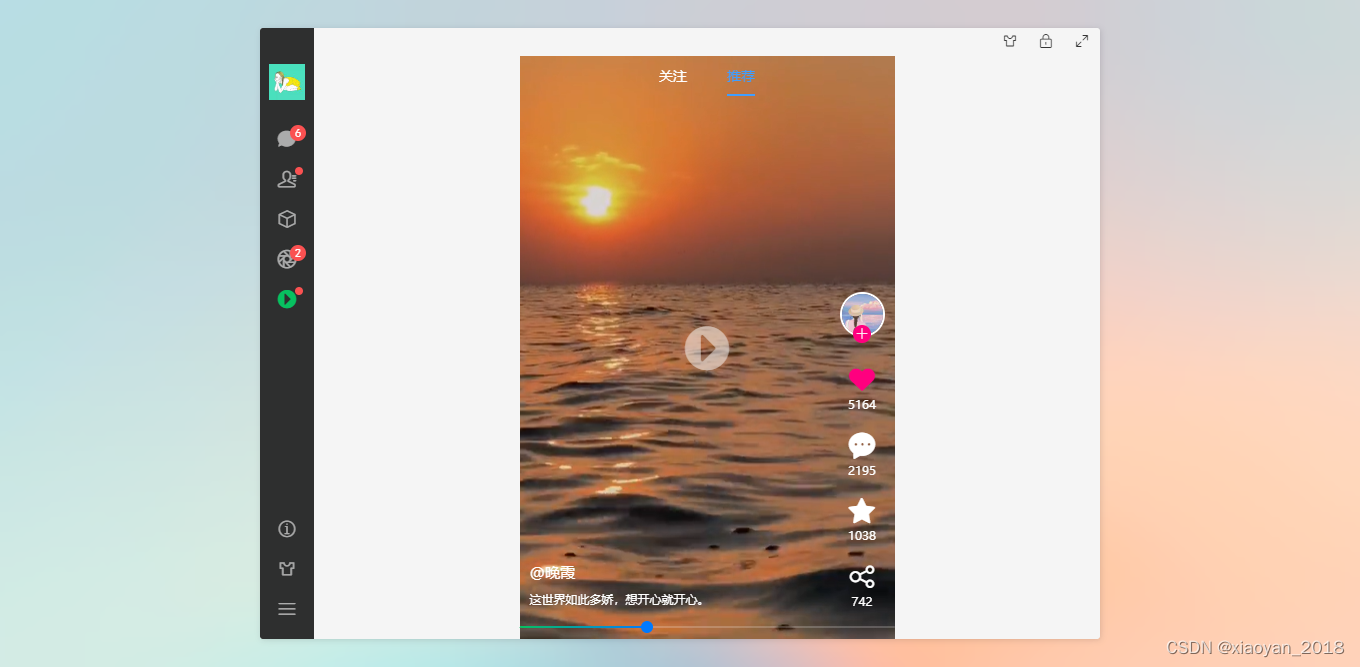
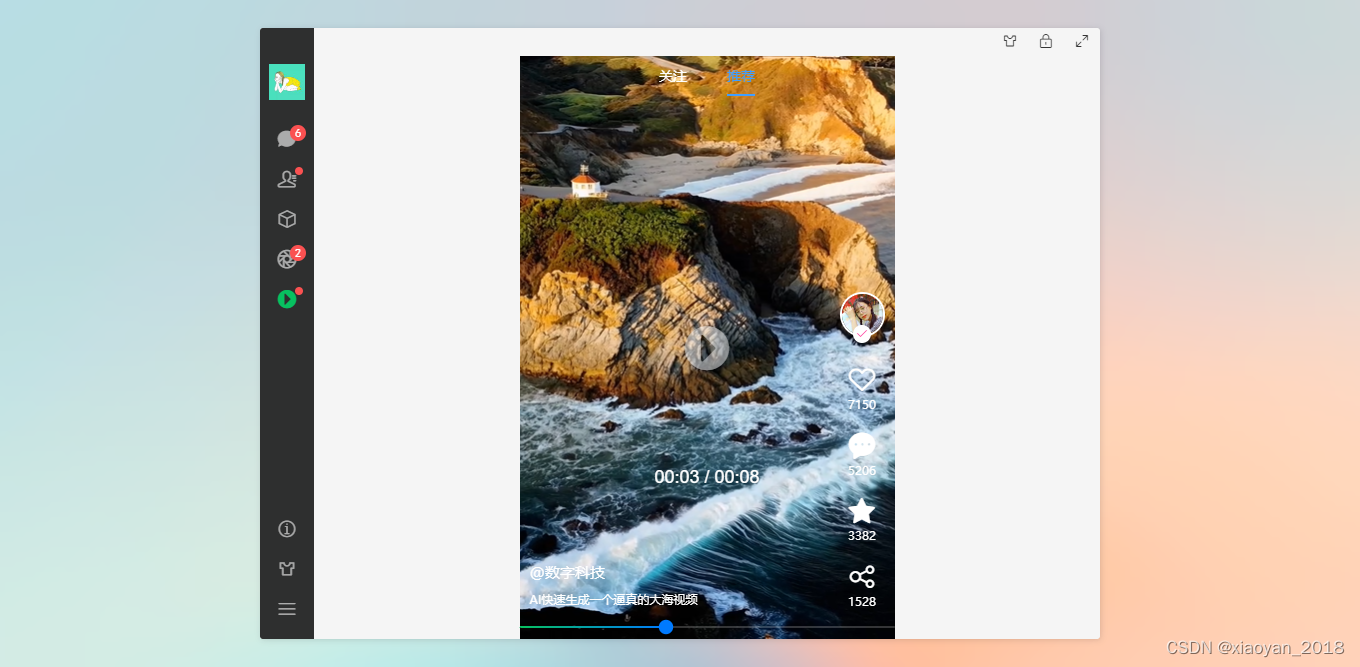
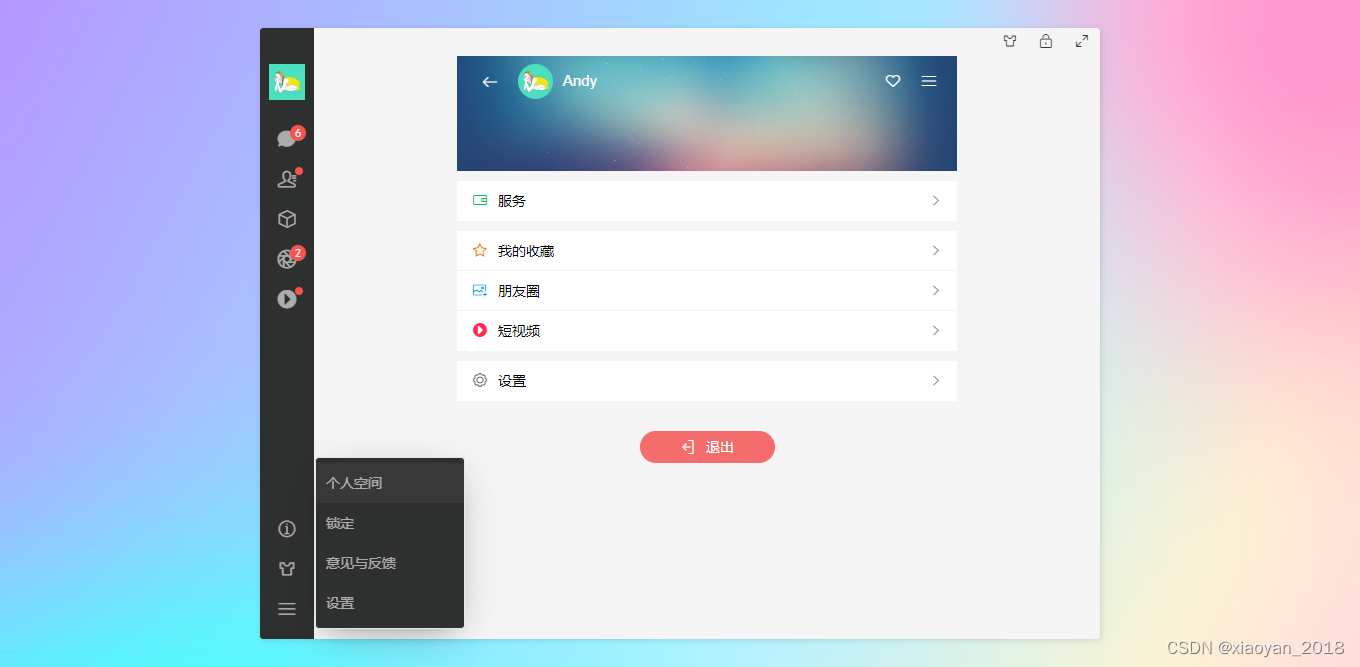
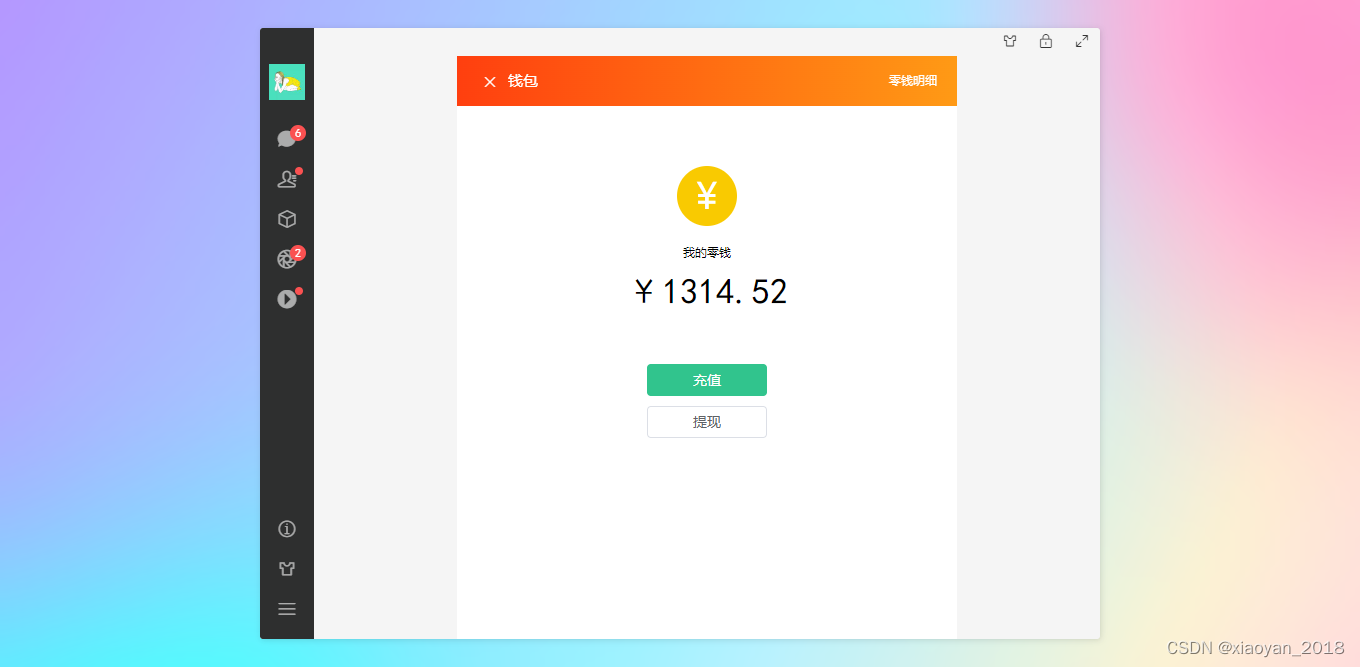
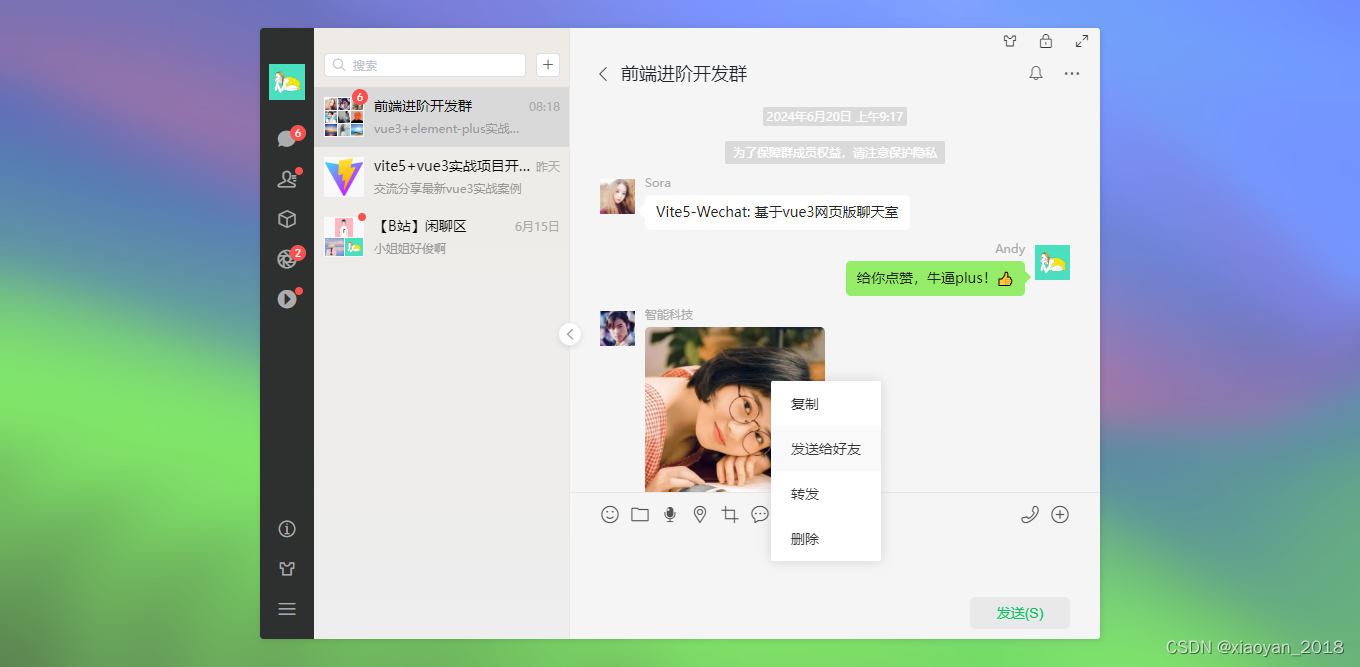
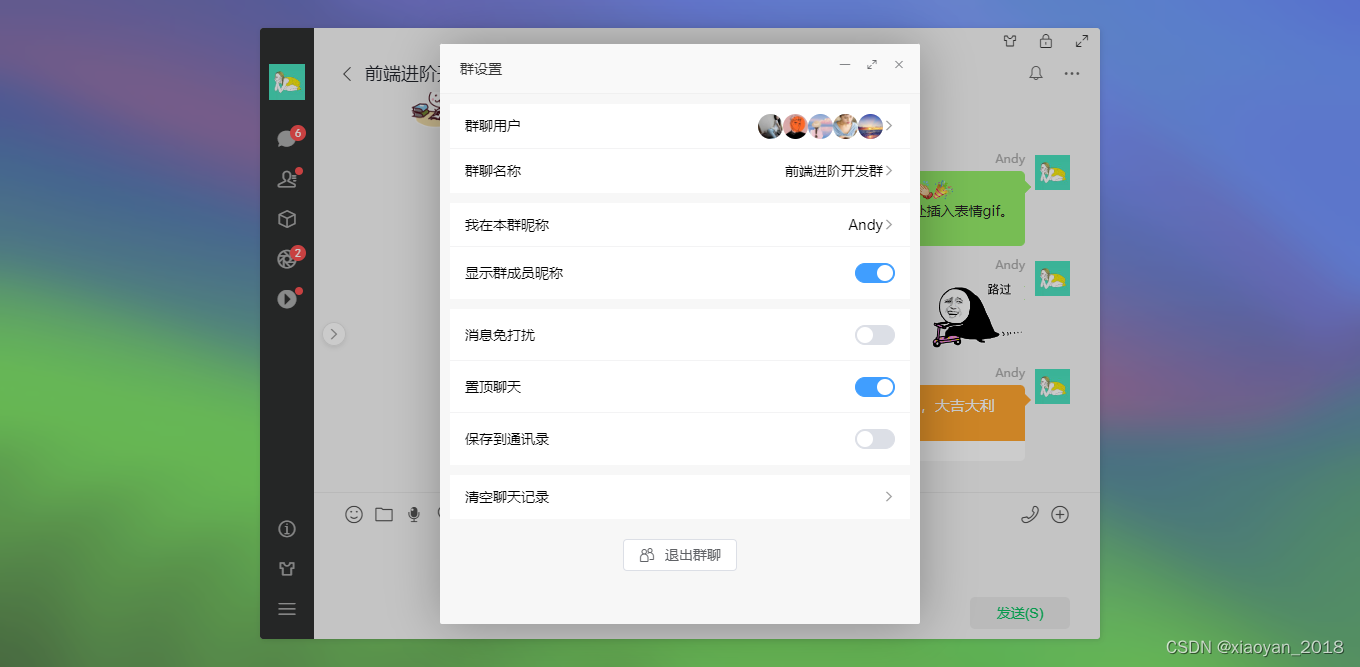
基于最新前端技术vite5.x+vue3+vue-router+pinia+elementPlus搭建网页端聊天室。实现了聊天、通讯录、朋友圈、短视频、我的等功能模块。支持侧边栏展开/收缩、动态主题壁纸、锁屏、最大化等功能。
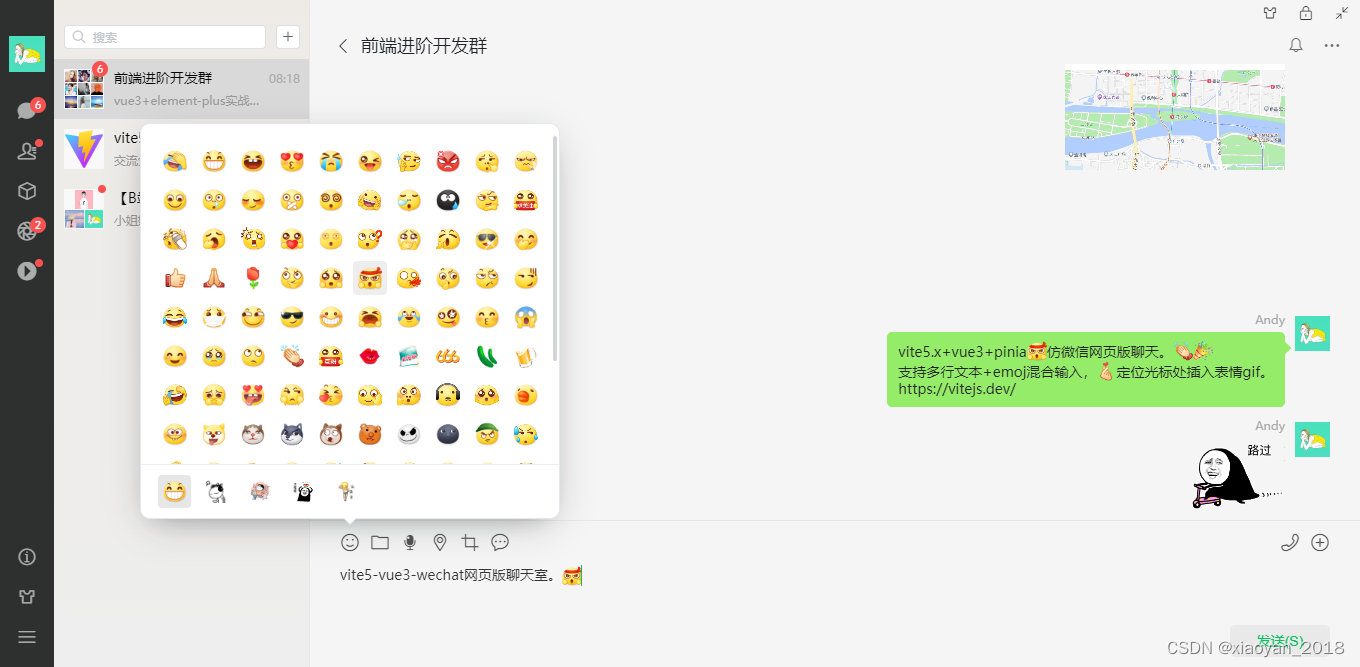
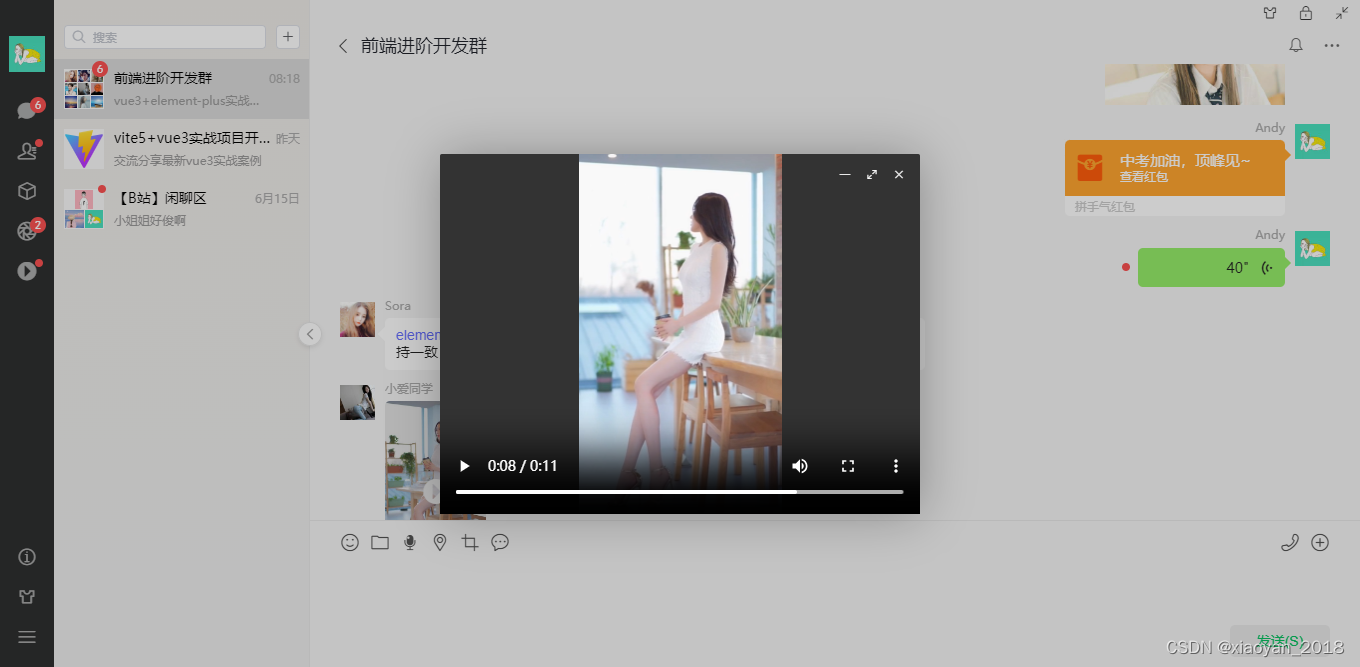
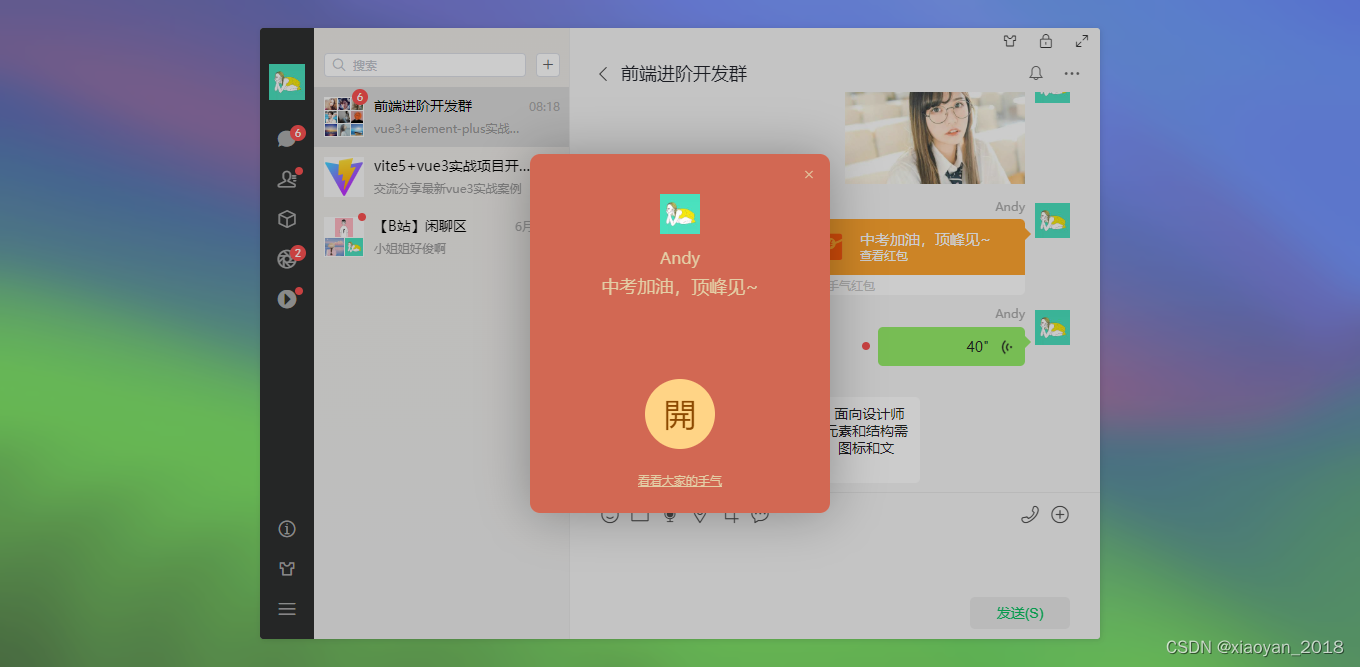
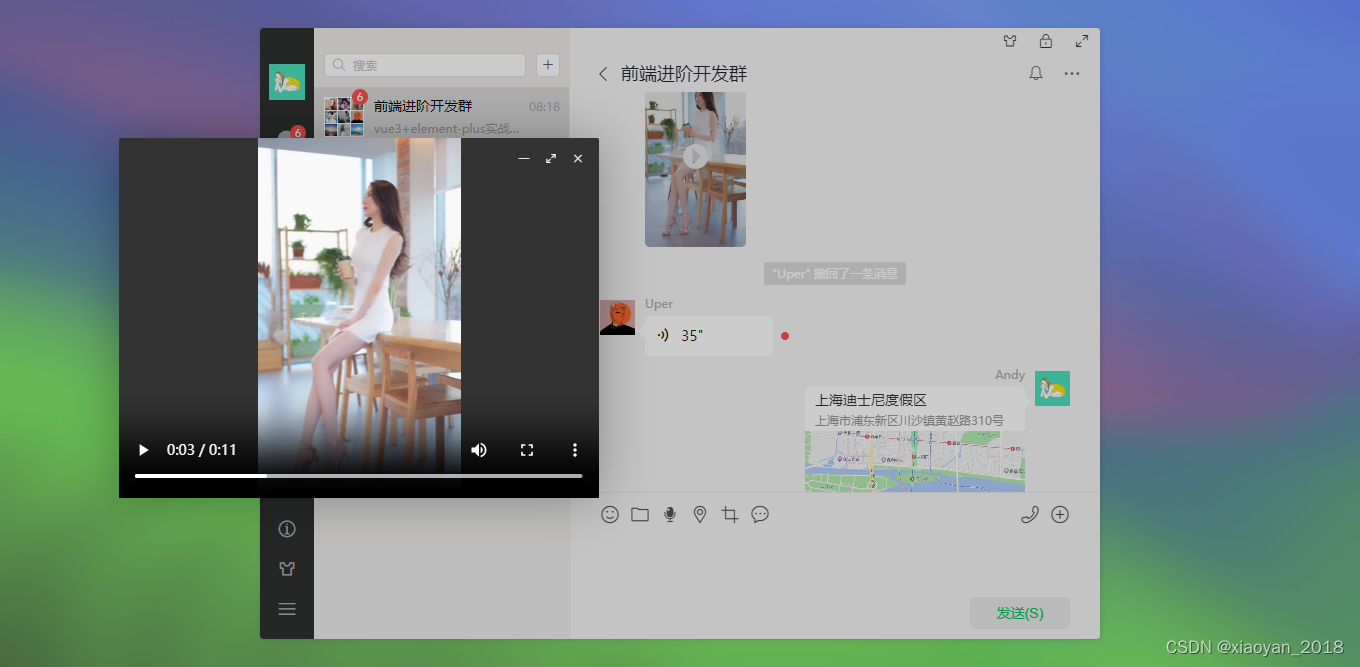
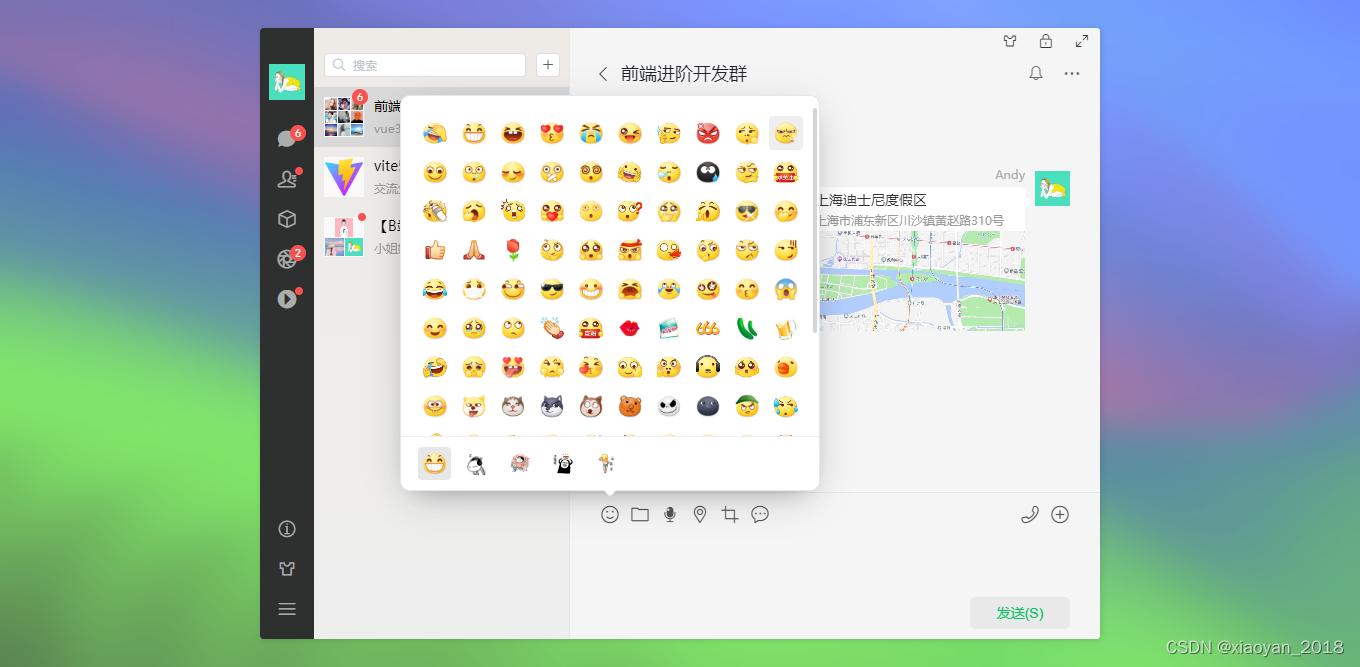
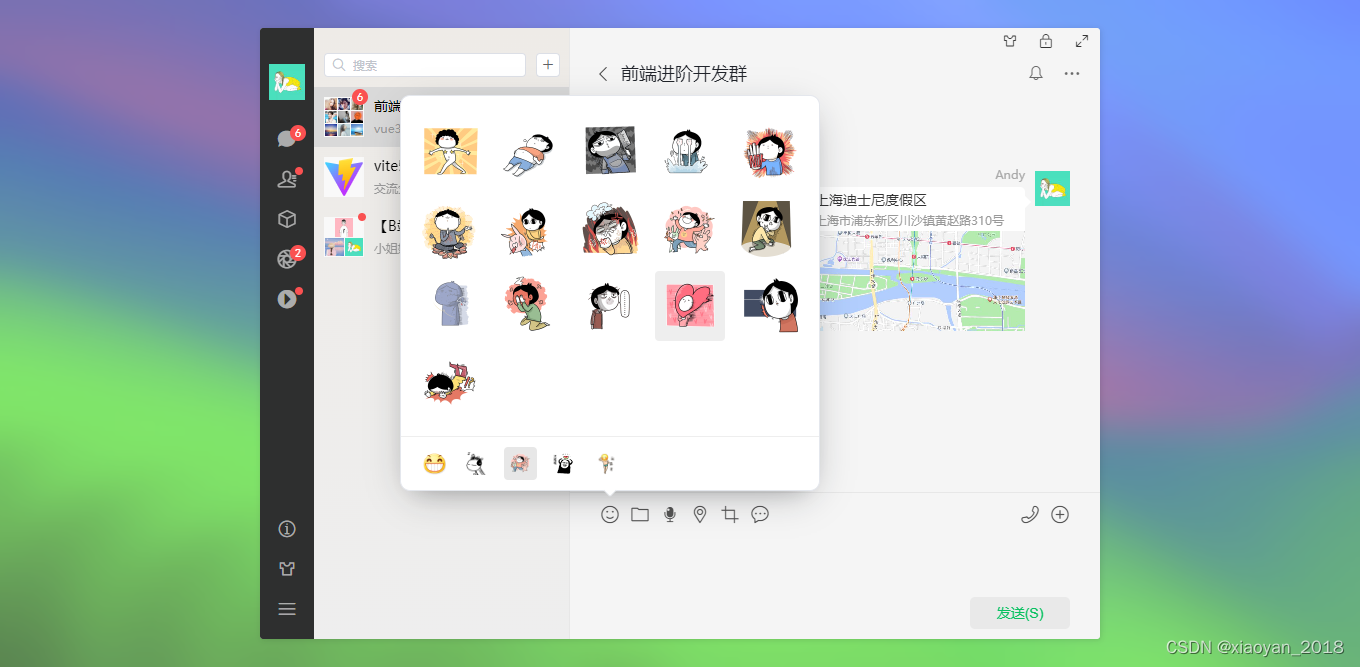
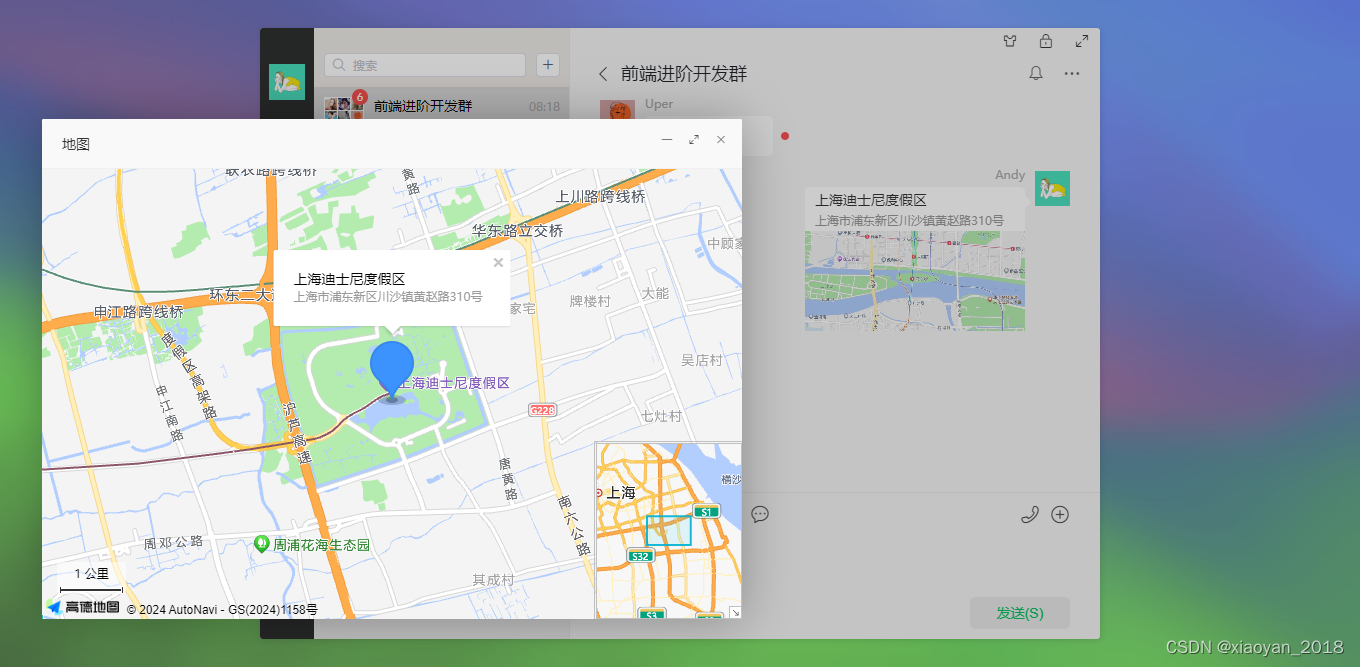
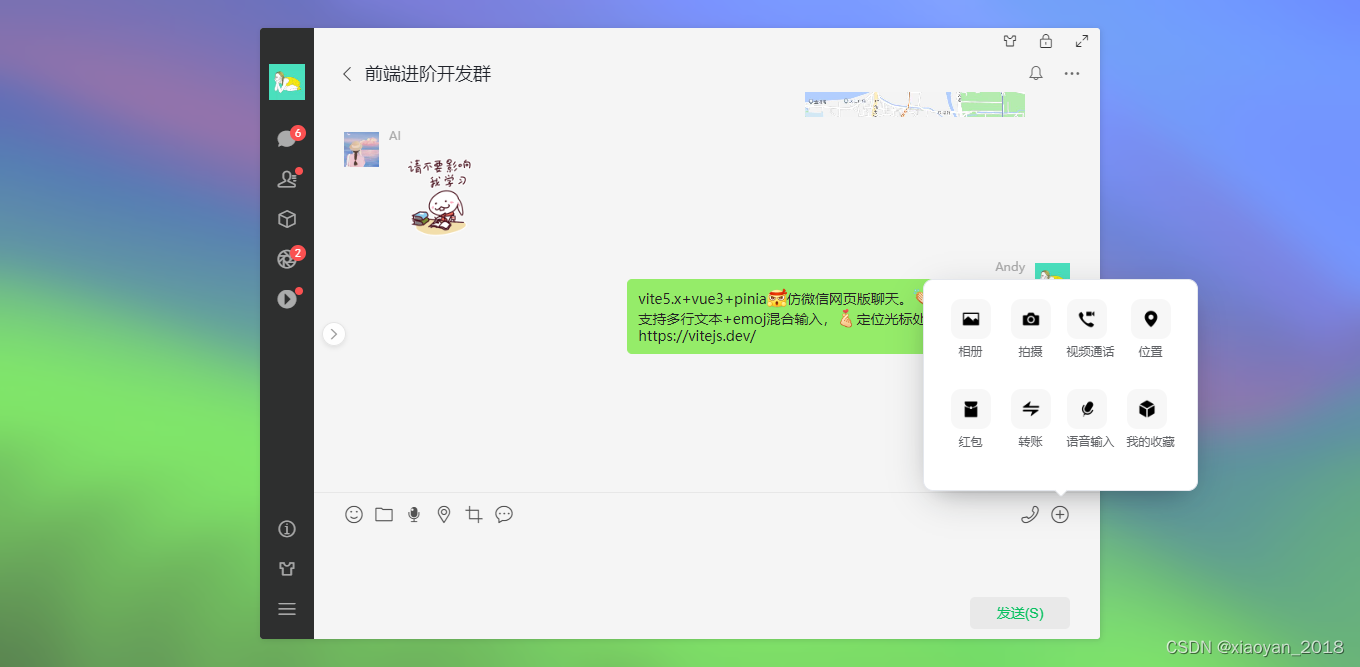
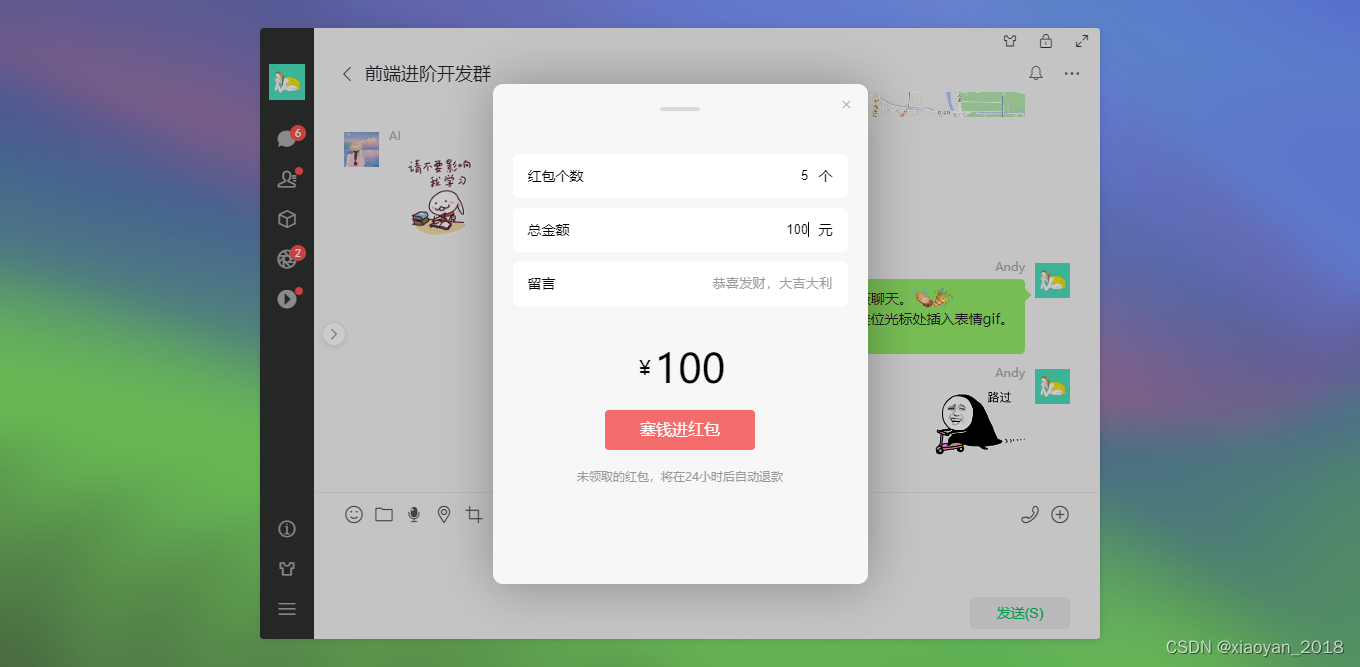
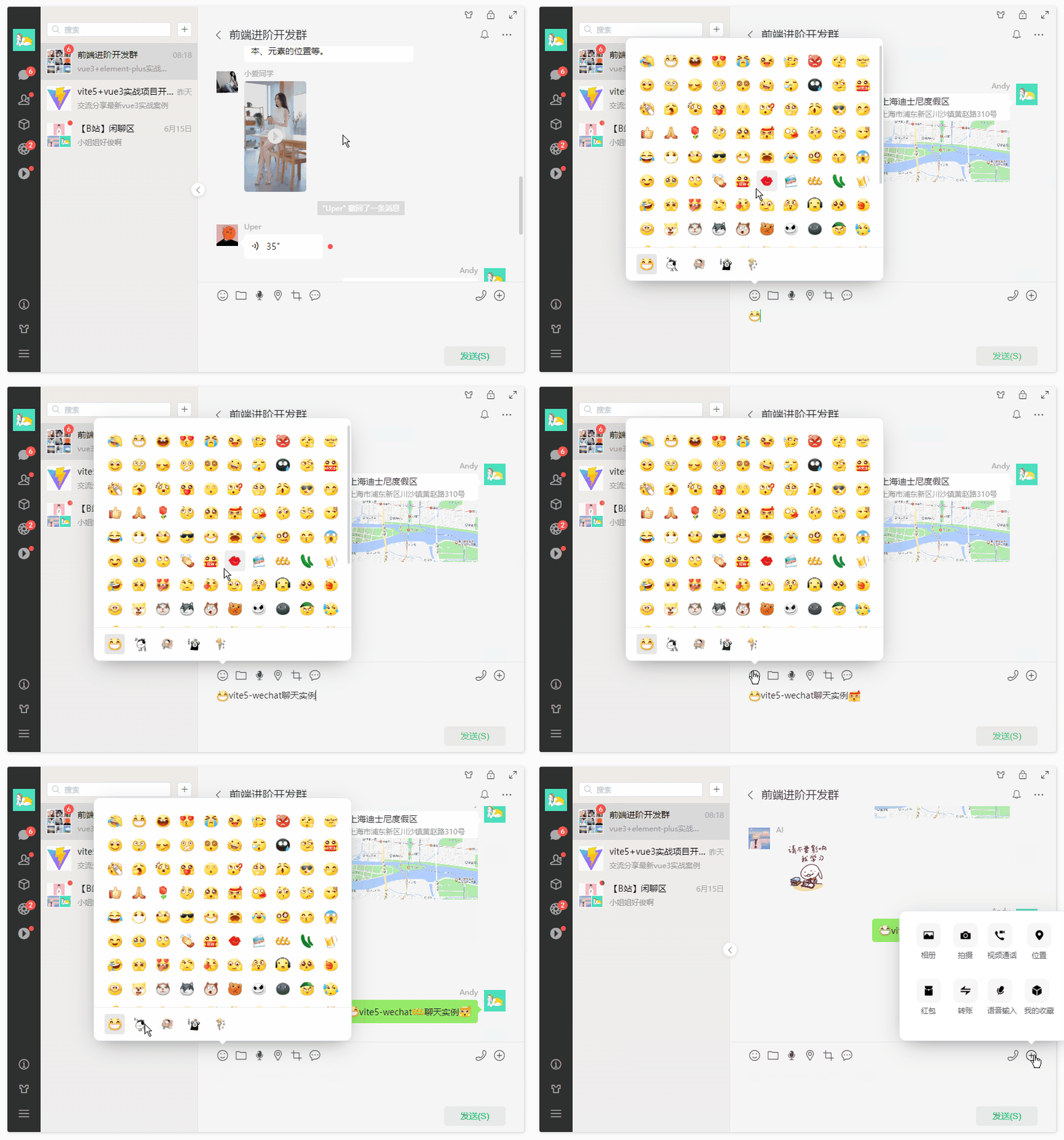
vite-wechat实现了文字/emoj混排、图片/视频预览、红包、地图、语音播放等功能。
使用技术
- 编辑器:vscode
- 框架技术:vite5.2+vue3.4+vue-router4.3+pinia2
- UI组件库:element-plus^2.7.5 (饿了么网页端vue3组件库)
- 状态管理:pinia^2.1.7
- 地图插件:@amap/amap-jsapi-loader(高德地图组件)
- 视频滑动:swiper^11.1.4
- 预编译样式:sass^1.77.4
- 构建工具:vite^5.2.0
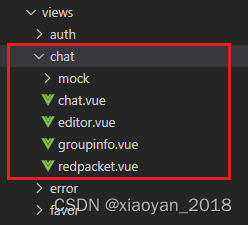
项目结构目录
vite-wechat使用 vite5.x 构建项目模板,采用 vue3 setup 语法糖编码开发模式。
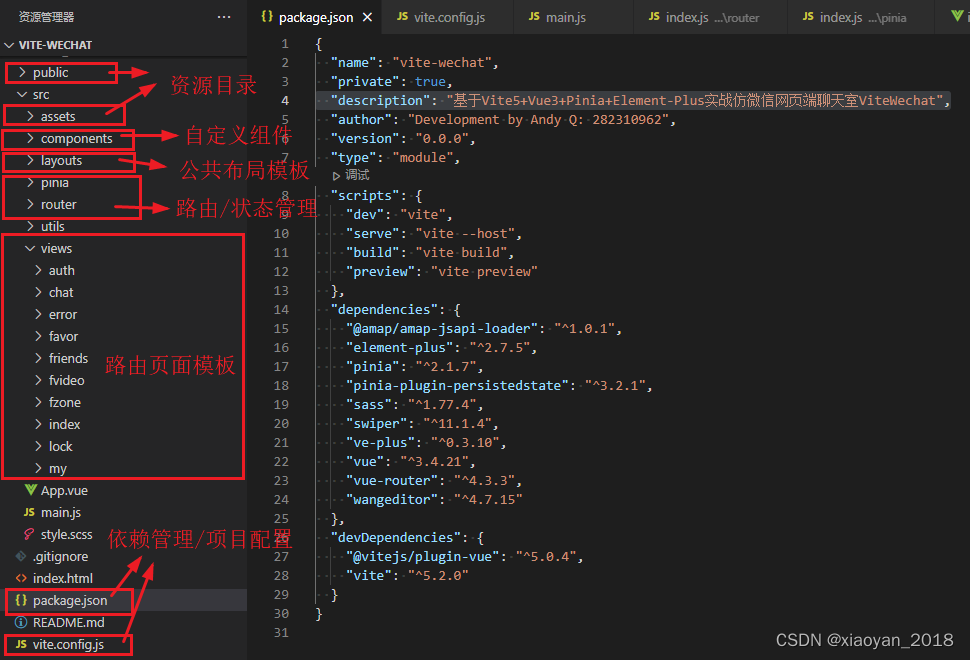
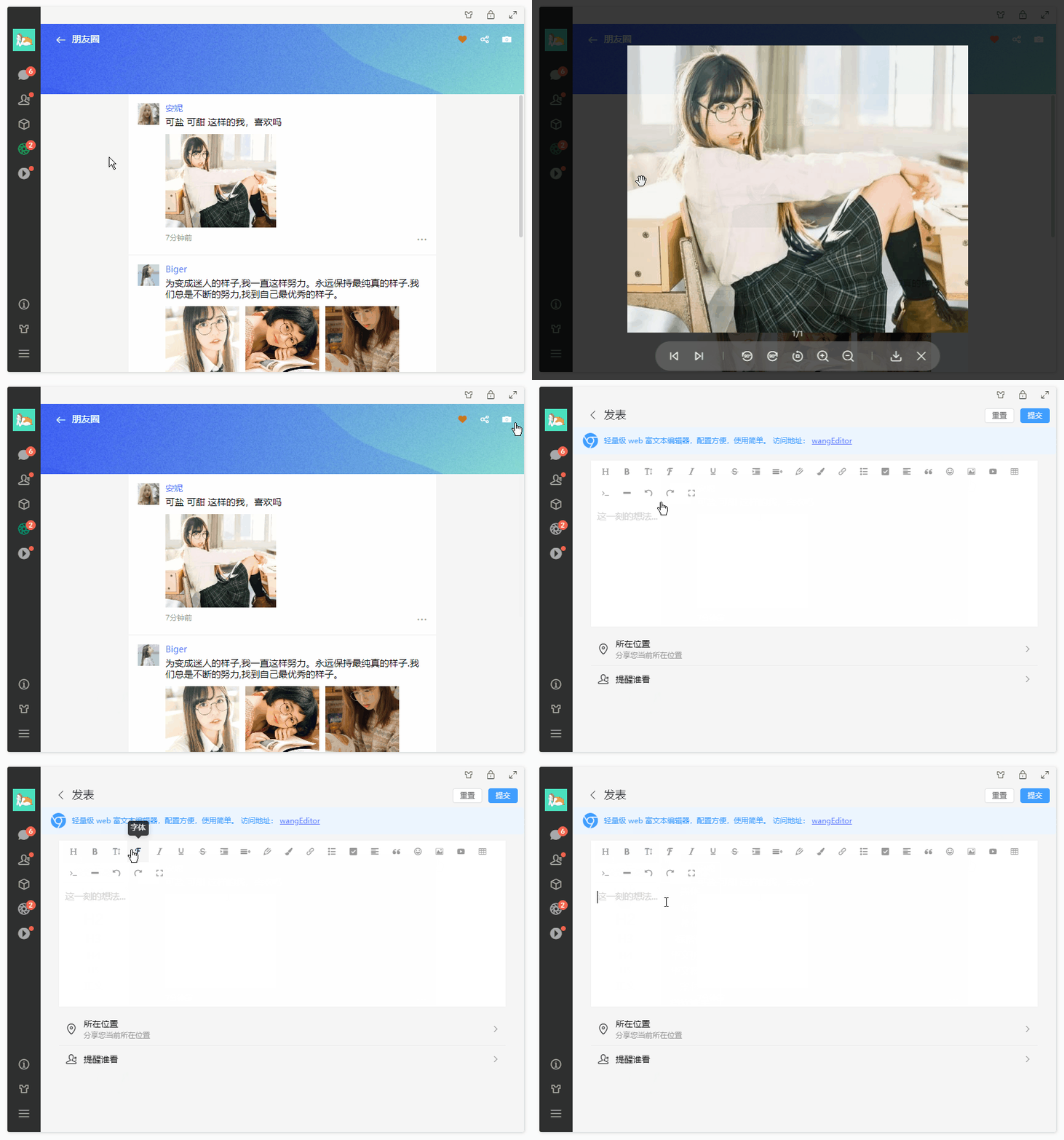
main.js配置
import { createApp } from 'vue'
import './style.scss'
import App from './App.vue'
// 引入组件库
import ElementPlus from 'element-plus'
import 'element-plus/dist/index.css'
import VEPlus from 've-plus'
import 've-plus/dist/ve-plus.css'
// 引入路由/状态管理
import Router from './router'
import Pinia from './pinia'
const app = createApp(App)
app
.use(ElementPlus)
.use(VEPlus)
.use(Router)
.use(Pinia)
.mount('#app')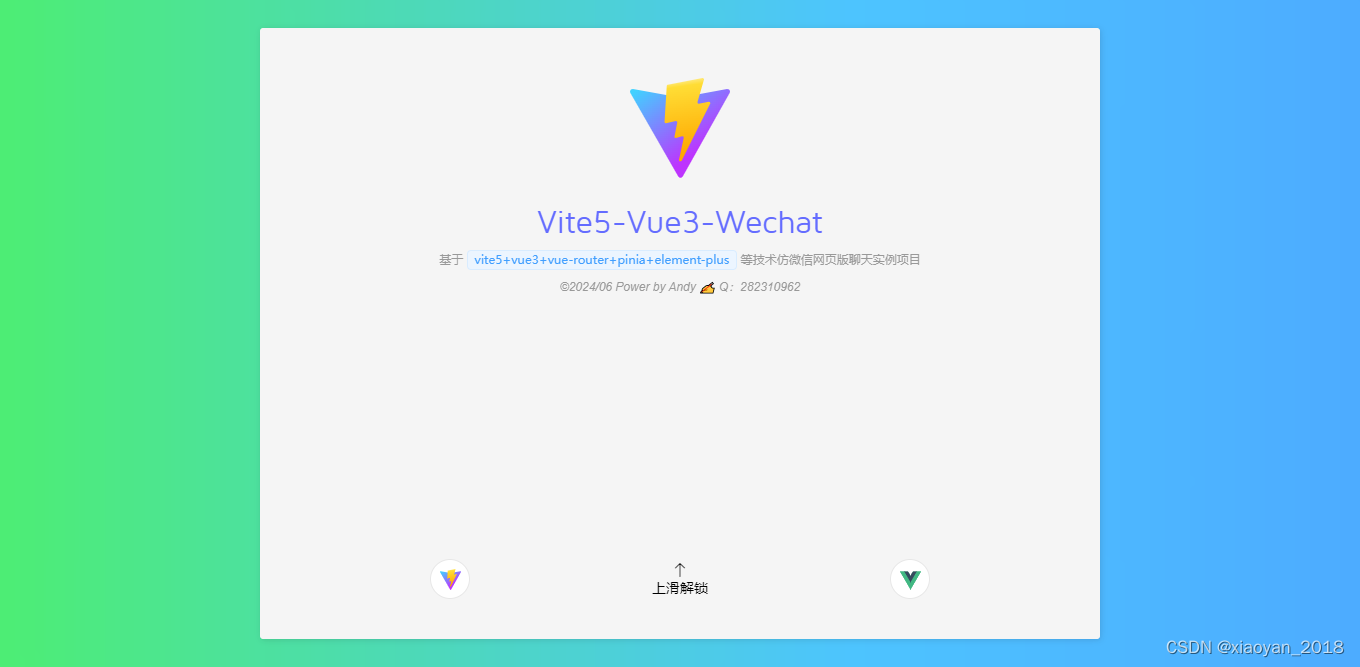
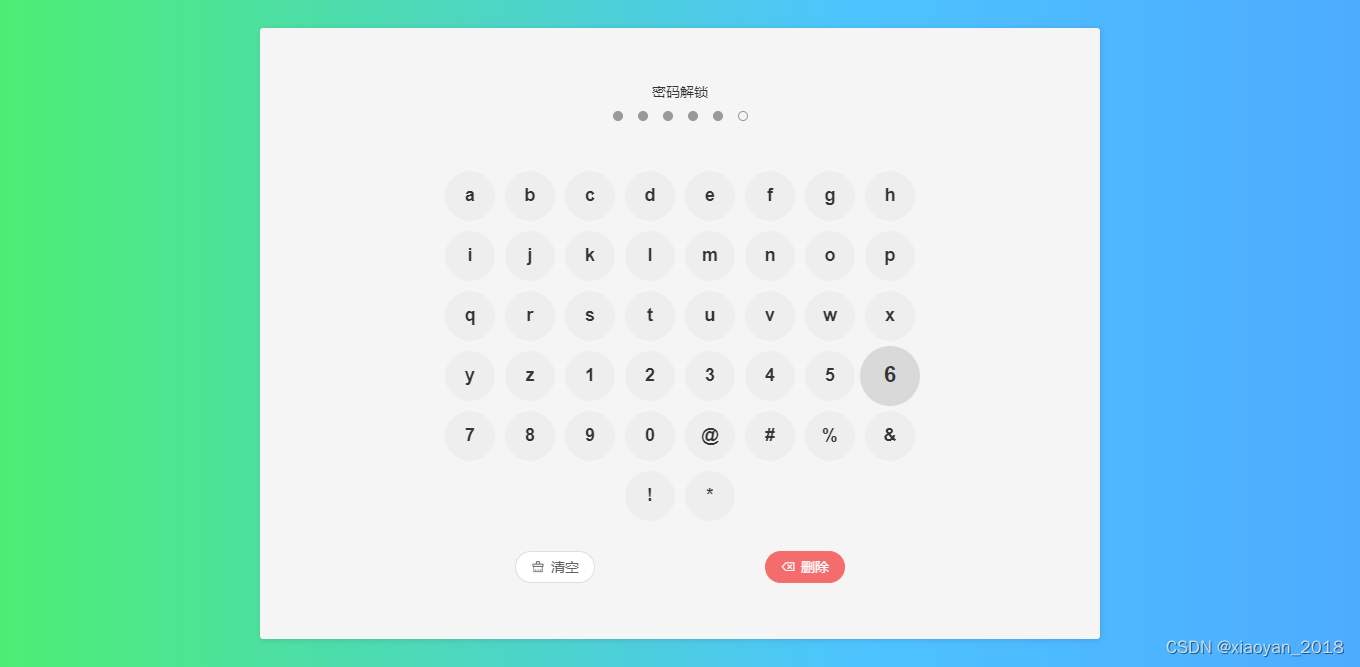
vue3实现滑动解锁
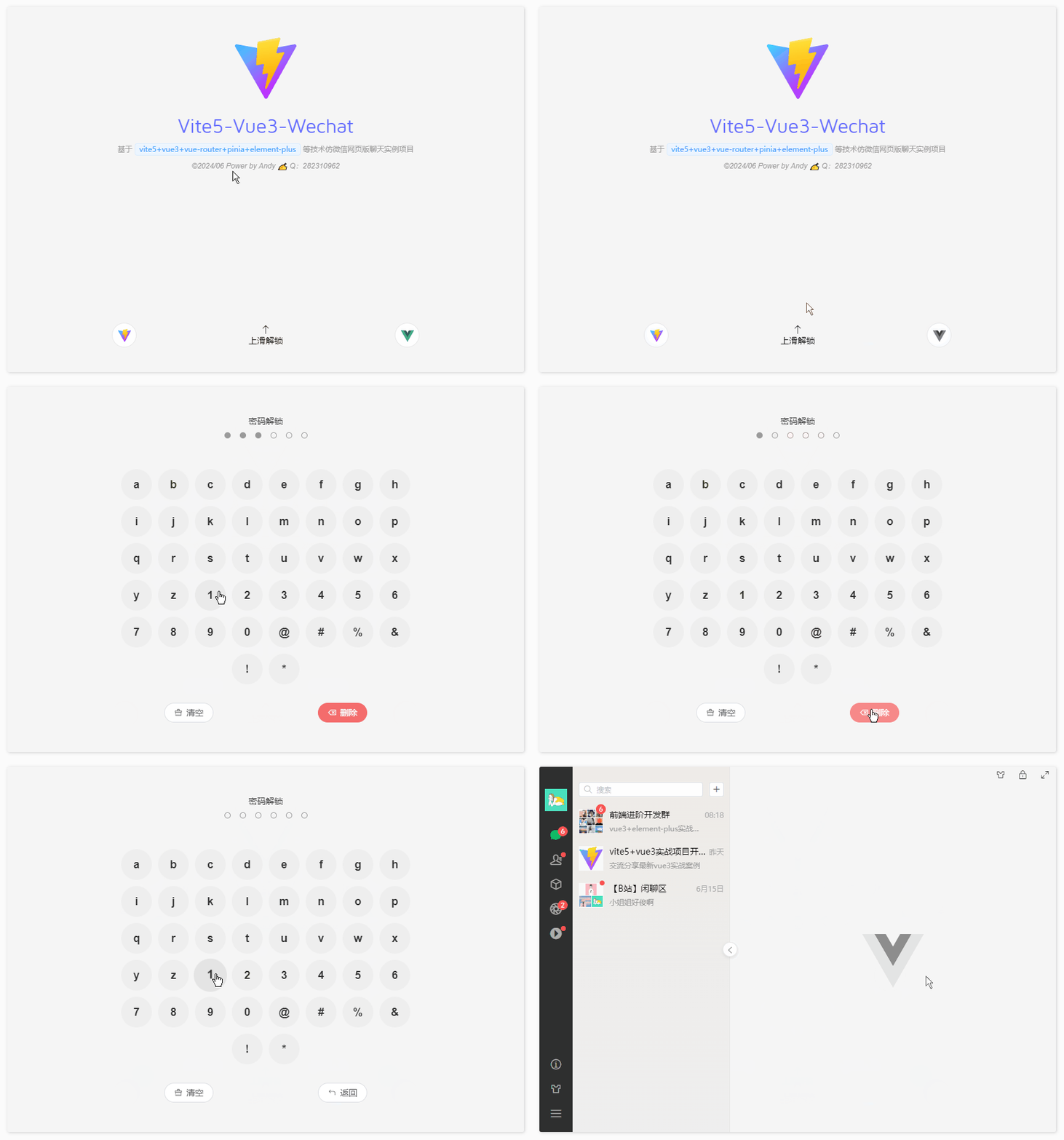
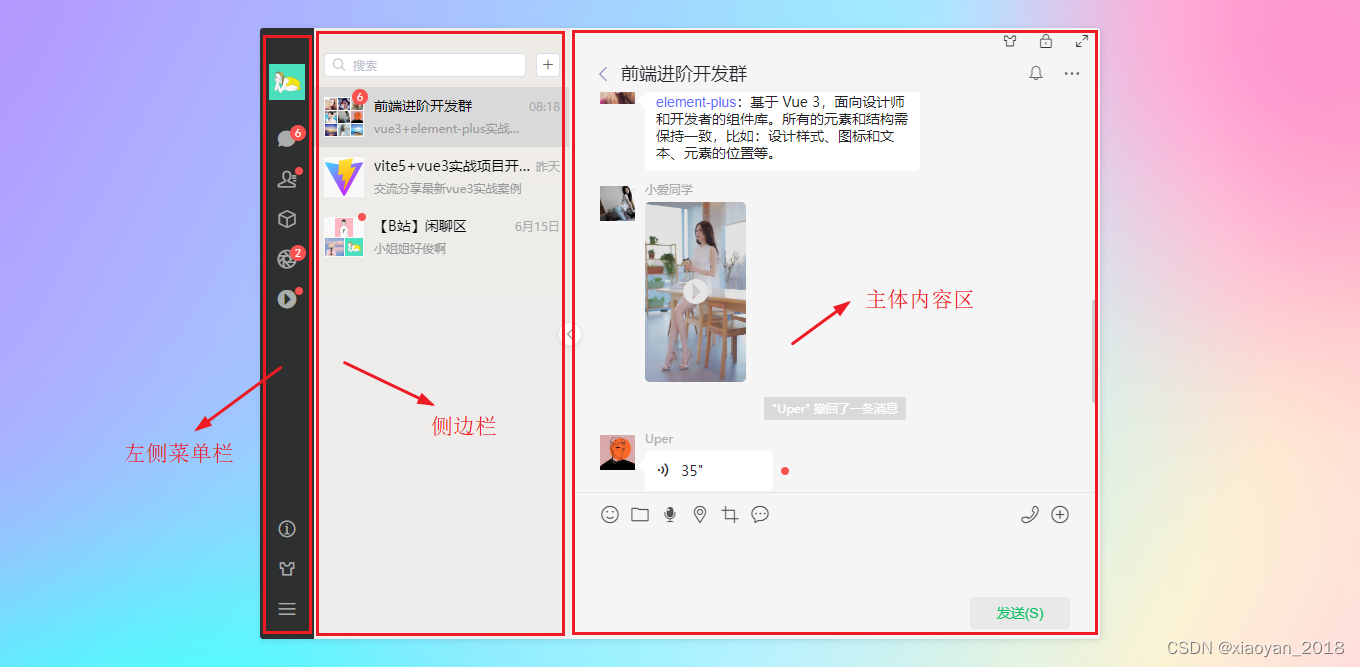
import { ref, computed, inject, nextTick } from 'vue' import { useRouter } from 'vue-router' import { authState } from '@/pinia/modules/auth' import { uuid, guid } from '@/utils' const authstate = authState() const router = useRouter() // 启动页 const splashScreen = ref(true) const authPassed = ref(false) // 滑动距离 const touchY = ref(0) const touchable = ref(false) // 数字键盘输入值 const pwdValue = ref('') const keyNumbers = ref([ {letter: 'a'}, {letter: 'b'}, {letter: 'c'}, {letter: 'd'}, {letter: 'e'}, {letter: 'f'}, {letter: 'g'}, {letter: 'h'}, {letter: 'i'}, {letter: 'j'}, {letter: 'k'}, {letter: 'l'}, {letter: 'm'}, {letter: 'n'}, {letter: 'o'}, {letter: 'p'}, {letter: 'q'}, {letter: 'r'}, {letter: 's'}, {letter: 't'}, {letter: 'u'}, {letter: 'v'}, {letter: 'w'}, {letter: 'x'}, {letter: 'y'}, {letter: 'z'}, {letter: '1'}, {letter: '2'}, {letter: '3'}, {letter: '4'}, {letter: '5'}, {letter: '6'}, {letter: '7'}, {letter: '8'}, {letter: '9'}, {letter: '0'}, {letter: '@'}, {letter: '#'}, {letter: '%'}, {letter: '&'}, {letter: '!'}, {letter: '*'}, ]) //... // 触摸事件(开始/更新) const handleTouchStart = (e) => { touchY.value = e.clientY touchable.value = true } const handleTouchUpdate = (e) => { let swipeY = touchY.value - e.clientY if(touchable.value && swipeY > 100) { splashScreen.value = false touchable.value = false } } const handleTouchEnd = (e) => { touchY.value = 0 touchable.value = false } // 点击数字键盘 const handleClickNum = (num) => { let pwdLen = passwordArr.value.length if(pwdValue.value.length >= pwdLen) return pwdValue.value += num if(pwdValue.value.length == pwdLen) { // 验证通过 if(pwdValue.value == password.value) { // ... }else { setTimeout(() => { pwdValue.value = '' }, 200) } } } // 删除 const handleDel = () => { let num = Array.from(pwdValue.value) num.splice(-1, 1) pwdValue.value = num.join('') } // 清空 const handleClear = () => { pwdValue.value = '' } // 返回 const handleBack = () => { splashScreen.value = true }...密码解锁{{item.letter}}清空 删除 返回vue3-wechat布局模板
vue3路由管理
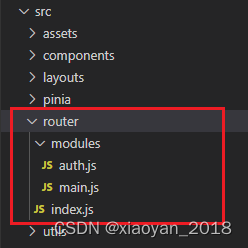
/**
 * 路由管理Router
 * @author andy
 */
import { createRouter, createWebHashHistory } from 'vue-router'
import { authState } from '@/pinia/modules/auth'
import Layout from '@/layouts/index.vue'
// 批量导入路由
const modules = import.meta.glob('./modules/*.js', { eager: true })
const patchRouters = Object.keys(modules).map(key => modules[key].default).flat()
/**
 * meta配置
 * @param meta.requireAuth 需登录验证页面
 * @param meta.hideWinBar 隐藏右上角按钮组
 * @param meta.hideMenuBar 隐藏菜单栏
 * @param meta.showSideBar 显示侧边栏
 * @param meta.canGoBack 是否可回退上一页
 */
const routes = [
  ...patchRouters,
  // 错误模块
  {
    path: '/:pathMatch(.*)*',
    redirect: '/404',
    component: Layout,
    meta: {
      title: '404error',
      hideMenuBar: true,
      hideWinBar: true,
    },
    children: [
      {
        path: '404',
        component: () => import('@/views/error/404.vue'),
      }
    ]
  },
]
const router = createRouter({
  history: createWebHashHistory(),
  routes,
})
// 全局路由钩子拦截
router.beforeEach((to, from) => {
  const authstate = authState()
  // 登录验证
  if(to?.meta?.requireAuth && !authstate.authorization) {
    console.log('你还未登录!')
    return {
      path: '/login'
    }
  }
})
router.afterEach((to, from) => {
  // 阻止浏览器回退
  if(to?.meta?.canGoBack == false && from.path != null) {
    history.pushState(history.state, '', document.URL)
  }
})
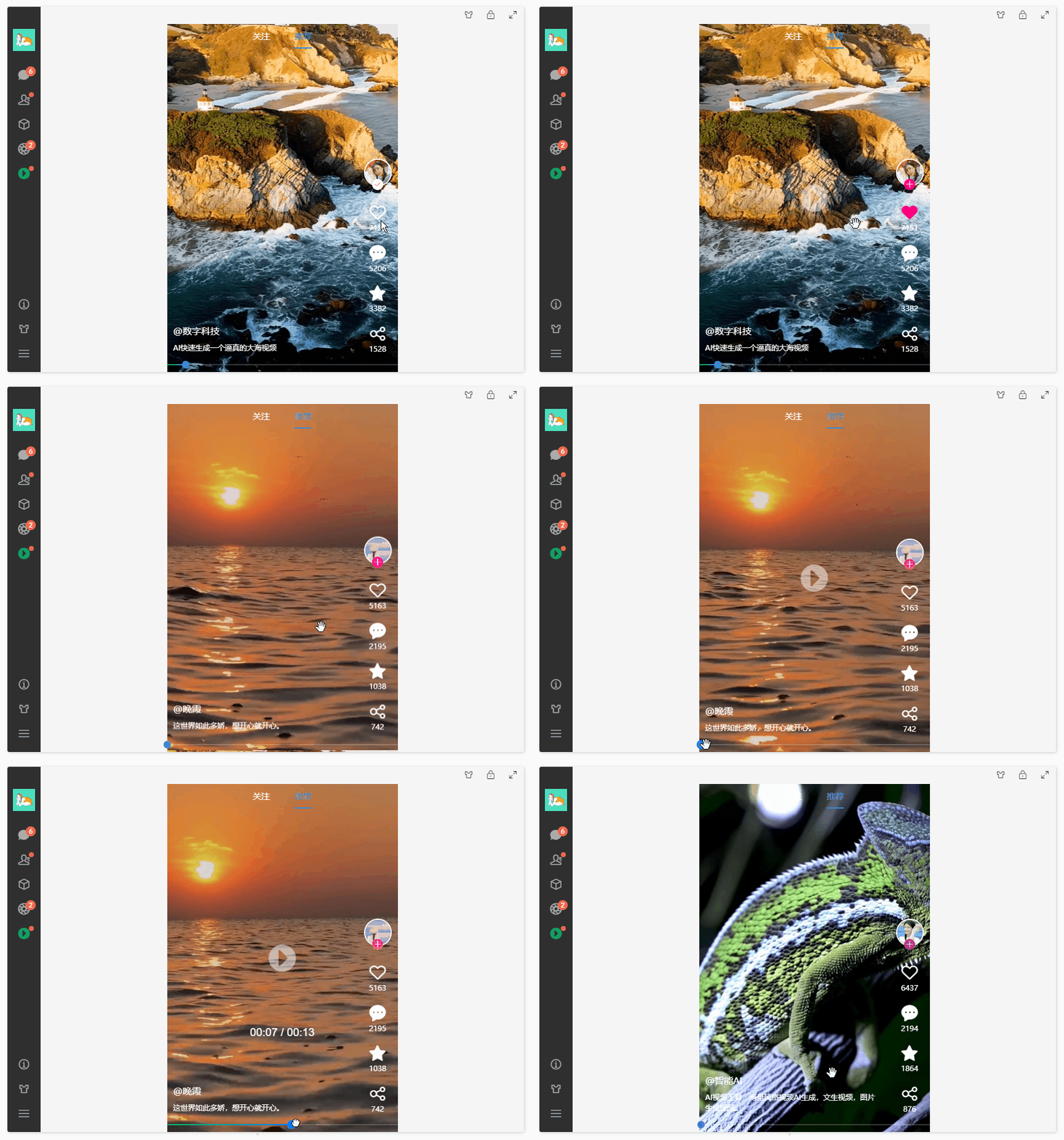
vue3小视频模块
vite5-wechat项目加入了小视频模块。使用swiper组件实现上下滑动小视频。
视频底部mini播放进度条,采用Slider组件实现功能。支持拖拽到指定时间点。
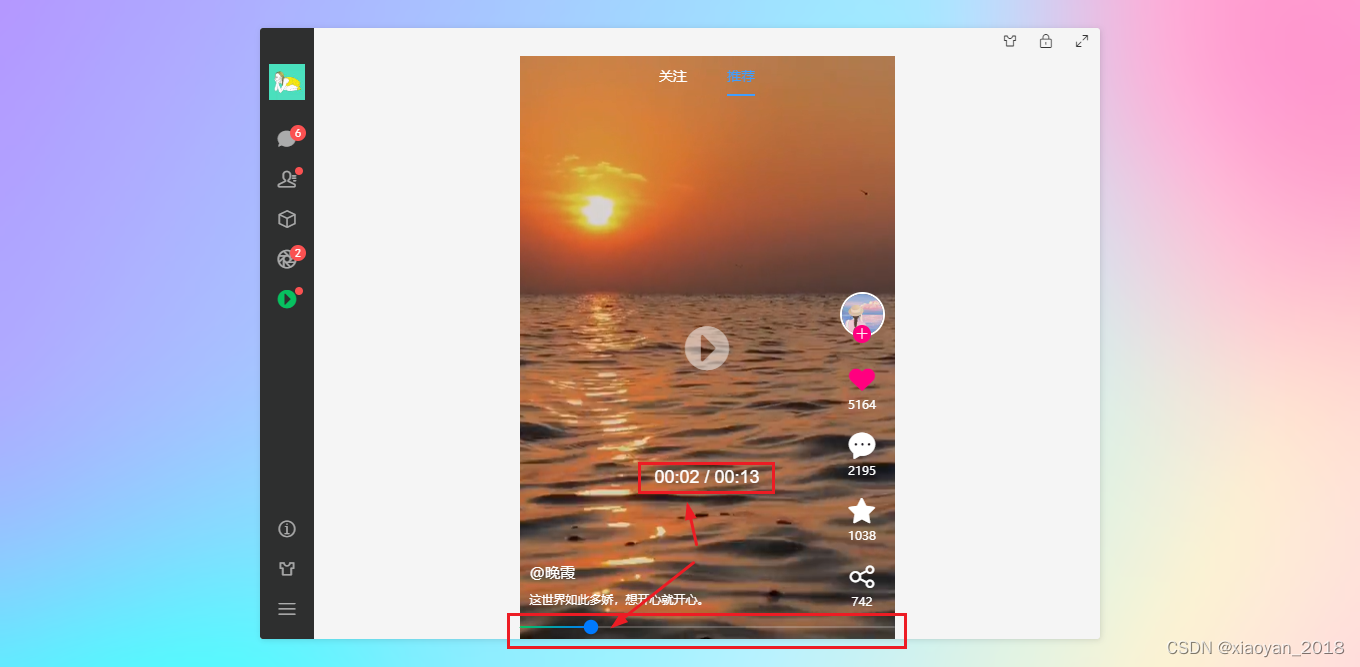 @{{item.author}}{{item.desc}}{{videoTime}} / {{videoDuration}}
vue3聊天模块
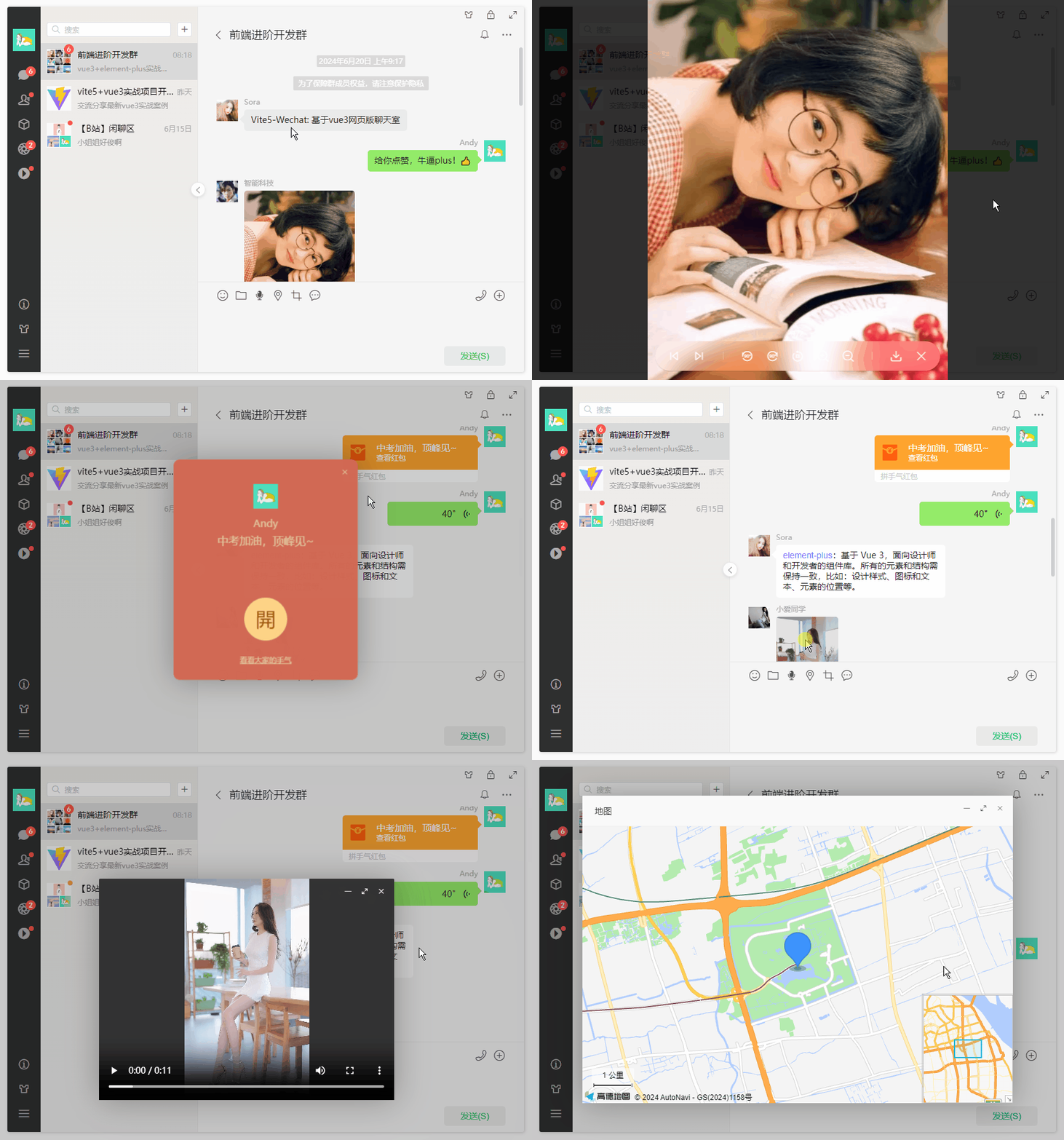
聊天输入框支持多行文本输入、光标处插入gif图片、粘贴截图发送图片等功能。
...
......发送(S)vue3使用高德地图。
// 拾取地图位置 let map = null const handlePickMapLocation = () => { popoverChooseRef?.value?.hide() mapLocationVisible.value = true // 初始化地图 AMapLoader.load({ key: "af10789c28b6ef1929677bc5a2a3d443", // 申请好的Web端开发者Key,首次调用 load 时必填 version: "2.0", // 指定要加载的 JSAPI 的版本,缺省时默认为 1.4.15 }).then((AMap) => { // JS API 加载完成后获取AMap对象 map = new AMap.Map("vu__mapcontainer", { viewMode: "3D", // 默认使用 2D 模式 zoom: 10, // 初始化地图级别 resizeEnable: true, }) // 获取当前位置 AMap.plugin('AMap.Geolocation', function() { var geolocation = new AMap.Geolocation({ // 是否使用高精度定位,默认:true enableHighAccuracy: true, // 设置定位超时时间,默认:无穷大 timeout: 10000, // 定位按钮的停靠位置的偏移量,默认:Pixel(10, 20) buttonOffset: new AMap.Pixel(10, 20), // 定位成功后调整地图视野范围使定位位置及精度范围视野内可见,默认:false zoomToAccuracy: true, // 定位按钮的排放位置, RB表示右下 buttonPosition: 'RB' }) map.addControl(geolocation) geolocation.getCurrentPosition(function(status, result){ if(status == 'complete'){ onComplete(result) }else{ onError(result) } }) }) // 定位成功的回调函数 function onComplete(data) { var str = ['定位成功'] str.push('经度:' + data.position.getLng()) str.push('纬度:' + data.position.getLat()) if(data.accuracy){ str.push('精度:' + data.accuracy + ' 米') } // 可以将获取到的经纬度信息进行使用 console.log(str.join('
')) } // 定位失败的回调函数 function onError(data) { console.log('定位失败:' + data.message) } }).catch((e) => { // 加载错误提示 console.log('amapinfo', e) }) } // 打开预览地图位置 const handleOpenMapLocation = (data) => { mapLocationVisible.value = true // 初始化地图 AMapLoader.load({ key: "af10789c28b6ef1929677bc5a2a3d443", // 申请好的Web端开发者Key,首次调用 load 时必填 version: "2.0", // 指定要加载的 JSAPI 的版本,缺省时默认为 1.4.15 }).then((AMap) => { // JS API 加载完成后获取AMap对象 map = new AMap.Map("vu__mapcontainer", { viewMode: "3D", // 默认使用 2D 模式 zoom: 13, // 初始化地图级别 center: [data.longitude, data.latitude], // 初始化地图中心点位置 }) // 添加插件 AMap.plugin(["AMap.ToolBar", "AMap.Scale", "AMap.HawkEye"], function () { //异步同时加载多个插件 map.addControl(new AMap.ToolBar()) // 缩放工具条 map.addControl(new AMap.HawkEye()) // 显示缩略图 map.addControl(new AMap.Scale()) // 显示当前地图中心的比例尺 }) mapPosition.value = [data.longitude, data.latitude] addMarker() // 实例化点标记 function addMarker() { const marker = new AMap.Marker({ icon: "//a.amap.com/jsapi_demos/static/demo-center/icons/poi-marker-default.png", position: mapPosition.value, offset: new AMap.Pixel(-26, -54), }) marker.setMap(map) /* marker.setLabel({ direction:'top', offset: new AMap.Pixel(0, -10), //设置文本标注偏移量 content: "我是 marker 的 label 标签", //设置文本标注内容 }) */ //鼠标点击marker弹出自定义的信息窗体 marker.on('click', function () { infoWindow.open(map, marker.getPosition()) }) const infoWindow = new AMap.InfoWindow({ offset: new AMap.Pixel(0, -60), content: `${data.name}
${data.address}
` }) } }).catch((e) => { // 加载错误提示 console.log('amapinfo', e) }) } // 关闭预览地图位置 const handleCloseMapLocation = () => { map?.destroy() mapLocationVisible.value = false }OK,以上就是vue3+vite5+element-plus开发网页聊天项目的一些分享。
https://blog.csdn.net/yanxinyun1990/article/details/139510447
https://blog.csdn.net/yanxinyun1990/article/details/138317354
https://blog.csdn.net/yanxinyun1990/article/details/136996521

免责声明:我们致力于保护作者版权,注重分享,被刊用文章因无法核实真实出处,未能及时与作者取得联系,或有版权异议的,请联系管理员,我们会立即处理! 部分文章是来自自研大数据AI进行生成,内容摘自(百度百科,百度知道,头条百科,中国民法典,刑法,牛津词典,新华词典,汉语词典,国家院校,科普平台)等数据,内容仅供学习参考,不准确地方联系删除处理! 图片声明:本站部分配图来自人工智能系统AI生成,觅知网授权图片,PxHere摄影无版权图库和百度,360,搜狗等多加搜索引擎自动关键词搜索配图,如有侵权的图片,请第一时间联系我们,邮箱:ciyunidc@ciyunshuju.com。本站只作为美观性配图使用,无任何非法侵犯第三方意图,一切解释权归图片著作权方,本站不承担任何责任。如有恶意碰瓷者,必当奉陪到底严惩不贷!


