
GWAS数据库ieugwasr包最新配置API用户Token方法
1. 最新的 API 授权要求
https://api.opengwas.io/api/#authentication

官方说明:
To be deprecated soon - Token obtained from Google OAuth
The documentation provides a list of endpoints, the parameters they require, descriptions of the data that is returned, and an interactive way to try out each of the endpoints.
The database of GWAS summary data mostly contains public data, however there are some ‘private’ datasets, which can only be accessed by authorised users.
Authentication is managed using Google OAuth 2.0. In order to authenticate, you will need to generate a ‘token’ for each session in which private access is required.
The simplest way to obtain an authentication token is to use a browser to authenticate with your gmail account at this link.
The access token can also be obtained using the ieugwasr::get_access_token() function, more information about that here.
Now rolling out - JSON Web Token (JWT) issued by us
From Wednesday 1st May 2024, you need to prove your identity (authenticate) to use our service, even if you are querying a public dataset.
JSON Web Token (JWT) is used for authentication. The token is required for most endpoints. To obtain a token, sign in to the account page. You will be prompted to generate a token, which is valid for 14 days. To use your token, add it into your request header under the key Authorization with value Bearer your_token. Note that there is a whitespace between Bearer and your token.
The API documentation provides a list of endpoints, whether they are protected (require authentication), the parameters and responses, and an interactive way to try out. To try the protected endpoints, click the green ‘Authorize’ button in API docs and provide your token as instructed.
2. GWAS 数据库注册 API
- 地址:https://api.opengwas.io/
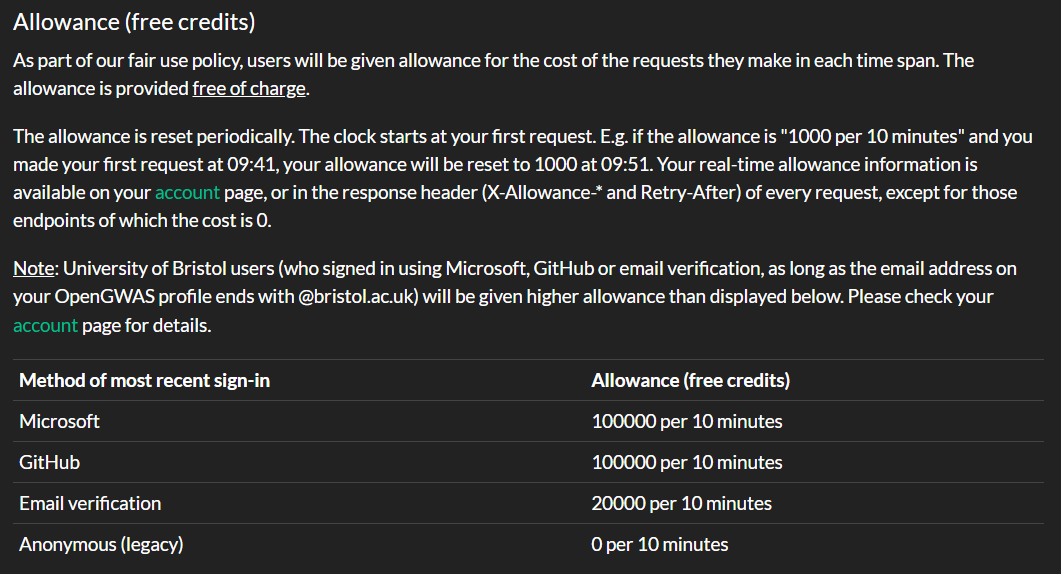
- 你可以使用不同的账户登录,额度不一样
- 建议用微软账户或者 GitHub
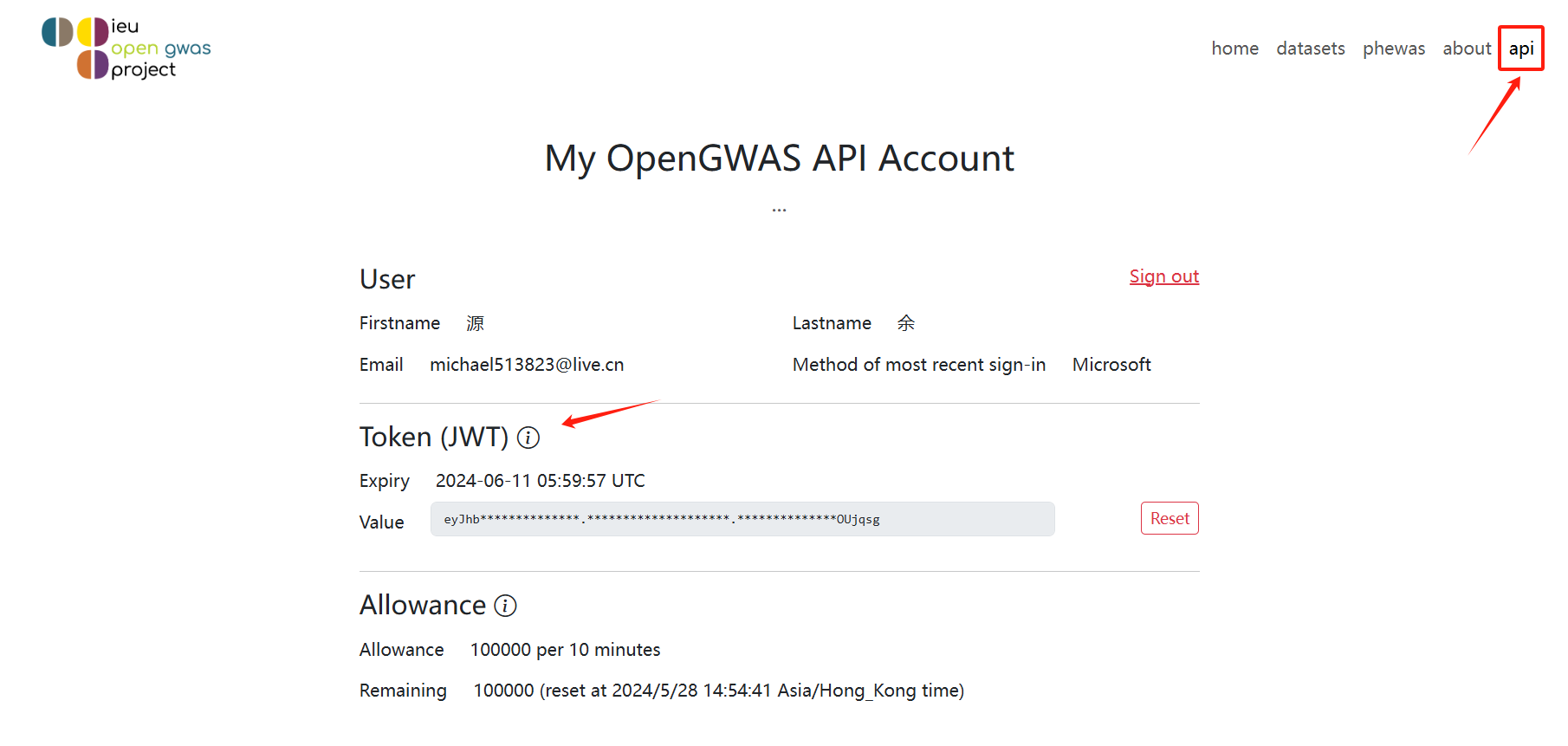
- 登录过后,创建一个 API token
- 只显示一次,务必记得复制保存
- 注意,每个token有效期为14天!!!
3. 设置 R(ieugwasr 包)
3.1 创建.Renviron文件
- 可以在用户目录
- 也可以创建在工作目录
3.1.1 在用户目录进行创建
- 比如我的用户名是 bio,因此我的用户目录是 home/bio

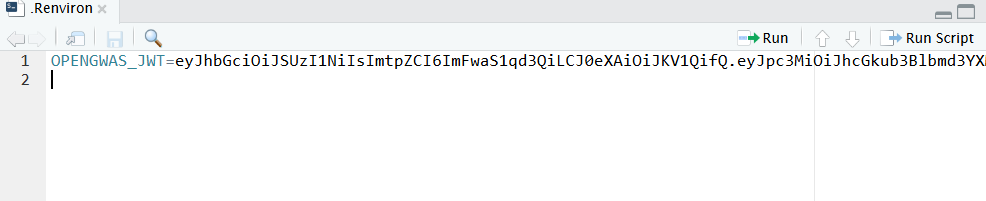
3.1.2 修改.Renviron文件内容
- 内容是:OPENGWAS_JWT=
3.2 重启 R session
- 记得一定要重启 R session
- 不知道怎么重启的建议直接重启电脑或者虚拟机
3.3 运行测试
 首先需要更新一下ieugwasr包
install.packages("ieugwasr")
# 或者你用github安装开发版:
# remotes::install_github("mrcieu/ieugwasr")
# 载入包
library(dplyr) #这个包提供管道符号支持
library(ieugwasr)
# 查看是否识别到token
ieugwasr::get_opengwas_jwt()
# 返回你的token,说明成功
# user(),查看token对应的用户信息
ieugwasr::user()
# api_status()
ieugwasr::api_status()
参考资料
- 最新 API 说明:https://api.opengwas.io/api/#authentication
- GWAS API 注册后台:https://api.opengwas.io/profile/
- GWAS API 官方文档:https://api.opengwas.io/api/docs
- ieugwaspy:https://mrcieu.github.io/ieugwaspy/index.html
- ieugwas 最新 API 配置:https://mrcieu.github.io/ieugwasr/articles/guide.html#authentication
- GWAS 数据库官网:https://gwas.mrcieu.ac.uk/
- 内容是:OPENGWAS_JWT=
- 比如我的用户名是 bio,因此我的用户目录是 home/bio


