
使用Java实现Word文件转PDF文件
1.场景
不知大家有没有注意到,在开发工作中,我们或多或少都会接触到文档,不管是开发文档,还是用户手册,都会跟文件打交道,对于使用系统的用户来说,文件要下载再打开会比较繁琐,而且会比较耗磁盘空间,很多时候用户直观地想预览这个文件,Word不支持预览,这个就需要将Word转换为PDF格式才能进行预览,但市面上很多转换的都是商业软件,但这拦不到一个想搞技术的程序猿,在此我分享一个我常用的Word转PDF的方法,希望对你们有用。
2.环境准备
这提供几个转换的Jar包,用来转换pdf的(我使用的是springboot框架,因此用上了Maven仓库,把jar包已经导入了Maven仓库,在下面我会将jar导入到Maven中的命令写出来)
            aspose
            aspose-words
            15.8.0-jdk16


            aspose
            aspose-slides
            19.3
jar包的网盘链接和提取码
链接:https://pan.baidu.com/s/1J1BPC7J5_KG_OEx8w98V2w?pwd=7284
提取码:7284
--来自百度网盘超级会员V6的分享
如何将jar包导入本地Maven仓库,命令如下:
mvn install:install-file -Dfile=刚下载的jar包的位置 -DgroupId=依赖里写的groupId -DartifactId=依赖里写的artifactId -Dversion=上面的version -Dpackaging=jar
示例:
mvn install:install-file -Dfile=F:\项目\文件预览\lib\aspose-words-15.8.0-jdk16.jar -DgroupId=aspose -DartifactId=aspose-words -Dversion=15.8.0-jdk16 -Dpackaging=jar
准备工作已完成,开始上代码。
3.项目代码
引入springboot依赖和aspose依赖:
            aspose
            aspose-words
            15.8.0-jdk16


            aspose
            aspose-slides
            19.3


            org.springframework.boot
            spring-boot-starter-web
创建一个工具类,封装word转pdf的操作方法,业务代码去调用这个接口即可:
import com.aspose.words.Document;
import com.aspose.words.License;
import com.aspose.words.SaveFormat;
import java.io.*;
/**
 * word转pdf工具类
 *
 * @author shmily
 */
public class Word2PdfUtil {
    /**
     * 许可证字符串(可以放到resource下的xml文件中也可)
     */
    private static final String LICENSE = "" +
            "" +
            "Aspose.Total for JavaAspose.Words for Java" +
            "Enterprise" +
            "20991231" +
            "20991231" +
            "8bfe198c-7f0c-4ef8-8ff0-acc3237bf0d7" +
            "" +
            "sNLLKGMUdF0r8O1kKilWAGdgfs2BvJb/2Xp8p5iuDVfZXmhppo+d0Ran1P9TKdjV4ABwAgKXxJ3jcQTqE/2IRfqwnPf8itN8aFZlV3TJPYeD3yWE7IT55Gz6EijUpC7aKeoohTb4w2fpox58wWoF3SNp6sK6jDfiAUGEHYJ9pjU=" +
            "";
    /**
     * 设置 license 去除水印
     */
    private static void setLicense() {
        ByteArrayInputStream byteArrayInputStream = new ByteArrayInputStream(LICENSE.getBytes());
        License license = new License();
        try {
            license.setLicense(byteArrayInputStream);
        } catch (Exception e) {
            e.printStackTrace();
        }
    }
    /**
     * word 转 pdf 生成至指定路径,pdf为空则上传至word同级目录
     *
     * @param wordPath word文件路径
     * @param pdfPath  pdf文件路径
     */
    public static void wordConvertPdfFile(String wordPath, String pdfPath) {
        FileOutputStream fileOutputStream = null;
        try {
            pdfPath = pdfPath == null ? getPdfFilePath(wordPath) : pdfPath;
            setLicense();
            File file = new File(pdfPath);
            fileOutputStream = new FileOutputStream(file);
            Document doc = new Document(wordPath);
            doc.save(fileOutputStream, SaveFormat.PDF);
        } catch (Exception e) {
            e.printStackTrace();
        } finally {
            try {
                assert fileOutputStream != null;
                fileOutputStream.close();
            } catch (IOException e) {
                e.printStackTrace();
            }
        }
    }
    /**
     * word 转 pdf 生成byte字节流
     *
     * @param wordPath word所在的目录地址
     * @return
     */
    public static byte[] wordConvertPdfByte(String wordPath) {
        ByteArrayOutputStream fileOutputStream = null;
        try {
            setLicense();
            fileOutputStream = new ByteArrayOutputStream();
            Document doc = new Document(wordPath);
            doc.save(fileOutputStream, SaveFormat.PDF);
            return fileOutputStream.toByteArray();
        } catch (Exception e) {
            e.printStackTrace();
        } finally {
            try {
                assert fileOutputStream != null;
                fileOutputStream.close();
            } catch (IOException e) {
                e.printStackTrace();
            }
        }
        return null;
    }
    /**
     * 获取 生成的 pdf 文件路径,默认与源文件同一目录
     *
     * @param wordPath word文件
     * @return 生成的 pdf 文件
     */
    private static String getPdfFilePath(String wordPath) {
        int lastIndexOfPoint = wordPath.lastIndexOf(".");
        String pdfFilePath = "";
        if (lastIndexOfPoint > -1) {
            pdfFilePath = wordPath.substring(0, lastIndexOfPoint);
        }
        return pdfFilePath + ".pdf";
    }
}
调用这个工具的方法,将word转换为pdf,以下是示例代码:
import alp.starcode.utils.Word2PdfUtil;
import org.springframework.web.bind.annotation.GetMapping;
import org.springframework.web.bind.annotation.RestController;
@RestController
public class FileController {
    @GetMapping("word2Pdf")
    public void word2Pdf() {
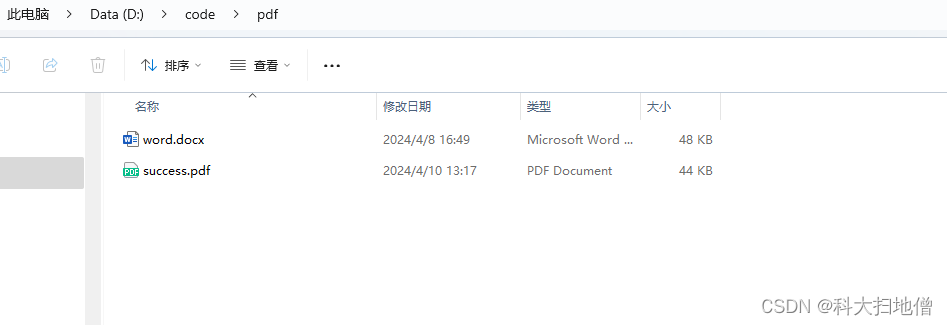
        Word2PdfUtil.wordConvertPdfFile("D:\\code\\pdf\\word.docx","D:\\code\\pdf\\success.pdf");
    }
    @GetMapping("word2PdfByte")
    public byte[] word2PdfByte() {
        return Word2PdfUtil.wordConvertPdfByte("D:\\code\\pdf\\word.docx");
    }

}
下图是转换后的效果
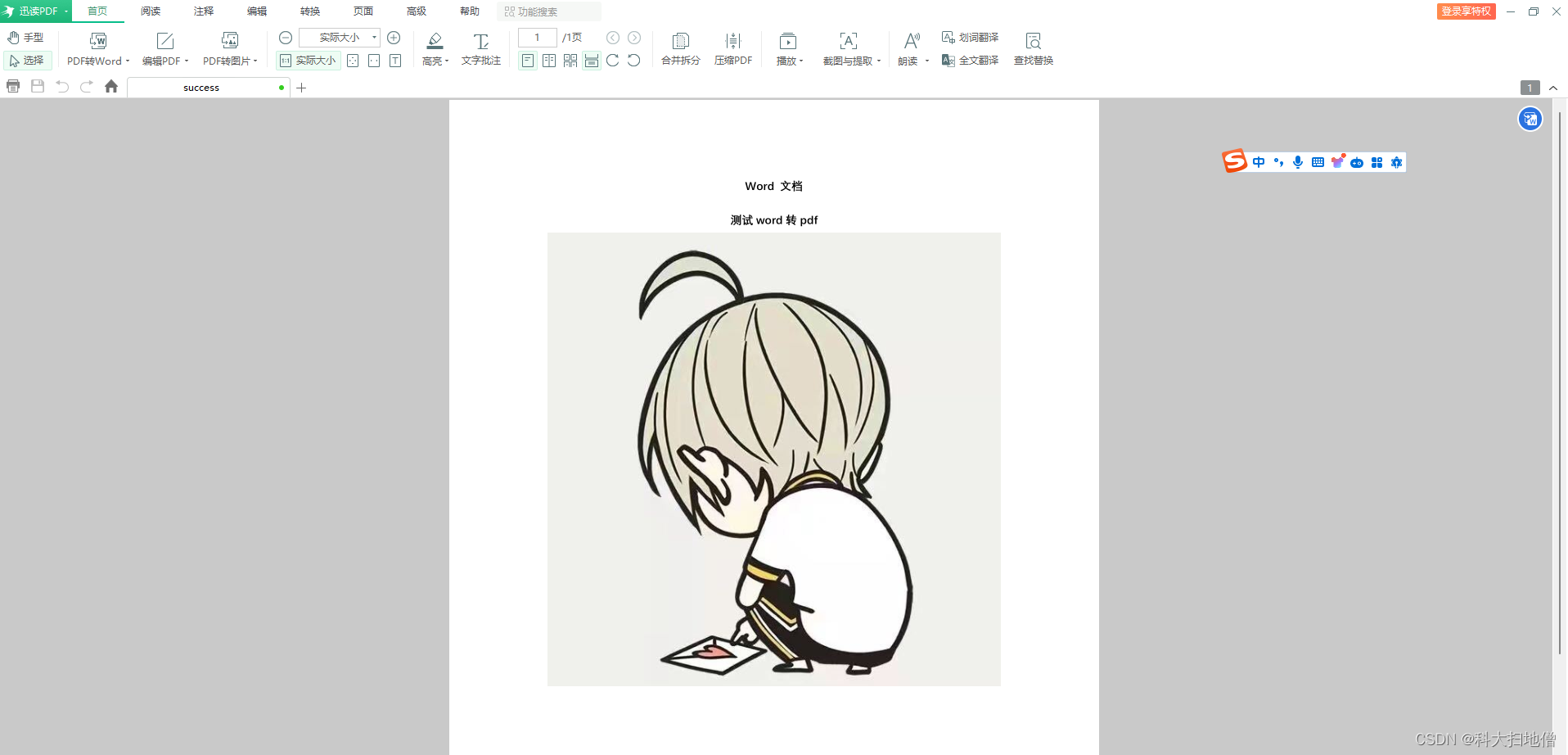
word文件转pdf文件完成,后续将更新excel转pdf示例。
免责声明:我们致力于保护作者版权,注重分享,被刊用文章因无法核实真实出处,未能及时与作者取得联系,或有版权异议的,请联系管理员,我们会立即处理! 部分文章是来自自研大数据AI进行生成,内容摘自(百度百科,百度知道,头条百科,中国民法典,刑法,牛津词典,新华词典,汉语词典,国家院校,科普平台)等数据,内容仅供学习参考,不准确地方联系删除处理! 图片声明:本站部分配图来自人工智能系统AI生成,觅知网授权图片,PxHere摄影无版权图库和百度,360,搜狗等多加搜索引擎自动关键词搜索配图,如有侵权的图片,请第一时间联系我们,邮箱:ciyunidc@ciyunshuju.com。本站只作为美观性配图使用,无任何非法侵犯第三方意图,一切解释权归图片著作权方,本站不承担任何责任。如有恶意碰瓷者,必当奉陪到底严惩不贷!


