
Ubuntu部署开源网关Apache APISIX
说明
- 系统:Ubuntu 24.04 LTS
- Docker版本:v26.1.3
- Docker Compose版本:v2.26.1
下载和配置
Ubuntu需要安装Docker和Docker Compose
下载apisix-docker仓库
git clone https://github.com/apache/apisix-docker.git
修改docker-compose
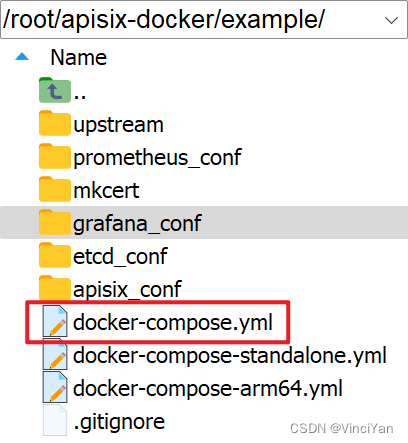
配置etcd会用到IP。查看本机ip,获取到IP地址为“192.168.8.249”
ip addr show
root@vinci:~/apisix-docker/example# ip addr show
1: lo:  mtu 65536 qdisc noqueue state UNKNOWN group default qlen 1000
    link/loopback 00:00:00:00:00:00 brd 00:00:00:00:00:00
    inet 127.0.0.1/8 scope host lo
       valid_lft forever preferred_lft forever
    inet6 ::1/128 scope host
       valid_lft forever preferred_lft forever
2: ens18:  mtu 1500 qdisc fq_codel state UP group default qlen 1000
    link/ether bc:24:11:64:57:05 brd ff:ff:ff:ff:ff:ff
    altname enp0s18
    inet 192.168.8.249/24 metric 100 brd 192.168.8.255 scope global dynamic ens18
       valid_lft 42804sec preferred_lft 42804sec
    inet6 fe80::be24:11ff:fe64:5705/64 scope link
       valid_lft forever preferred_lft forever
3: br-ba3ee5d501df:  mtu 1500 qdisc noqueue state DOWN group default
    link/ether 02:42:0e:b1:ea:76 brd ff:ff:ff:ff:ff:ff
    inet 172.18.0.1/16 brd 172.18.255.255 scope global br-ba3ee5d501df
       valid_lft forever preferred_lft forever
4: docker0:  mtu 1500 qdisc noqueue state DOWN group default
    link/ether 02:42:d8:18:f9:c7 brd ff:ff:ff:ff:ff:ff
    inet 172.17.0.1/16 brd 172.17.255.255 scope global docker0
       valid_lft forever preferred_lft forever
修改docker-compose.yml,主要修改如下
...
  etcd:
    ...
    environment:
      ...
      ETCD_ADVERTISE_CLIENT_URLS: "http://192.168.8.249:2379"
# # Licensed to the Apache Software Foundation (ASF) under one or more # contributor license agreements. See the NOTICE file distributed with # this work for additional information regarding copyright ownership. # The ASF licenses this file to You under the Apache License, Version 2.0 # (the "License"); you may not use this file except in compliance with # the License. You may obtain a copy of the License at # # http://www.apache.org/licenses/LICENSE-2.0 # # Unless required by applicable law or agreed to in writing, software # distributed under the License is distributed on an "AS IS" BASIS, # WITHOUT WARRANTIES OR CONDITIONS OF ANY KIND, either express or implied. # See the License for the specific language governing permissions and # limitations under the License. # version: "3" services: apisix: image: apache/apisix:${APISIX_IMAGE_TAG:-3.9.0-debian} restart: always volumes: - ./apisix_conf/config.yaml:/usr/local/apisix/conf/config.yaml:ro depends_on: - etcd ##network_mode: host ports: - "9180:9180/tcp" - "9080:9080/tcp" - "9091:9091/tcp" - "9443:9443/tcp" - "9092:9092/tcp" networks: apisix: etcd: image: bitnami/etcd:3.5.11 restart: always volumes: - etcd_data:/bitnami/etcd environment: ETCD_ENABLE_V2: "true" ALLOW_NONE_AUTHENTICATION: "yes" ETCD_ADVERTISE_CLIENT_URLS: "http://192.168.8.249:2379" ETCD_LISTEN_CLIENT_URLS: "http://0.0.0.0:2379" ports: - "2379:2379/tcp" networks: apisix: web1: image: nginx:1.19.0-alpine restart: always volumes: - ./upstream/web1.conf:/etc/nginx/nginx.conf ports: - "9081:80/tcp" environment: - NGINX_PORT=80 networks: apisix: web2: image: nginx:1.19.0-alpine restart: always volumes: - ./upstream/web2.conf:/etc/nginx/nginx.conf ports: - "9082:80/tcp" environment: - NGINX_PORT=80 networks: apisix: prometheus: image: prom/prometheus:v2.25.0 restart: always volumes: - ./prometheus_conf/prometheus.yml:/etc/prometheus/prometheus.yml ports: - "9090:9090" networks: apisix: grafana: image: grafana/grafana:7.3.7 restart: always ports: - "3000:3000" volumes: - "./grafana_conf/provisioning:/etc/grafana/provisioning" - "./grafana_conf/dashboards:/var/lib/grafana/dashboards" - "./grafana_conf/config/grafana.ini:/etc/grafana/grafana.ini" networks: apisix: networks: apisix: driver: bridge volumes: etcd_data: driver: local更新Admin API key
建议修改Admin API的key,保护APISIX的安全
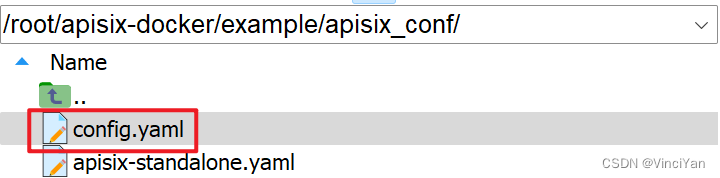
修改config.yaml,主要修改key值和host的IP
...
    admin_key:
      - name: "admin"
        key: edc1c9f034335f136f87ad84b625c8f1
        role: admin                 # admin: manage all configuration data
        ...
  etcd:
    host:                           # it's possible to define multiple etcd hosts addresses of the same etcd cluster.
      - "http://192.168.8.249:2379"          # multiple etcd address
    ...
# # Licensed to the Apache Software Foundation (ASF) under one or more # contributor license agreements. See the NOTICE file distributed with # this work for additional information regarding copyright ownership. # The ASF licenses this file to You under the Apache License, Version 2.0 # (the "License"); you may not use this file except in compliance with # the License. You may obtain a copy of the License at # # http://www.apache.org/licenses/LICENSE-2.0 # # Unless required by applicable law or agreed to in writing, software # distributed under the License is distributed on an "AS IS" BASIS, # WITHOUT WARRANTIES OR CONDITIONS OF ANY KIND, either express or implied. # See the License for the specific language governing permissions and # limitations under the License. # apisix: node_listen: 9080 # APISIX listening port enable_ipv6: false enable_control: true control: ip: "0.0.0.0" port: 9092 deployment: admin: allow_admin: # https://nginx.org/en/docs/http/ngx_http_access_module.html#allow - 0.0.0.0/0 # We need to restrict ip access rules for security. 0.0.0.0/0 is for test. admin_key: - name: "admin" key: edc1c9f034335f136f87ad84b625c8f1 role: admin # admin: manage all configuration data - name: "viewer" key: 4054f7cf07e344346cd3f287985e76a2 role: viewer etcd: host: # it's possible to define multiple etcd hosts addresses of the same etcd cluster. - "http://192.168.8.249:2379" # multiple etcd address prefix: "/apisix" # apisix configurations prefix timeout: 30 # 30 seconds plugin_attr: prometheus: export_addr: ip: "0.0.0.0" port: 9091启动服务
使用docker-compose启用APISIX
docker-compose -p docker-apisix up -d
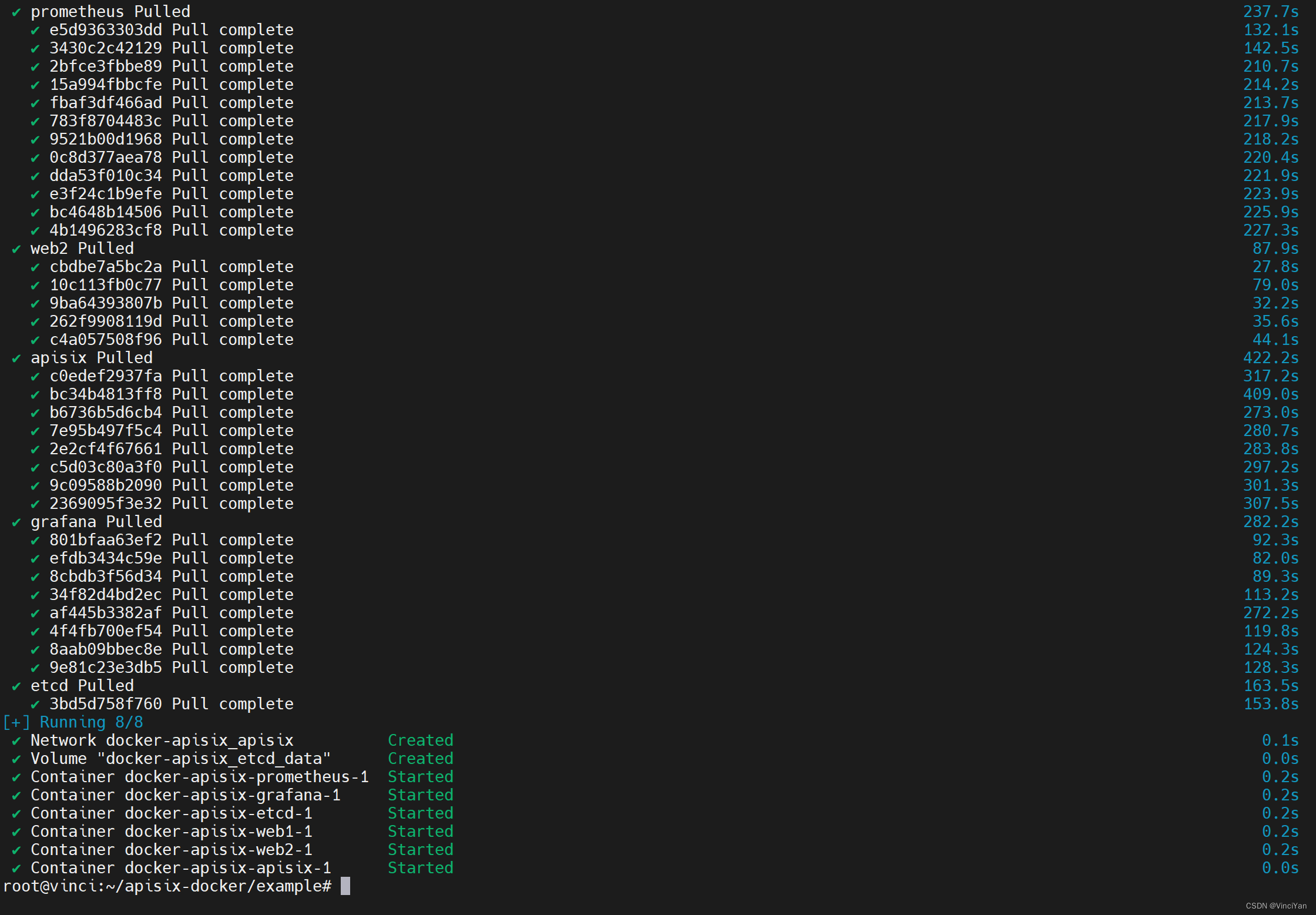
查看状态
docker stats

验证etcd,浏览器打开http://192.168.8.249:2379/version,显示如下
{
    "etcdserver": "3.5.11",
    "etcdcluster": "3.5.0"
}
安装Apache APISIX Dashboard
sudo mkdir -p /usr/apisix-dashboard/conf
sudo vim /usr/apisix-dashboard/conf/conf.yaml
conf.yaml文件如下。endpoints里的IP地址改为192.168.8.249,username为登录用户名,password为登录密码
conf:
  listen:
    host: 0.0.0.0   # the address on which the `Manager API` should listen.
                    # The default value is 0.0.0.0, if want to specify, please enable it.
                    # This value accepts IPv4, IPv6, and hostname.
    port: 9000      # The port on which the `Manager API` should listen.

  allow_list:       # If we don't set any IP list, then any IP access is allowed by default.
  etcd:
    endpoints:      # supports defining multiple etcd host addresses for an etcd cluster
      - 192.168.8.249:2379 # etcd install ip
authentication:
  secret:
    zQ5w5jkLDh3jZpywJ3sskrw6Yv633ruq
  expire_time: 3600     # jwt token expire time, in second
  users:                # yamllint enable rule:comments-indentation
    - username: admin       # dashboard login infomation
      password: 123456
    - username: user
      password: 123456
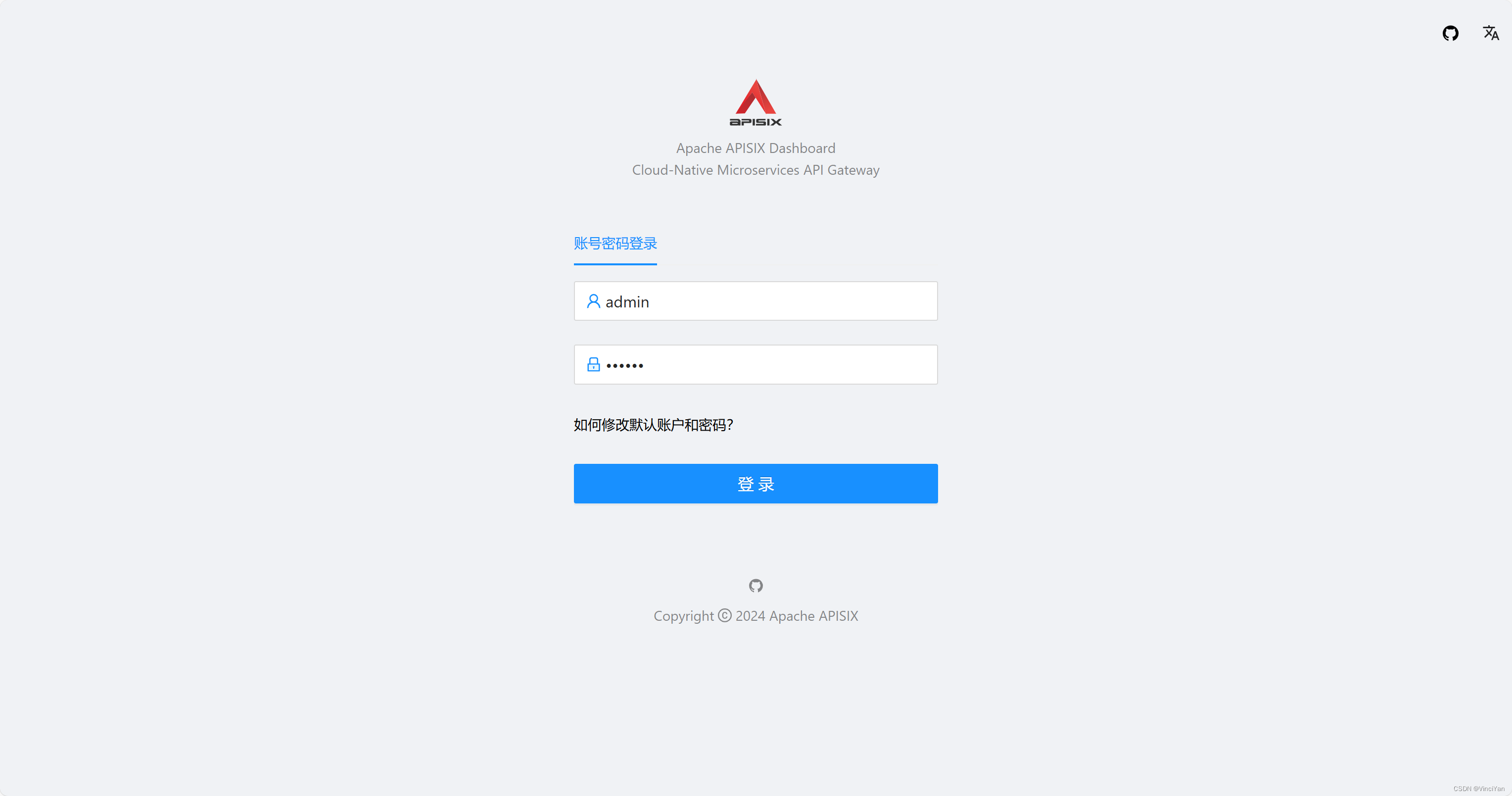
docker pull apache/apisix-dashboard:3.0.1-alpine docker run -d --name dashboard \ -p 9000:9000 \ -v /usr/apisix-dashboard/conf/conf.yaml:/usr/local/apisix-dashboard/conf/conf.yaml \ apache/apisix-dashboard:3.0.1-alpine浏览器打开“http://192.168.8.249:9000/”,输入用户名和密码登录
参考
- APISIX 安装指南 | Apache APISIX® – Cloud-Native API Gateway
- APISIX 安装指南 | Apache APISIX® – Cloud-Native API Gateway
免责声明:我们致力于保护作者版权,注重分享,被刊用文章因无法核实真实出处,未能及时与作者取得联系,或有版权异议的,请联系管理员,我们会立即处理! 部分文章是来自自研大数据AI进行生成,内容摘自(百度百科,百度知道,头条百科,中国民法典,刑法,牛津词典,新华词典,汉语词典,国家院校,科普平台)等数据,内容仅供学习参考,不准确地方联系删除处理! 图片声明:本站部分配图来自人工智能系统AI生成,觅知网授权图片,PxHere摄影无版权图库和百度,360,搜狗等多加搜索引擎自动关键词搜索配图,如有侵权的图片,请第一时间联系我们,邮箱:ciyunidc@ciyunshuju.com。本站只作为美观性配图使用,无任何非法侵犯第三方意图,一切解释权归图片著作权方,本站不承担任何责任。如有恶意碰瓷者,必当奉陪到底严惩不贷!


