
Java---Cloneable接口---浅克隆和深克隆
在Java中,我们如何实现一个对象的克隆呢?
在Java中实现对象的克隆,我们要用到Cloneable接口。克隆也分为浅克隆和深克隆。
1.实现浅克隆
1.重写clone方法
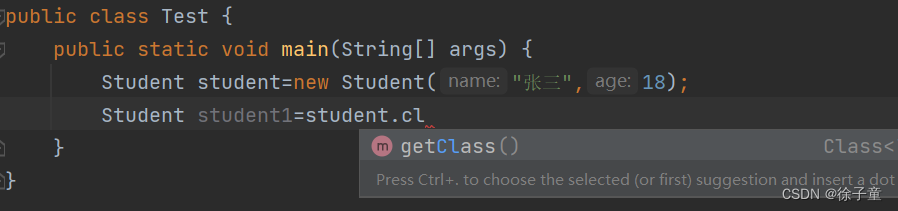
当我们想直接通过前面已经建立好的对象来调用Object类中的clone方法时,发现不行。因为Object类中的clone方法是被protected修饰的,只能在子类的内部调用。如下图
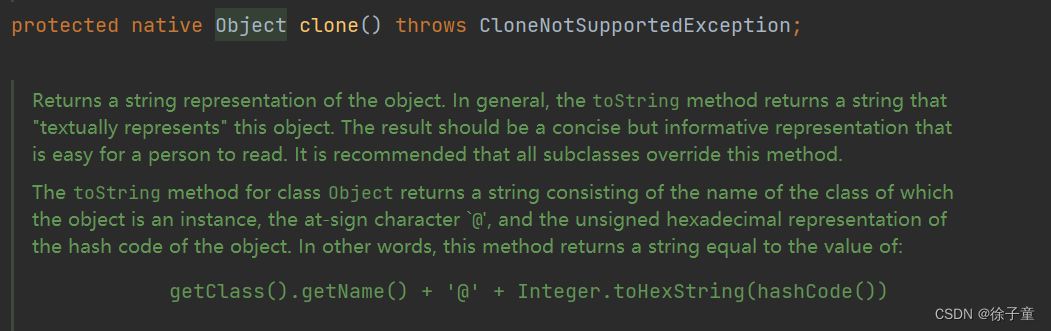
所以我们要在Student类中重写Object类中的clone方法。
在Student类中重写了clone方法如下图所示

重写之后,我们发现就能调用clone方法了。
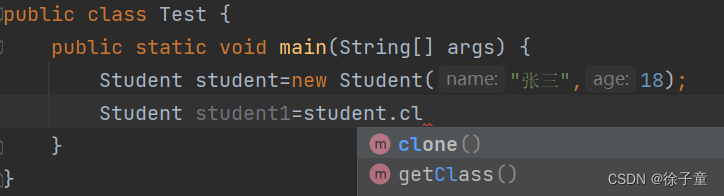
调用之后还会报错。
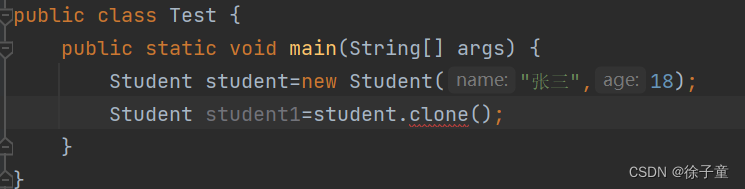
原因如下图
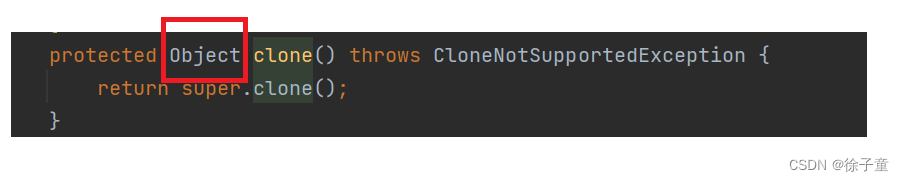

我们发现clone方法的返回值类型为Object类型,所以我们要进行强制类型转换。
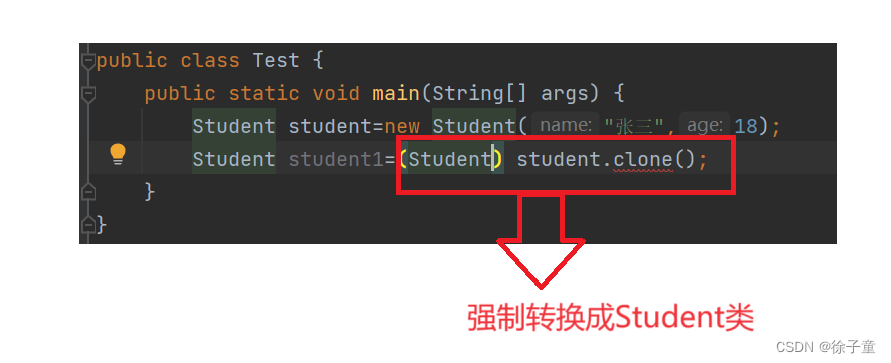
我们发现还会报出以下错

解决方法
在main函数后加下图红色方框里面的字段。

到这一步浅克隆就完成了。
1.完整代码
class Student implements Cloneable{
    public String name;
    public int age;
    public Student(String name,int age){
        this.name=name;
        this.age=age;
    }
    @Override
    public String toString() {
        return "Person{" +
                "name='" + name + '\'' +
                ", age=" + age +
                '}';
    }
    @Override
    protected Object clone() throws CloneNotSupportedException {
        return super.clone();
    }
}
public class Test {
    public static void main(String[] args)throws CloneNotSupportedException {
        Student student=new Student("张三",18);
        Student student1=(Student) student.clone();
        System.out.println(student);
        System.out.println(student1);
    }
}
运行代码
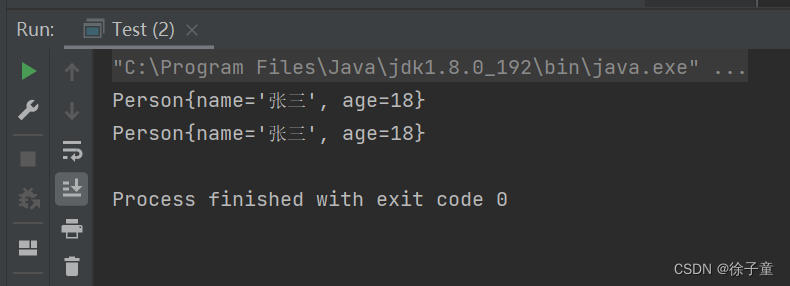
发现克隆成功了。
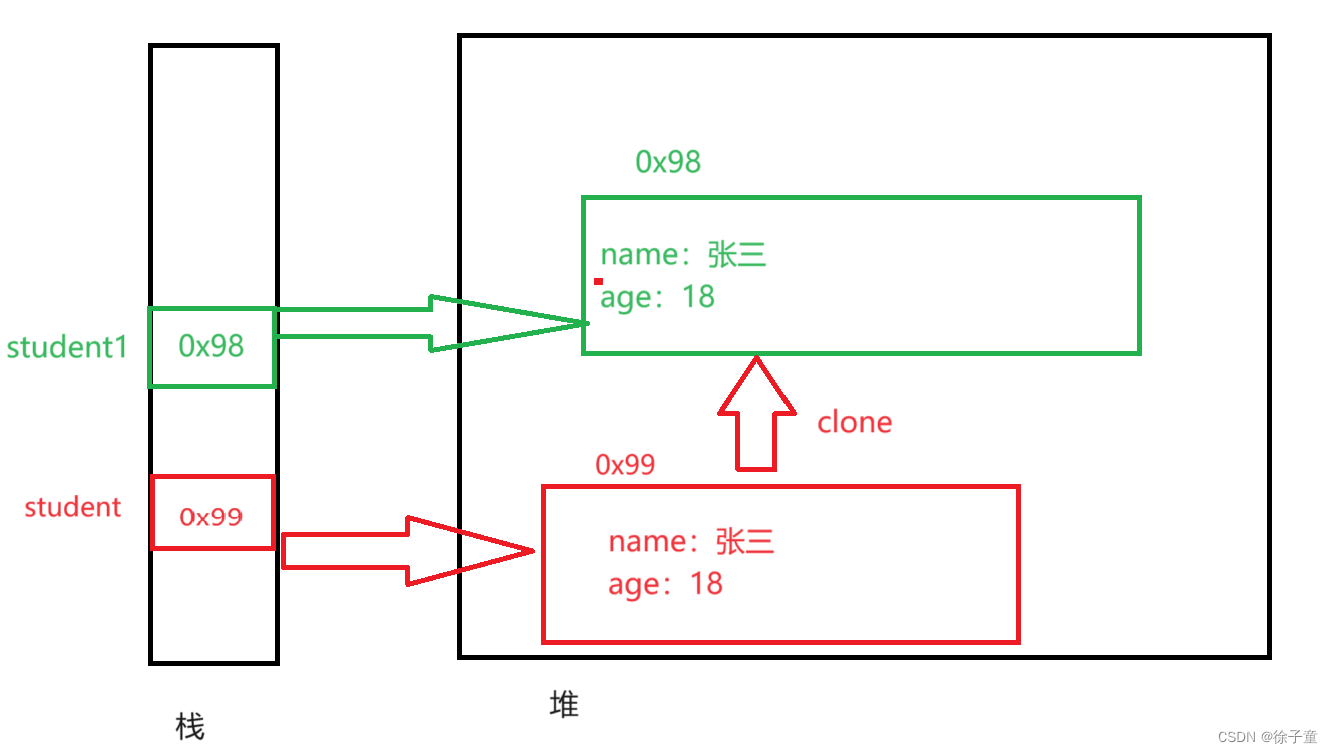
2.浅克隆堆栈图
2.实现深克隆
先来看以下代码
class Money{
    double money=24;
}
class Student implements Cloneable{
    public String name;
    public int age;
    Money m=new Money();
    public Student(String name,int age){
        this.name=name;
        this.age=age;
    }
    @Override
    public String toString() {
        return "Student{" +
                "name='" + name + '\'' +
                ", age=" + age +
                ", money=" + m.money +
                '}';
    }
    @Override
    protected Object clone() throws CloneNotSupportedException {
        return super.clone();
    }
}
public class Test {
    public static void main(String[] args)throws CloneNotSupportedException {
        Student student=new Student("张三",18);
        Student student1=(Student) student.clone();
        System.out.println(student);
        System.out.println(student1);
        student1.m.money=8;
    }
}
money一开始的值是24,但是我们将student1的money的值改变为8时,student的money的值也会变为24,因为上面代码只实现了浅克隆,没有实现深克隆。
上面的堆栈图如下
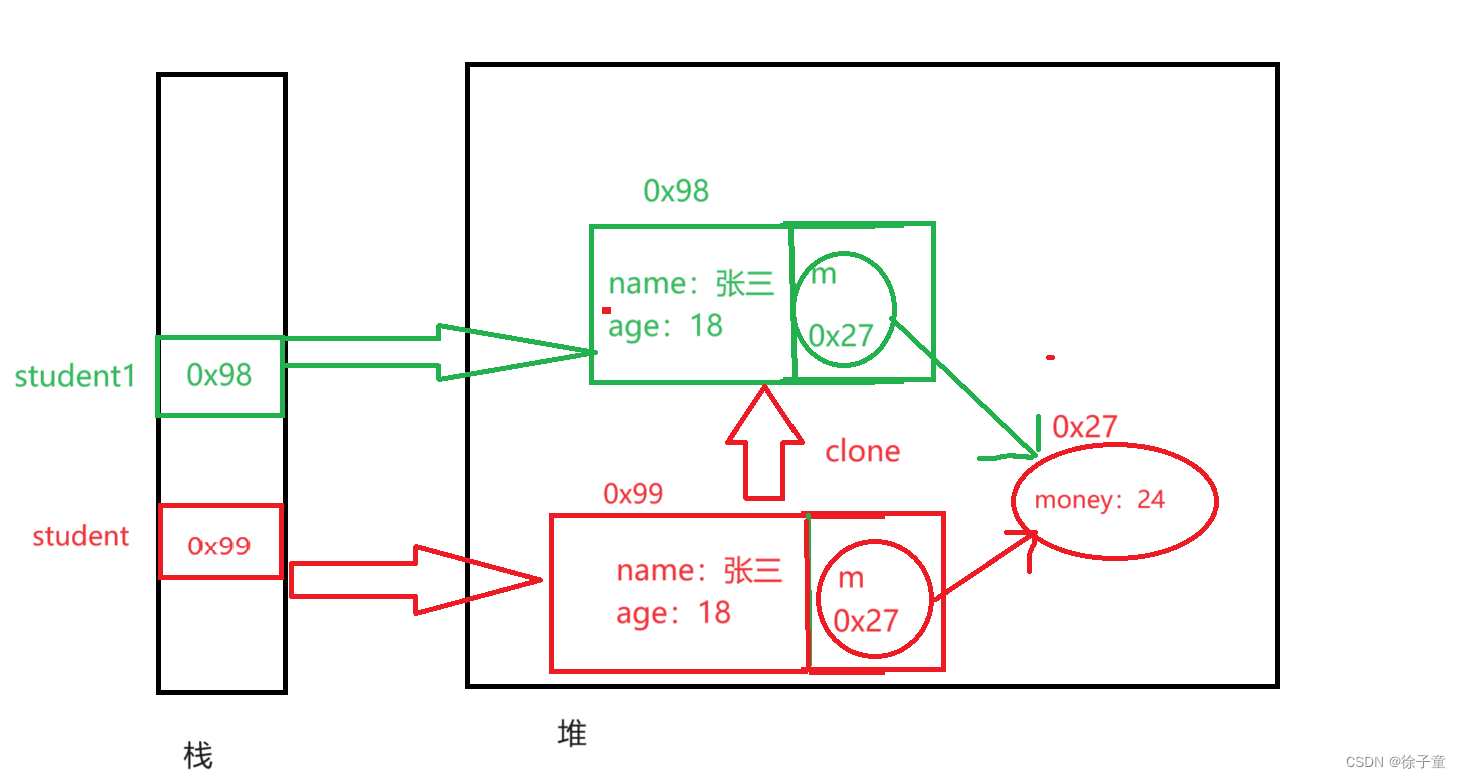
由于m的值都是克隆过来的,所以两个引用都指向一个money,修改了一个money的值,自然会影响两个的m指向的值。
想解决这个问题,我们直接克隆一份money就行了。如下面的堆栈图所示。
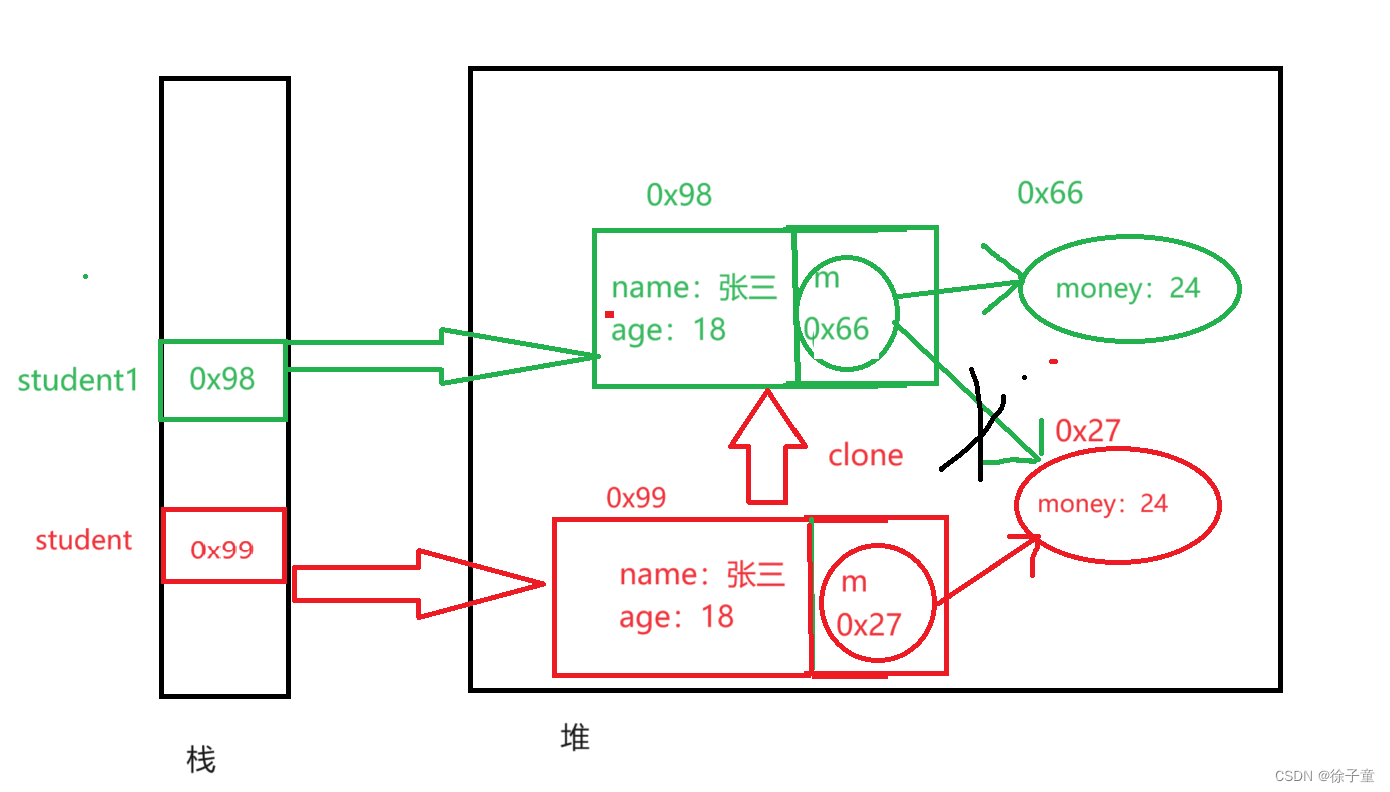
代码实现
class Money implements Cloneable{
    double money=24;
    @Override
    protected Object clone() throws CloneNotSupportedException {
        return super.clone();
    }
}
class Student implements Cloneable{
    public String name;
    public int age;
    Money m=new Money();
    public Student(String name,int age){
        this.name=name;
        this.age=age;
    }
    @Override
    public String toString() {
        return "Student{" +
                "name='" + name + '\'' +
                ", age=" + age +
                ", money=" + m.money +
                '}';
    }
    @Override
    protected Object clone() throws CloneNotSupportedException {
        Student tmp=(Student)super.clone();//克隆了Student里面的值
        tmp.m= (Money) this.m.clone();//克隆money
        return tmp;
    }
}
public class Test {
    public static void main(String[] args)throws CloneNotSupportedException {
        Student student=new Student("张三",18);
        Student student1=(Student) student.clone();
        System.out.println(student);
        System.out.println(student1);
        student1.m.money=8;
        System.out.println("修改student1的money的值后");
        System.out.println(student);
        System.out.println(student1);
    }
}
运行代码
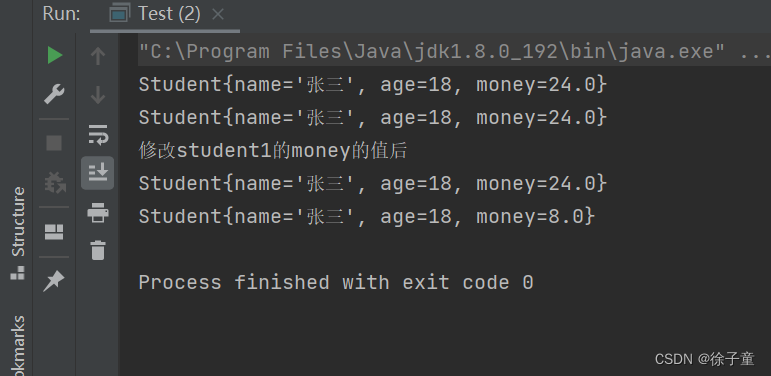
到这里深克隆就实现了。
3.总结
浅克隆克隆的是值,深克隆克隆的是引用。
免责声明:我们致力于保护作者版权,注重分享,被刊用文章因无法核实真实出处,未能及时与作者取得联系,或有版权异议的,请联系管理员,我们会立即处理! 部分文章是来自自研大数据AI进行生成,内容摘自(百度百科,百度知道,头条百科,中国民法典,刑法,牛津词典,新华词典,汉语词典,国家院校,科普平台)等数据,内容仅供学习参考,不准确地方联系删除处理! 图片声明:本站部分配图来自人工智能系统AI生成,觅知网授权图片,PxHere摄影无版权图库和百度,360,搜狗等多加搜索引擎自动关键词搜索配图,如有侵权的图片,请第一时间联系我们,邮箱:ciyunidc@ciyunshuju.com。本站只作为美观性配图使用,无任何非法侵犯第三方意图,一切解释权归图片著作权方,本站不承担任何责任。如有恶意碰瓷者,必当奉陪到底严惩不贷!


