
wpf listbox实现选中动画
效果如下:
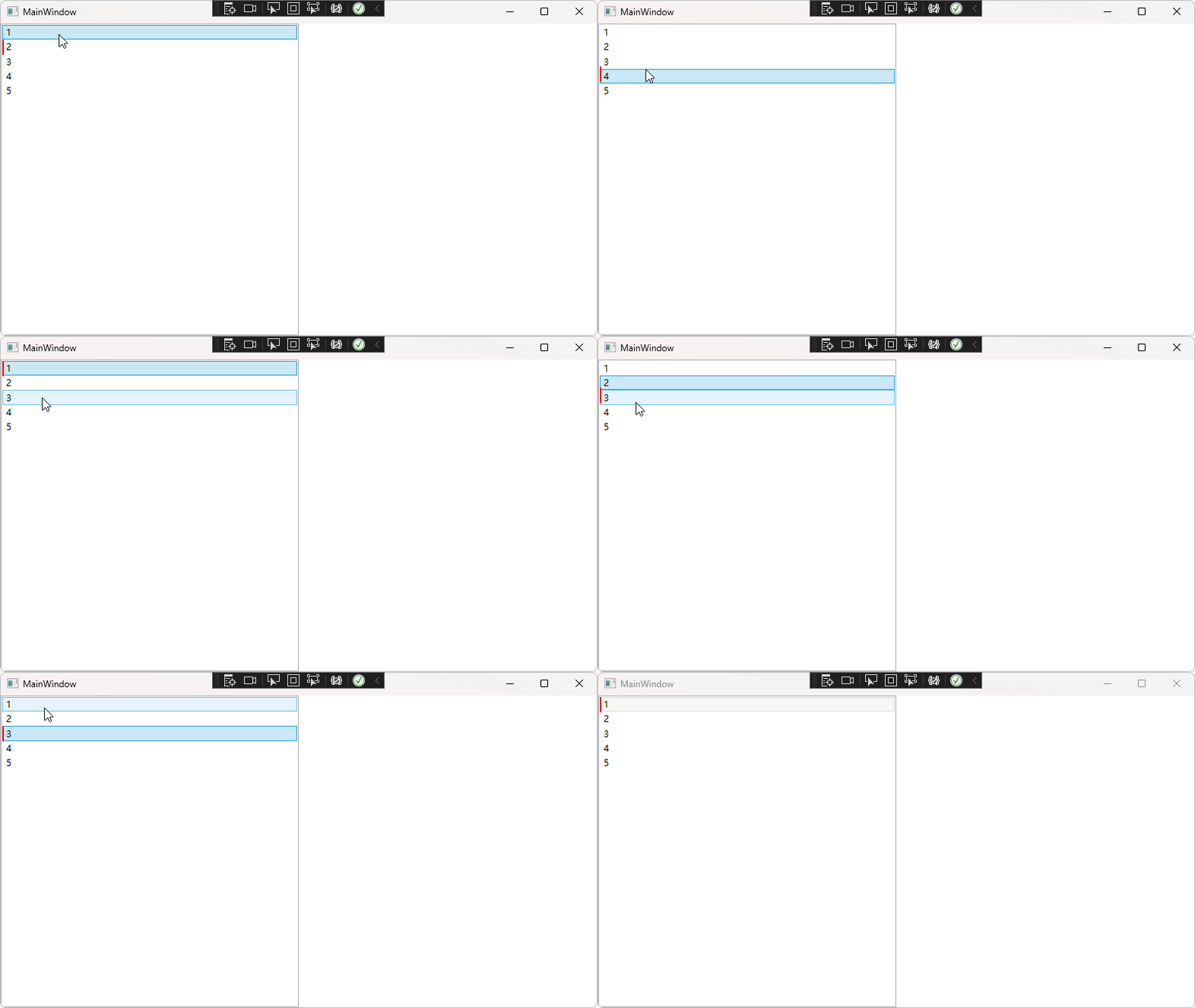
参考:https://github.com/WPFDevelopersOrg/WPFDevelopers/blob/master/src/WPFDevelopers.Samples.Shared/Controls/NavigateMenu/NavigateMenu.xaml
实现上述效果的前台代码:
            1
            2
            3
            4
            5
后台代码:
using System;
using System.Collections.Generic;
using System.Linq;
using System.Text;
using System.Threading.Tasks;
using System.Windows;
using System.Windows.Controls;
using System.Windows.Data;
using System.Windows.Documents;
using System.Windows.Input;
using System.Windows.Media;
using System.Windows.Media.Animation;
using System.Windows.Media.Imaging;
using System.Windows.Navigation;
using System.Windows.Shapes;
namespace ListBox
{
    ///
    /// MainWindow.xaml 的交互逻辑
    ///
    public partial class MainWindow : Window
    {
        public MainWindow()
        {
            InitializeComponent();
            this.listbox.SelectionChanged += Listbox_SelectionChanged;
        }
        private double? lastX = null;
        private double? lastY = null;
        private void Listbox_SelectionChanged(object sender, SelectionChangedEventArgs e)
        {
            var itemTo = e.AddedItems[0] as ListBoxItem;
            var pointTo = itemTo.TranslatePoint(new Point(0, 0), this);

            var toMargin = new Thickness(pointTo.X, pointTo.Y, 0, 0);
            ThicknessAnimation ani = new ThicknessAnimation();
            ani.To = toMargin;
            ani.Duration = TimeSpan.FromSeconds(0.3);
            this.rect.BeginAnimation(Rectangle.MarginProperty, ani);
            ani.Completed += (ss, ee) =>
            {
                this.rect.Margin = toMargin;
            };
        }
    }
}
同理,依据此,可以实现TabControl的TabItem选中动画
免责声明:我们致力于保护作者版权,注重分享,被刊用文章因无法核实真实出处,未能及时与作者取得联系,或有版权异议的,请联系管理员,我们会立即处理! 部分文章是来自自研大数据AI进行生成,内容摘自(百度百科,百度知道,头条百科,中国民法典,刑法,牛津词典,新华词典,汉语词典,国家院校,科普平台)等数据,内容仅供学习参考,不准确地方联系删除处理! 图片声明:本站部分配图来自人工智能系统AI生成,觅知网授权图片,PxHere摄影无版权图库和百度,360,搜狗等多加搜索引擎自动关键词搜索配图,如有侵权的图片,请第一时间联系我们,邮箱:ciyunidc@ciyunshuju.com。本站只作为美观性配图使用,无任何非法侵犯第三方意图,一切解释权归图片著作权方,本站不承担任何责任。如有恶意碰瓷者,必当奉陪到底严惩不贷!


