
Qt xml学习之calculator-qml
1.功能说明:制作简易计算器
2.使用技术:qml,scxml
3.项目效果:
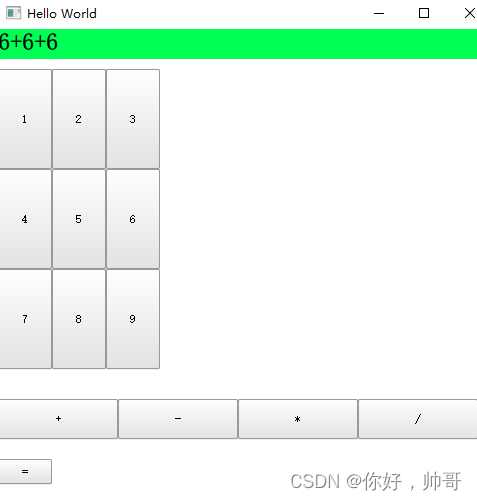
4.qml部分:
import Calculator 1.0  //需要引用对应类的队友版本
import QtQuick 2.12
import QtQuick.Window 2.12
import QtQuick.Controls 1.4
import QtScxml 5.8  // 引入QScxmlStateMachine
Window {
    visible: true
    width: 640
    height: 480
    title: qsTr("Hello World")
    Calculator{
        id:calculator
        running: true
        EventConnection{
            events: ["Display"] //触发事件名,可自定义
            onOccurred: name.text = event.data.display_res //event是当前触发事件
        }
    }
    Column{
        spacing:10
        //结果区
        Item {
            id: resultZone
            width: 640
            height: 30
            Rectangle{
                color: "#00ff55"
                anchors.fill: parent
                Text {
                    id: name
                    text: qsTr("text")
                    color: "#000000"
                    font.bold:true
                    font.pixelSize:24
                }
            }
        }
        //数字区
        Item{
            width: 640
            height: 320
            Grid{
                columns:3
                Repeater{
                    model: ["1","2","3","4","5","6","7","8","9"]
                    Button{
                        text:modelData
                        height:100
                        onClicked: calculator.submitEvent(eventname)//submitEvent ,QScxmlStateMachine 方法
                        property string eventname: {
                            return "DIGIT." + text
                        }
                    }
                }
            }
        }
        //操作区
        Item{
            id:oper
            width: 640
            height: 50
            Row{
                Repeater{
                    model:["+", "-", "*", "/"]
                    Button{
                        text:modelData;
                        width:120
                        height:40
                        onClicked: calculator.submitEvent(eventname);
                        property string eventname: {
                            switch(text){
                            case "+" :return "OPER.PLUS"
                            case "-" :return "OPER.MINUS"
                            case "*" :return "OPER.STAR"
                            case "/" :return "OPER.DIV"
                            }
                        }
                    }
                }
            }
        }
        //计算‘=’
        Button{
            text:"="
            onClicked: calculator.submitEvent("EQUALS")
        }
    }
}
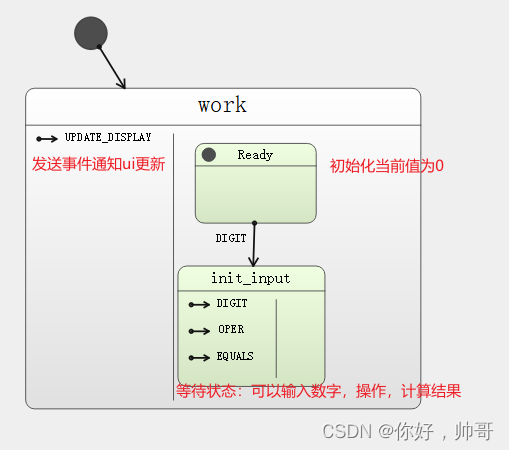
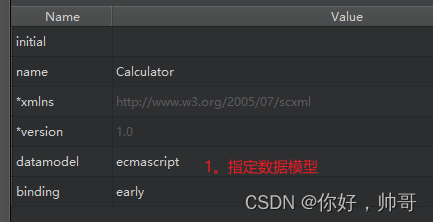
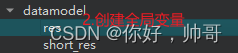
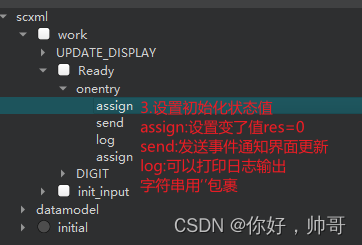
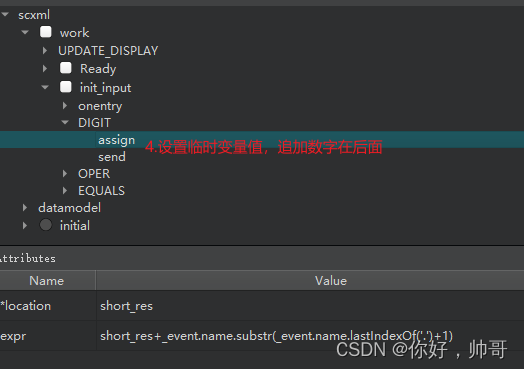
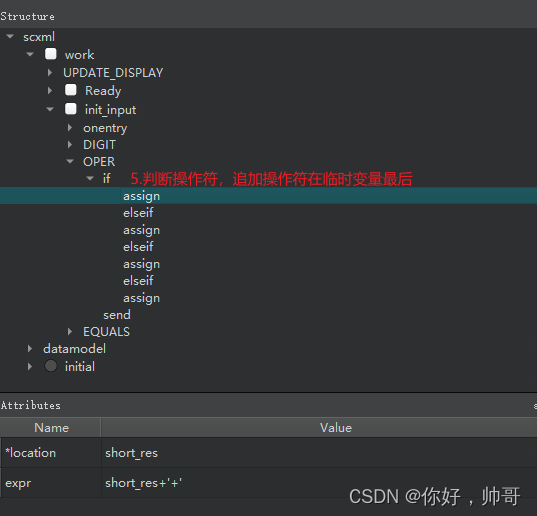
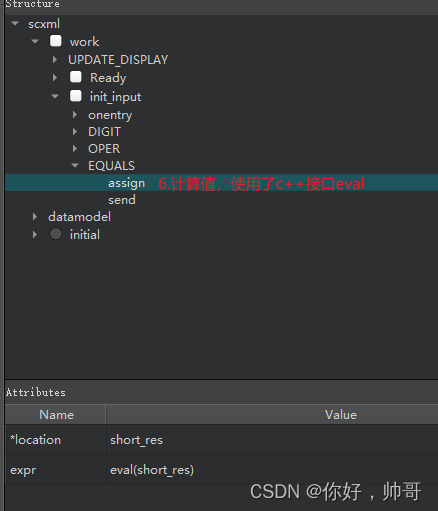
5.scxml部分
帮助文档:https://www.w3.org/TR/scxml/
免责声明:我们致力于保护作者版权,注重分享,被刊用文章因无法核实真实出处,未能及时与作者取得联系,或有版权异议的,请联系管理员,我们会立即处理! 部分文章是来自自研大数据AI进行生成,内容摘自(百度百科,百度知道,头条百科,中国民法典,刑法,牛津词典,新华词典,汉语词典,国家院校,科普平台)等数据,内容仅供学习参考,不准确地方联系删除处理! 图片声明:本站部分配图来自人工智能系统AI生成,觅知网授权图片,PxHere摄影无版权图库和百度,360,搜狗等多加搜索引擎自动关键词搜索配图,如有侵权的图片,请第一时间联系我们,邮箱:ciyunidc@ciyunshuju.com。本站只作为美观性配图使用,无任何非法侵犯第三方意图,一切解释权归图片著作权方,本站不承担任何责任。如有恶意碰瓷者,必当奉陪到底严惩不贷!


