
iOS自动化测试
Appium + WDA
安装appium
brew install appium
编译运行WDA
Facebook/WebDriverAgent在iOS10以后已经被废弃,当前使用Appium下fork的WebDriverAgent,具体地址如下:
Appium/WebDriverAgent
下载并解压,打开.xproj,配置证书。
选择WebDriverAgentRunner,编译
执行proudct->Test安装在手机上,运行后手机会显示automation控制。
weditor
真机调试需要安装usbmuxd:
brew install usbmuxd,
自带了iproxy小工具,iproxy将设备上的端口映射到电脑上的某个端口,终端输入了iproxy 8100 8100 (端口号自取)
iproxy 8100 8100
然后浏览器打开链接:http://localhost:8100/status
http://localhost:8300/status
{
value: {
build: {
version: “8.5.6”,
time: “Apr 25 2024 11:33:40”,
productBundleIdentifier: “com.facebook.WebDriverAgentRunner”
},
os: {
testmanagerdVersion: 65535,
name: “iOS”,
sdkVersion: “17.4”,
version: “17.4.1”
},
device: “iphone”,
ios: {
ip: “172.31.54.124”
},
message: “WebDriverAgent is ready to accept commands”,
state: “success”,
ready: true
},
sessionId: null
}
执行inspector不会成功,因为appium的wda虽然fork了Facebook但没有fork inspector。inspector失败原因
http://localhost:8300/inspector
安装Facebook-wda
sudo pip3.12 install -U facebook-wda --break-system-packages
安装uiautomator2
sudo pip3.12 install uiautomator2 --break-system-packages
安装weditor
sudo pip3.12 install weditor --break-system-packages
安装完毕后,执行如下操作
1WebDriverAgentRunner在Xcode 执行product->test,手机进入automation状态,非锁屏。
端口中继
iproxy 8100 8100
浏览器执行http://localhost:8100/status确认手机连接状态
运行weditor
python3.12 -m weditor
浏览器页面出现,注意选择iOS需要填写http://localhost:8100以确保连接成功
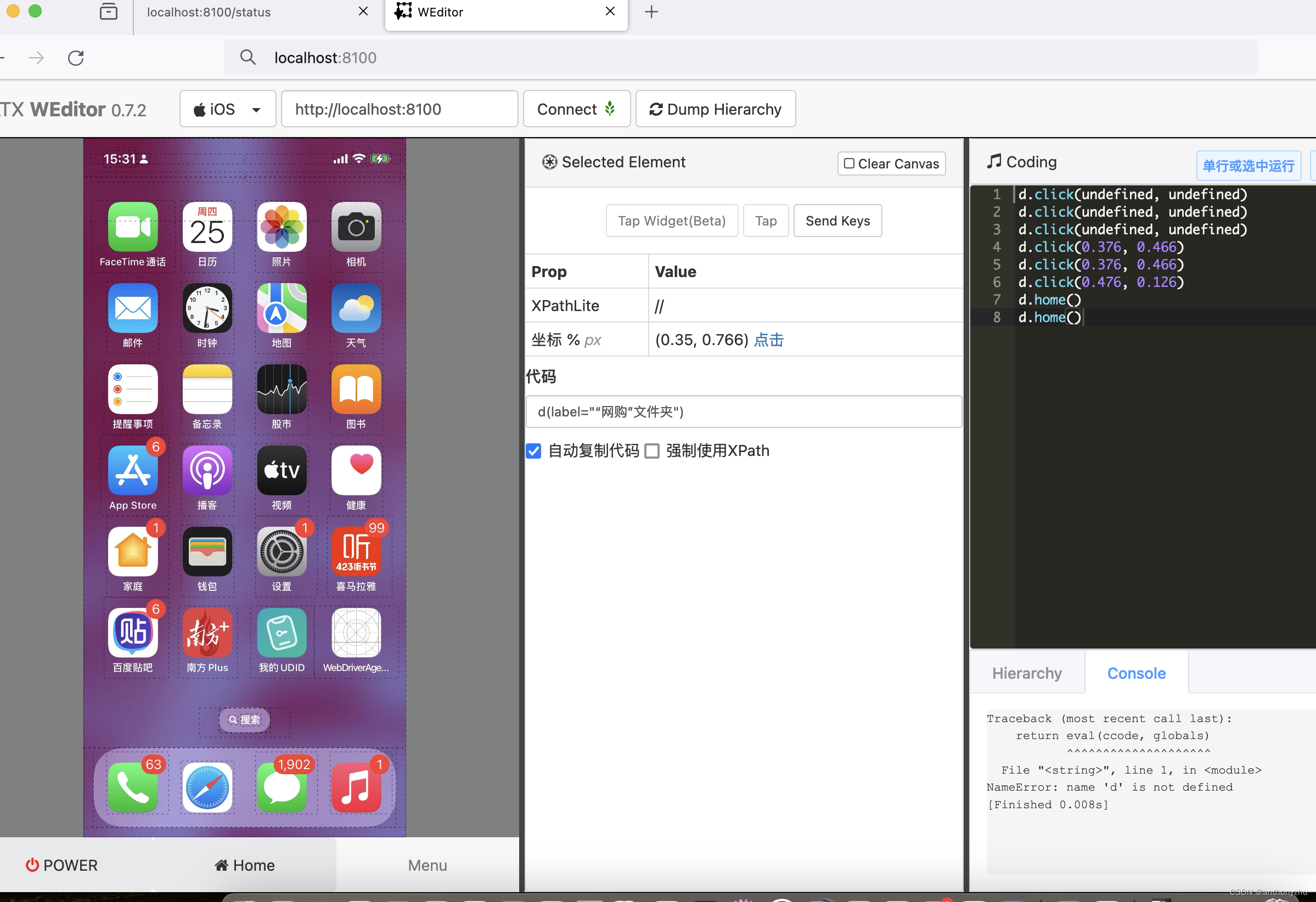
WDA编写指南
WDA的基础原理是通过webDriverAgentRunner在手机上启动监听,通过电脑iproxy监听端口8100,通过对接XCTest的框架和uiAutomator的框架获取页面的元素和坐标信息,然后相互传递指令和响应完成相关操作。一个简单的应用测试案例如下:
import wda
wda.DEBUG = True
wda.HTTP_TIMEOUT = 180.0
wda.DEVICE_WAIT_TIMEOUT = 180.0
d = wda.Client('http://localhost:8100')
d.click(0.891, 0.924)
d.click(0.176, 0.125)
d.click(0.176, 0.522)
d(label="login agree circle").click()
d.xpath('//Window[1]/Other[2]/Other[1]/Other[1]/Other[1]/Other[1]/Other[2]/Other[1]/Other[1]/TextField[1]').set_text("138xxxxxxx")
d.xpath('//SecureTextField').set_text("1xxxxxx")
d.xpath('//Window[1]/Other[2]/Other[1]/Other[1]/Other[1]/Other[1]/Other[2]/Button[1]').click()
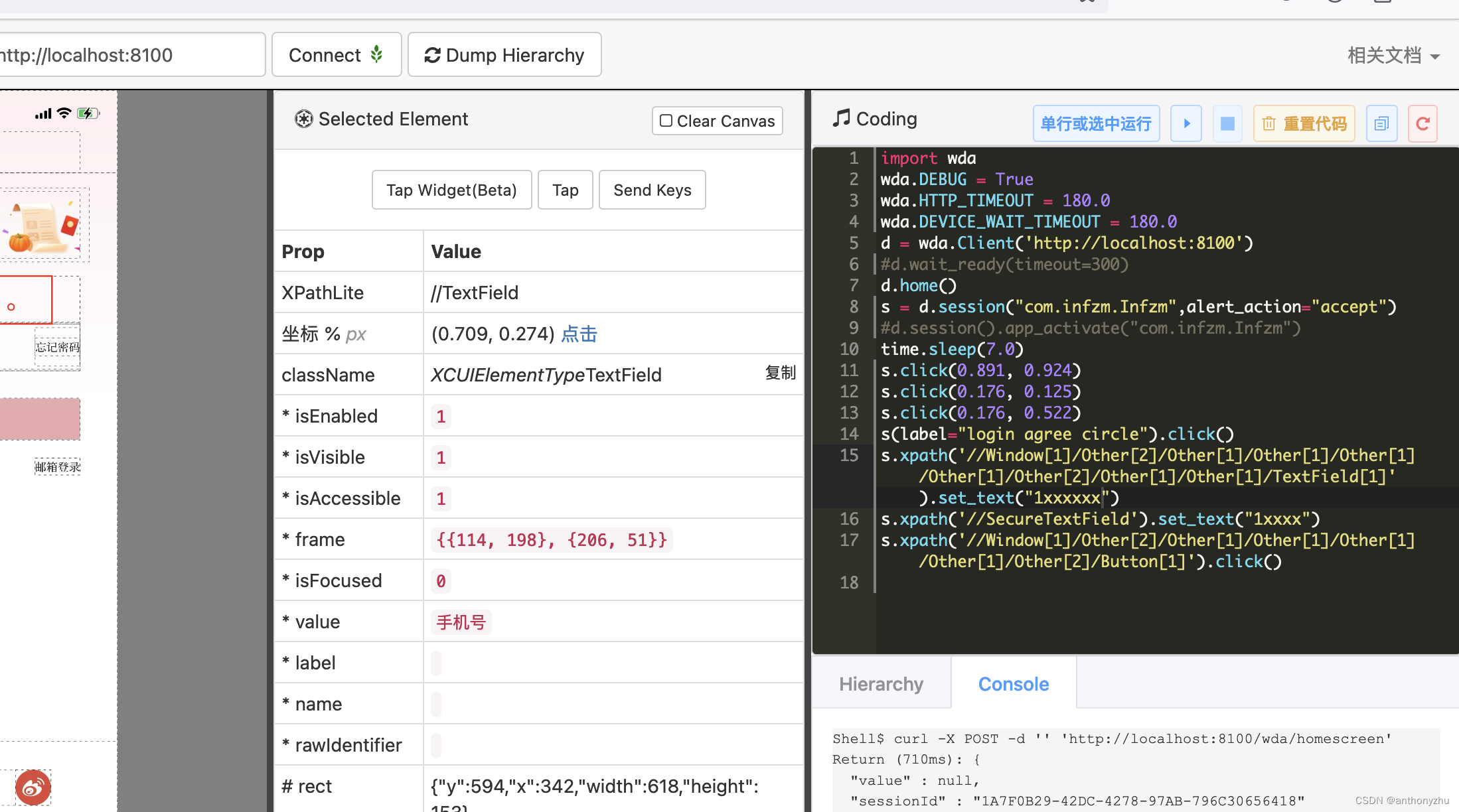
具体相关的函数编写可以参考webdriveragent的官方文档
wda函数编写指南
也有其他大神写的相关文档
这里需要注意的是当前使用的是appium的wda,所以安装和配置等章节并不适用
idb安装
github idb地址
参考安装指令
brew tap facebook/fb
brew install idb-companion
Mac自带的python需要升级到python3
brew install python3
注意最新版本为3.12.1,安装后会出现/usr/local/bin/pip3.12
执行pip指令获取fb-idb
pip3.12 install fb-idb
这里有可能会报错error: externally-managed-environment
pip3.12 install fb-idb --break-system-packages
这里在最后可能会出现错误
ERROR: Could not install packages due to an OSError: [Errno 13] Permission denied: ‘/usr/local/protoc_compiler_template.py’
Consider using the --user option or check the permissions.
需要使用sudo来解决
但如果第一次报错,需要先uninstall,再install
sudo pip3.12 uninstall fb-idb
sudo pip3.12 install fb-idb --break-system-packages
基本所有错误会被解决,可以自由使用idb


