
java超简单实现文档在线预览功能,支持word\excel\text\pdf\图片等格式转pdf,aspost 转pdf部署linux中文乱码解决方案
温馨提示:这篇文章已超过370天没有更新,请注意相关的内容是否还可用!
一、背景
在工作中需要对上传到服务器的各种类型包括但不限于word、pdf、excel等文件进行在线预览,前端比较菜搞不定,只能本人亲自上。
网上的经验比较多也比较乱,有的只有预览,没有文件格式转换,有的也不说linux存在字体问题,本文会直白的给出过程和结果,包括文件预览,其他格式文件转pdf进行预览,前端如何接收展示。
二、引入jar包
org.apache.tikatika-core1.28.4
com.luhuiguoaspose-words
23.1
三、后端实现代码
controller
@GetMapping(”/preview”)
public ResponseEntity previewFile(@RequestParam String fileName){
String baseDir = RuoYiConfig.getUploadPath();
String filePath = baseDir + File.separator + fileName;
String extension = this.getExtension(fileName);
String pdfPath ="";
File file;
if("docx”.equals(extension)||"doc".equals(extension)){
pdfPath = filePath.substring(0, filePath.lastIndex0f( str:".") + 1) + "pdf";FileCovertUtils.wordToPdf(filePath,pdfPath);
file = new File(pdfPath);
} else if ("png”.equals(extension)) {
// excel\png等格式和上面word一样自己写逻辑
} else{
file= new File(filePath);
}
try (FileInputStream fileInputStream = new FileInputStream(file)) {
byte[] buf = new byte[fileInputStream.available()];
fileInputStream.read(buf);
return FileResponseUtils.getResponseEntity
(buf,contentDispositionType:"inline",FileUtils.getName(fileName));
} catch (IOException e) {
log.error("获取文件流异常{}",e);
return “预览失败”;
} finally {
if ("docx".equals(extension)||“doc".equals(extension)) {
FileUtils.deleteFile(pdfPath);
}
}
}
getExtension
private String getExtension(String filename) {
int dotIndex = filename.lastIndex0f( str: ".");
if (dotIndex > && dotIndex
return filename.substring(dotIndex + 1);
}
return "";
}
FileResponseUtils.getResponseEntity
@Component
plic class FileResponseUtils {
public static ResponseEntity getResponseEntity(byte[] buf, String contentDispositionlype, String originalFilelame){
ResponseEntity.BodyBuilder responseEntity = ResponseEntity.ok();HttpHeaders HttpHeaders = new HttpHeaders();
Tika tika = new Tika();
String mediaType = tika.detect(buf);
httpHeaders.setContentType(MediaType.parseMediaType(mediaType));
HttpHeaders headers = new HttpHeaders();
headers.setContentType(MediaType.parseMediaType(mediaType);
headers.add(HttpHeaders.CONTENT_DISPOSITION, headerValue: cntentDispositionType+"; filename=" + originalFilename);
httpHeaders.setCacheControl(CacheControl.noCache());
return responseEntity.headers(httpHeaders).body(buf);
}
}
FileCovertUtils
public static void wordToPdf(String wordPath, String pdfPath) {
File file=new File(pdfPath);
try {
FileOutputStream os = new FileOutputStream(file);
Document doc = new Document(wordPath);
if (System.getProperty("os,name").toLowerCase().contains("linux")){
FontSettings fontSettings = new FontSettings();
fontSettings.setFontsFolder( fontFolder: "/usr/share/fonts/", recursive: true);
doc.setFontSettings(fontSettings);
}
doc.save(os,SaveFormat.PDF);
os.flush();
os.close();
} catch (Exception e){
log.error("word转pdf异常:{}",e);
}
}
FileUtils.getName
public static String getName(String fileName){
if (fileName == null){
return null:
}
int lastUnixPos = fileName .lastIndex0f('/');
int lastWindowsPos = fileName .lastIndexOf('\\');
int index = Math.max(lastUnixPos, lastWindowsPos);
return fileName.substring(index + 1);
}
四、前端接收方式,简单粗暴
展示:
//1、请求接口 请求设置responseType
axios.get(url,{resonseType:'blob'})
//2.根据返回的值创建一个Blob对象, 以pdf文件为例
let blob = new Blob([result],{
type: "application/pdf;chartset=UTF-8"
})
//3.window.URL.createObjectURL创建一个url连接
let blob = new Blob([result],{
type: "application/pdf;chartset=UTF-8"
})
let url = window.URL.createObjectURL(blob)
//4.在线预览
//可以用iframe预览,url的值为 window.URL.createObjectURL(blob),或者直接打开window.open(url)
打印:
//1.创建iframe标签
const iframe = document.createElement('iframe')
//2.属性相关
iframe.className = 'tmp-pdf';
iframe.style.display = 'none'
// blobUrl 像在线预览1,2,3这样得来的url
iframe.src = blobUrl
//3.创建好的iframe添加到页面body
document.body.appendChild(iframe)
//4.执行打印方法,并移除iframe
setTimeout(function() {
iframe.contentWindow.print()
document.body.removechild(iframe)
}, 100)
五、linux中文字体乱码解决
项目使用aspost转pdf,Windows系统本地调试的时候一切正常,部署到Linux服务器,转换后的pdf文件中文无法正确显示。
原因是Linux服务器上没有中文字体库。
解决方法:在linux服务器中安装字体,在Windows系统找到字体文件,路径C:\Windows\Fonts,将字体文件fonts上传到服务器
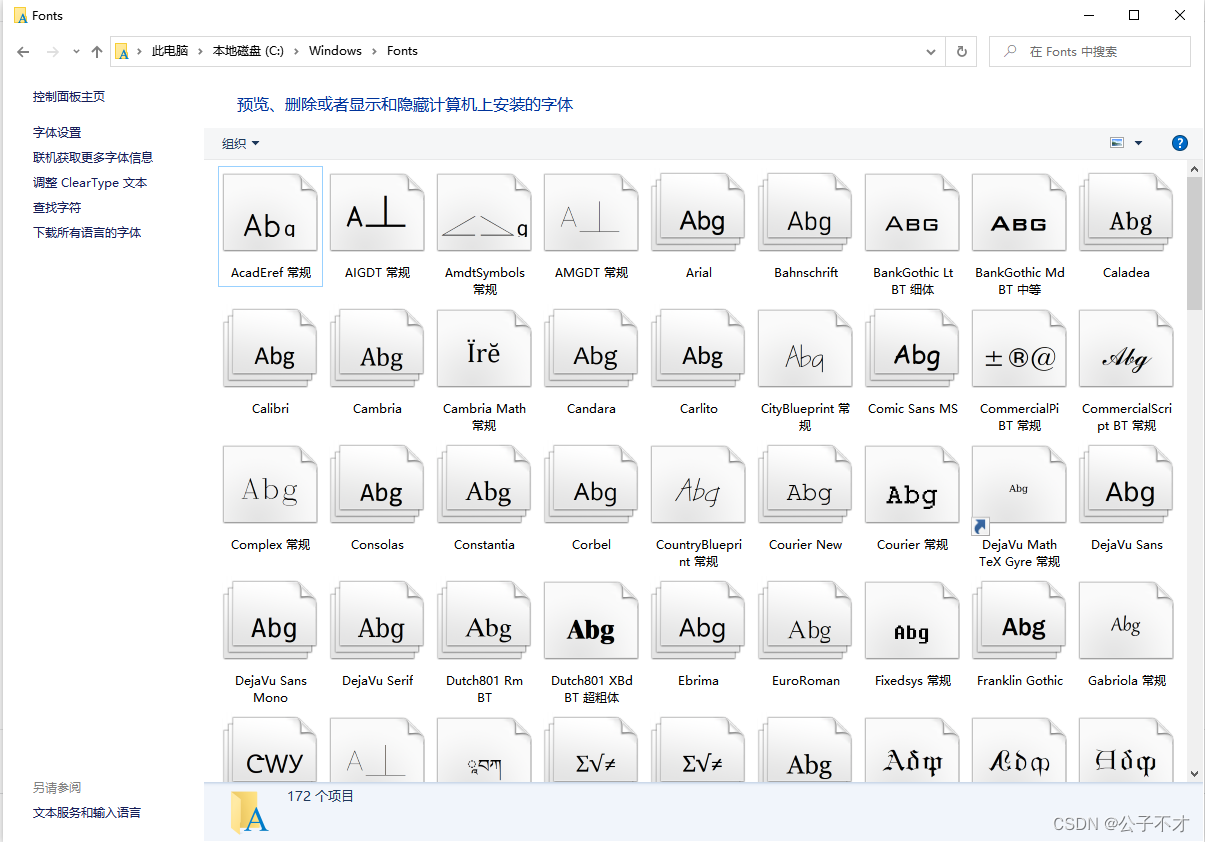
1、把fonts (只有一层文件夹) 上传至tmp
2、移动 fonts: sudo mv /tmp/fonts/ /usr/share/
3、授权文件: sudo chmod 755 /usr/share/fonts/*
4、进入文件: cd /usr/share/fonts/4
5、执行: sudo mkfontscale 如果没命令执行sudo yum install mkfontscale
6、执行: sudo mkfontdir 如果没命令执行sudo yum install fontconfig
7、sudo fc-cache
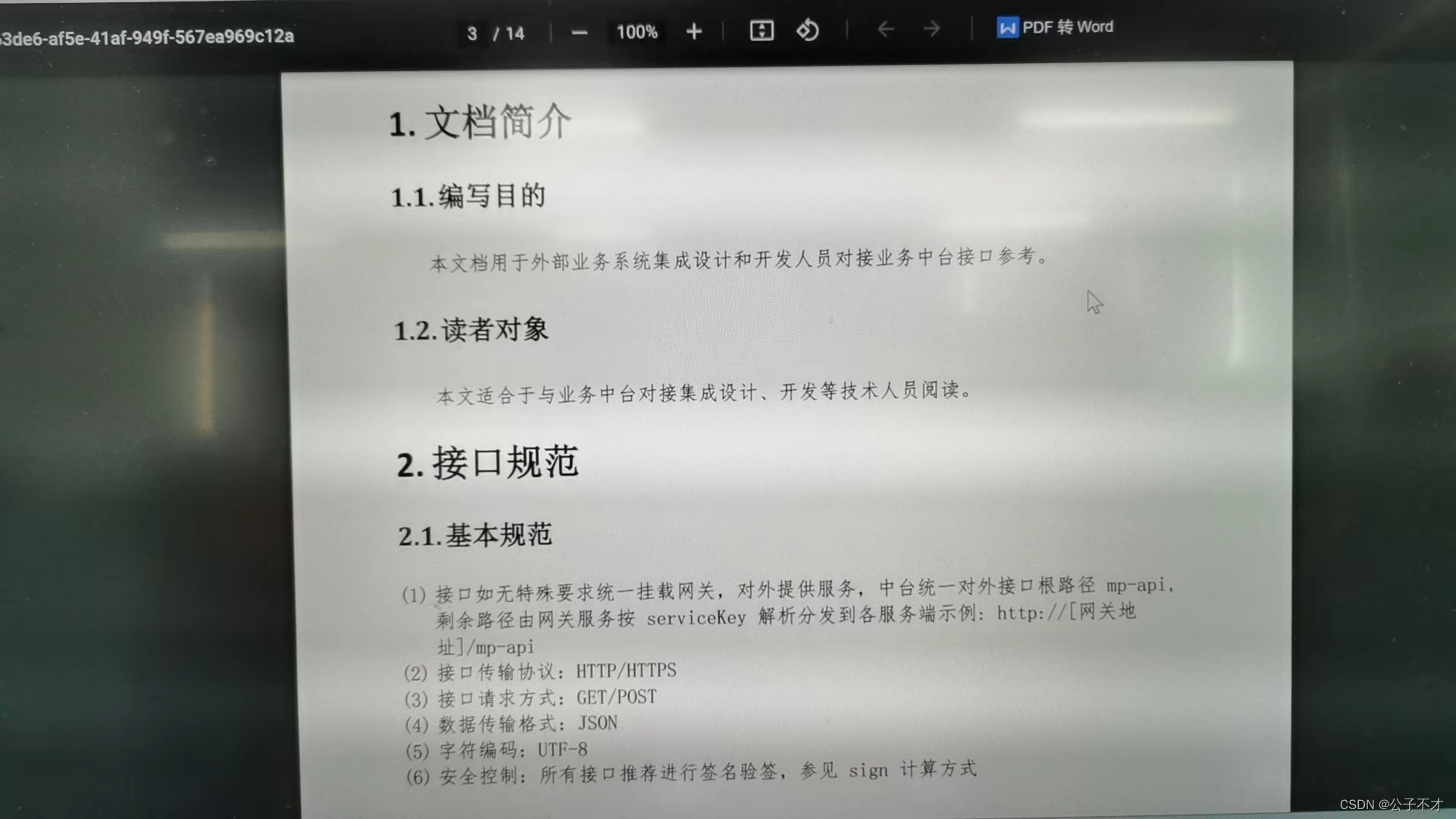
六、效果
七、推荐文章
java接口返回图片或pdf如何设置在线预览还是下载
文档在线预览(三)将word、txt、ppt、excel、图片转成pdf来实现在线预览


