
《英伟达-本地AI》--NVIDIA Chat with RTX--部署问题:ValueError: When localhost is not accessible
温馨提示:这篇文章已超过435天没有更新,请注意相关的内容是否还可用!
部署英伟达本地AI:
英伟达-本地AI》--NVIDIA Chat with RTX-简单本机部署
出现;
ValueError: When localhost is not accessible, a shareable link must be created. Please set share=True or check your
proxy settings to allow access to localhost.
阿丹:
在部署NVIDIA Chat with RTX的时候出现了一个比较奇怪的问题。但是解决掉了,这里做一些记录。
描述:
在成功运行了之后出现这个报错,尝试解决
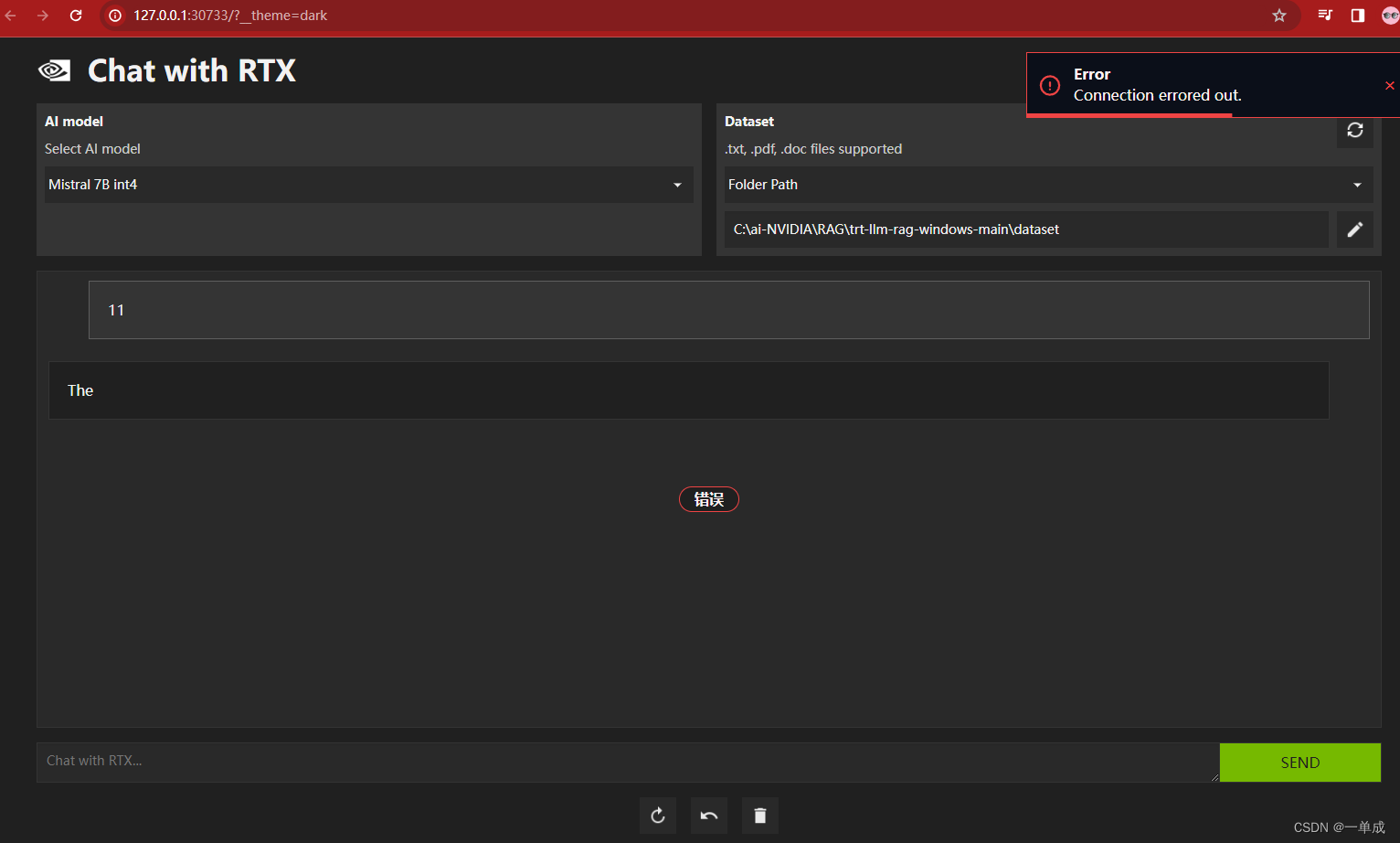 发现后台dos窗口出现
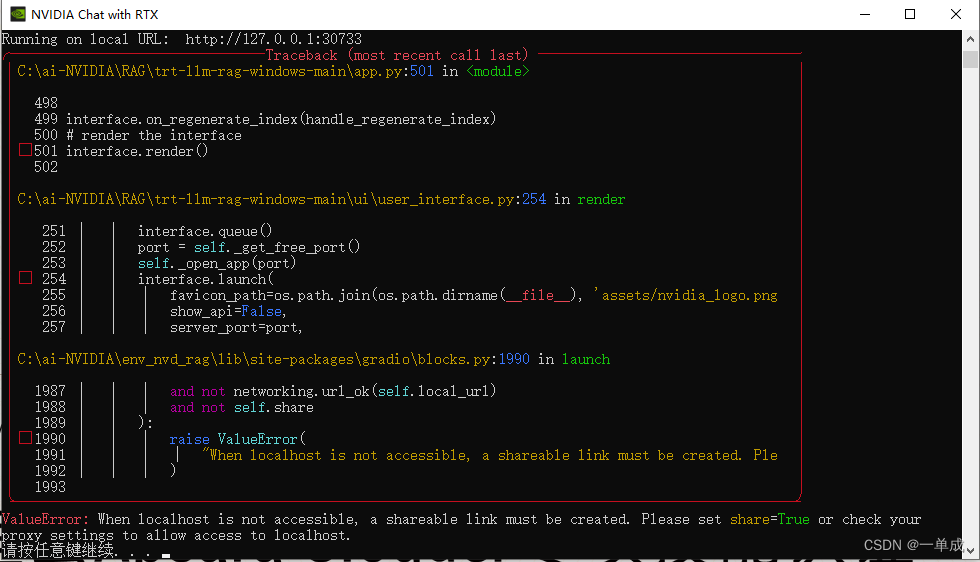
这个报错
Running on local URL:  http://127.0.0.1:30733
╭─────────────────────────────── Traceback (most recent call last) ────────────────────────────────╮
│ C:\ai-NVIDIA\RAG\trt-llm-rag-windows-main\app.py:501 in                                  │
│    │
│   498                                             │
│   499 interface.on_regenerate_index(handle_regenerate_index)                                     │
│   500 # render the interface                      │
│ ❱ 501 interface.render()                          │
│   502                                             │
│    │
│ C:\ai-NVIDIA\RAG\trt-llm-rag-windows-main\ui\user_interface.py:254 in render                     │
│    │
│    251 │   │   interface.queue()                  │
│    252 │   │   port = self._get_free_port()       │
│    253 │   │   self._open_app(port)               │
│ ❱  254 │   │   interface.launch(                  │
│    255 │   │   │   favicon_path=os.path.join(os.path.dirname(__file__), 'assets/nvidia_logo.png  │
│    256 │   │   │   show_api=False,                │
│    257 │   │   │   server_port=port,              │
│    │
│ C:\ai-NVIDIA\env_nvd_rag\lib\site-packages\gradio\blocks.py:1990 in launch                       │
│    │
│   1987 │   │   │   and not networking.url_ok(self.local_url)                                     │
│   1988 │   │   │   and not self.share             │
│   1989 │   │   ):                                 │
│ ❱ 1990 │   │   │   raise ValueError(              │
│   1991 │   │   │   │   "When localhost is not accessible, a shareable link must be created. Ple  │
│   1992 │   │   │   )                              │
│   1993                                            │
╰──────────────────────────────────────────────────────────────────────────────────────────────────╯
ValueError: When localhost is not accessible, a shareable link must be created. Please set share=True or check your
proxy settings to allow access to localhost.
其中核心为:
ValueError: When localhost is not accessible, a shareable link must be created. Please set share=True or check your
proxy settings to allow access to localhost.
说明:
根据错误信息和代码片段,正在尝试运行一个基于Gradio库构建的应用程序(gradio.blocks.py 文件),并且在尝试启动本地服务器并渲染用户界面时遇到了问题。错误提示指出由于本地主机无法访问,因此要求创建一个可共享链接,并建议通过设置 share=True 来解决。
要解决这个问题,请找到在 app.py 或者初始化 Gradio 接口的地方,并确保在调用相关方法启动应用时包含了 share=True 参数。例如,在 user_interface.py 文件中的第 254 行,应该有一个类似于以下的调用:
interface.launch(..., share=True, ...)
这样当本地主机不可达时,Gradio 将尝试创建一个可以通过网络访问的临时公共 URL。请确认防火墙和代理设置允许对外部访问,并且在必要时允许对本地主机的访问。同时,注意在某些情况下,启用 share=True 可能需要额外的权限或配置,比如需要有效的互联网连接来托管临时服务器。
解决:
找到安装这个Ai的路径
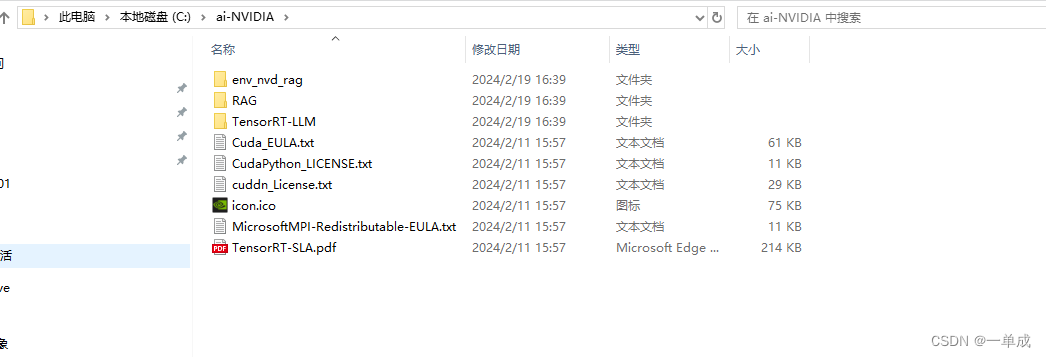
在这个根路径后面直接添加路径
\RAG\trt-llm-rag-windows-main\ui
找到如图所示的路径下面:
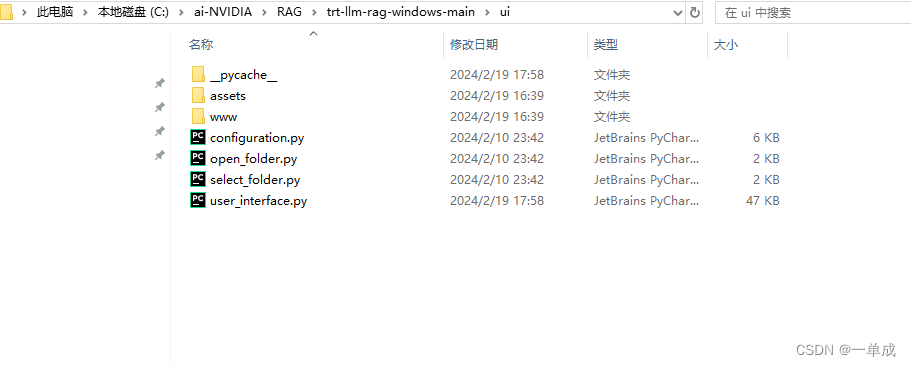
编辑user_interface.py文件
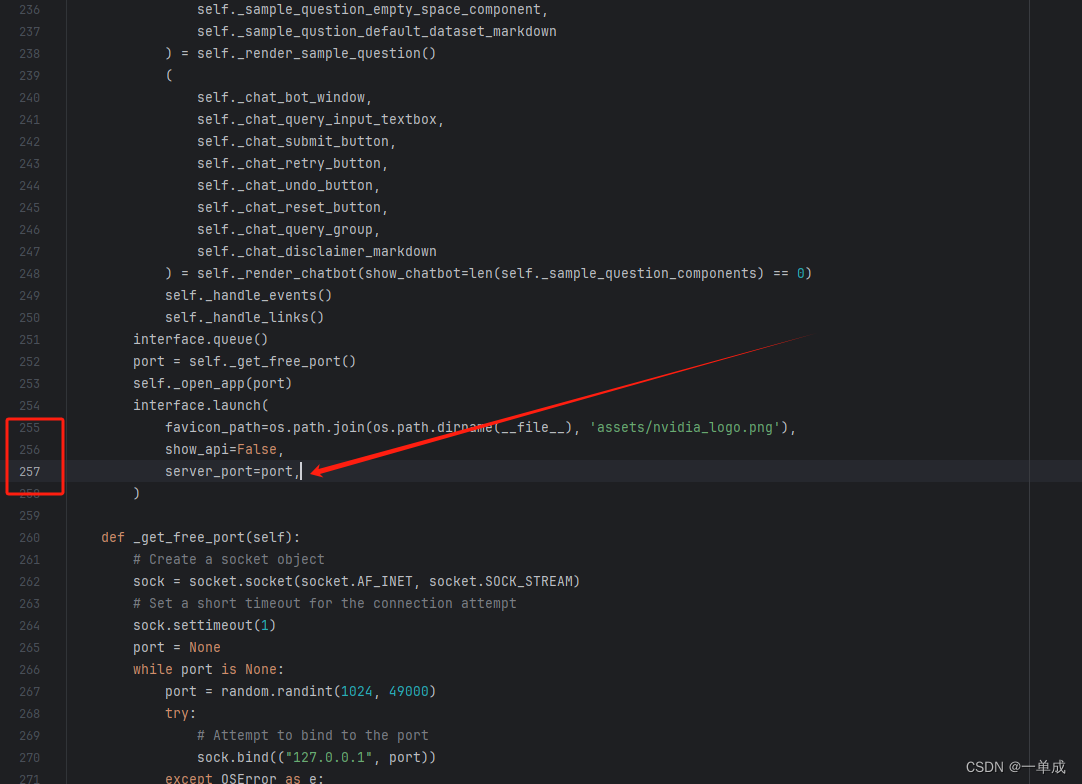
在这里追加属性:
share=True
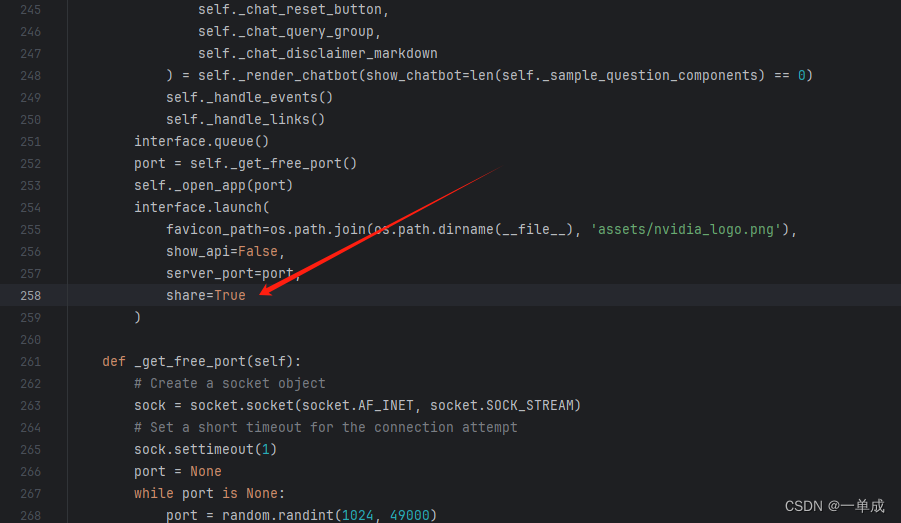
保存文件。开启科学上网环境,重启尝试。
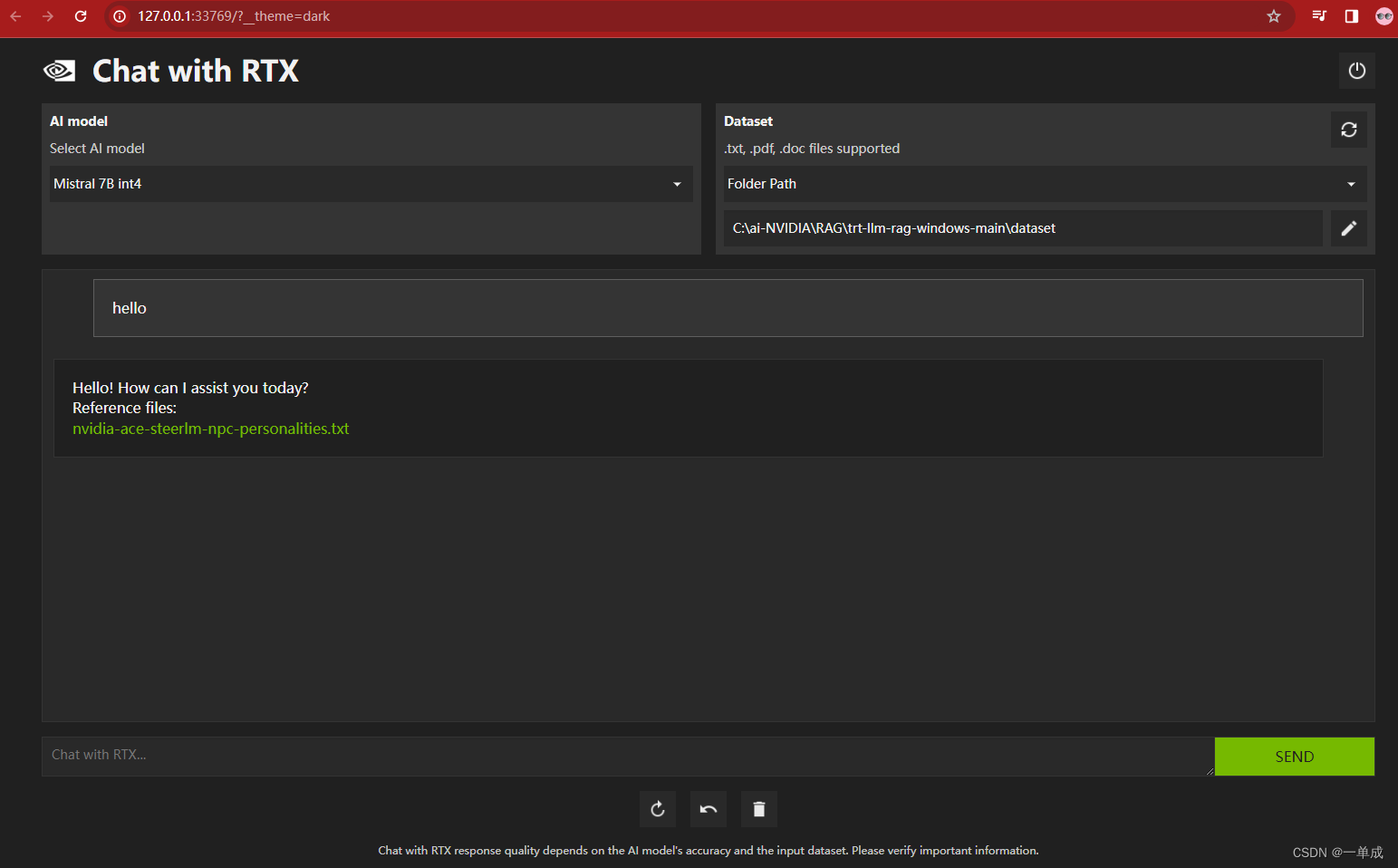
可以正常交互!完成部署!问题解决。


