
【大模型研究】(1):从零开始部署书生·浦语2-20B大模型,使用fastchat和webui部署测试,autodl申请2张显卡,占用显存40G可以运行
温馨提示:这篇文章已超过376天没有更新,请注意相关的内容是否还可用!
1,演示视频
https://www.bilibili.com/video/BV1pT4y1h7Af/
【大模型研究】(1):从零开始部署书生·浦语2-20B大模型,使用fastchat和webui部署测试,autodl申请2张显卡,占用显存40G可以运行
2,书生·浦语2-对话-20B
https://modelscope.cn/models/Shanghai_AI_Laboratory/internlm2-chat-20b/summary
InternLM2 开源了一个 200 亿参数的基础模型和一个针对实际场景定制的聊天模型。该模型具有以下特点:
200K 上下文窗口:在 200K 长的上下文中几乎能完美地找到针尖,在长上下文任务(如 LongBench 和 L-Eval)上具有领先性能。使用 LMDeploy 尝试 200K 上下文推理。
卓越的全面性能:在所有维度上的表现都显著优于上一代模型,尤其是在推理、数学、编程、聊天体验、指令遵循和创意写作方面,在类似规模的开源模型中性能领先。在某些评估中,InternLM2-Chat-20B 可能与 ChatGPT(GPT-3.5)相匹敌,甚至可能超越。
代码解释器与数据分析:具备代码解释器功能,InternLM2-Chat-20B 在 GSM8K 和 MATH 上的表现与 GPT-4 相当。InternLM2-Chat 也提供数据分析能力。
更强的工具使用:基于在遵循指令、选择工具和反思方面的更好工具利用能力,InternLM2 可以支持更多种类的代理和复杂任务的多步骤工具调用。查看示例。
下载后占空间71G ,需要单独申请磁盘。
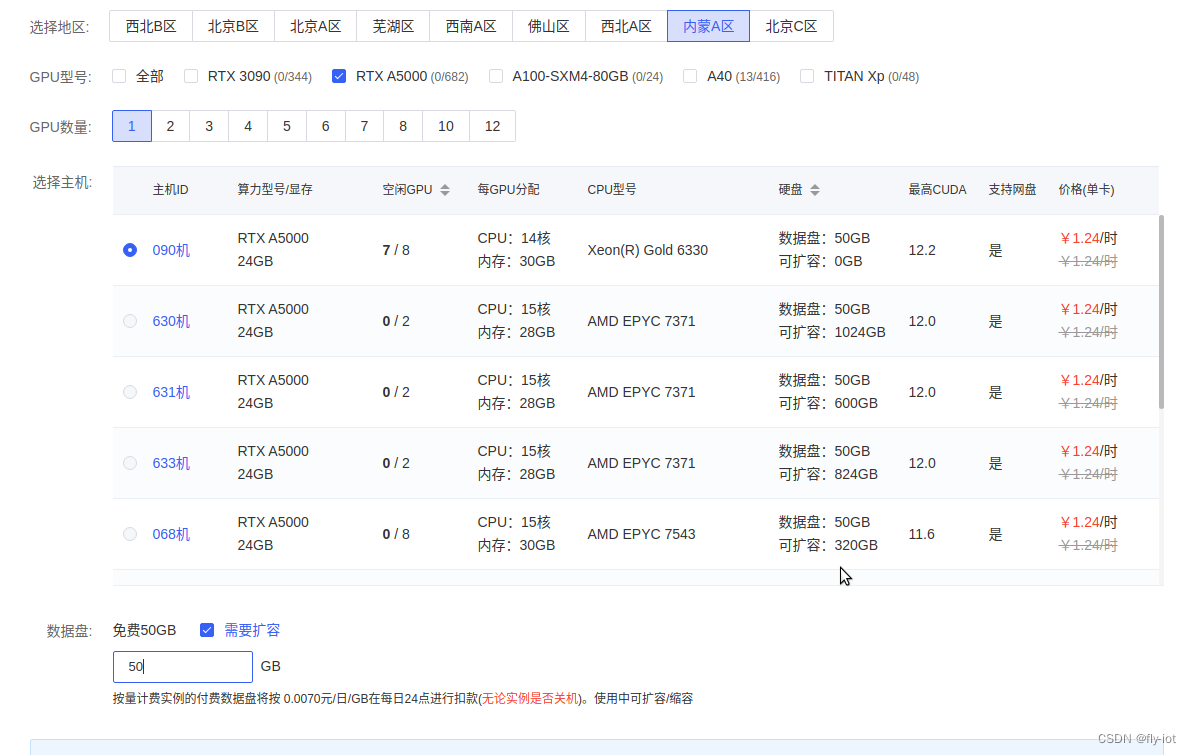
3,使用autodl创建环境,安装最新的 fastchat
要是 48G 申请一个就可以,要是 24G 显存需申请2个显卡才可以。
apt update && apt install -y git-lfs net-tools
# 一定要保证有大磁盘空间:
cd /root/autodl-tmp
git clone https://www.modelscope.cn/Shanghai_AI_Laboratory/internlm2-chat-20b.git
# 1,安装 torch 模块,防止依赖多次下载
pip3 install torch==2.1.0
# 最后安装 软件
pip3 install "fschat[model_worker,webui]" einops
安装完成之后就可以使用fastchat启动了。
# 首先启动 controller :
nohup python3 -m fastchat.serve.controller --host 0.0.0.0 --port 21001 > controller.log 2>&1 &
# 启动 openapi的 兼容服务 地址 8000
nohup python3 -m fastchat.serve.openai_api_server --controller-address http://127.0.0.1:21001 \
  --host 0.0.0.0 --port 8000 > api_server.log 2>&1 &
# 启动 web ui
nohup python -m fastchat.serve.gradio_web_server --controller-address http://127.0.0.1:21001 \
 --host 0.0.0.0 --port 6006 > web_server.log 2>&1 &
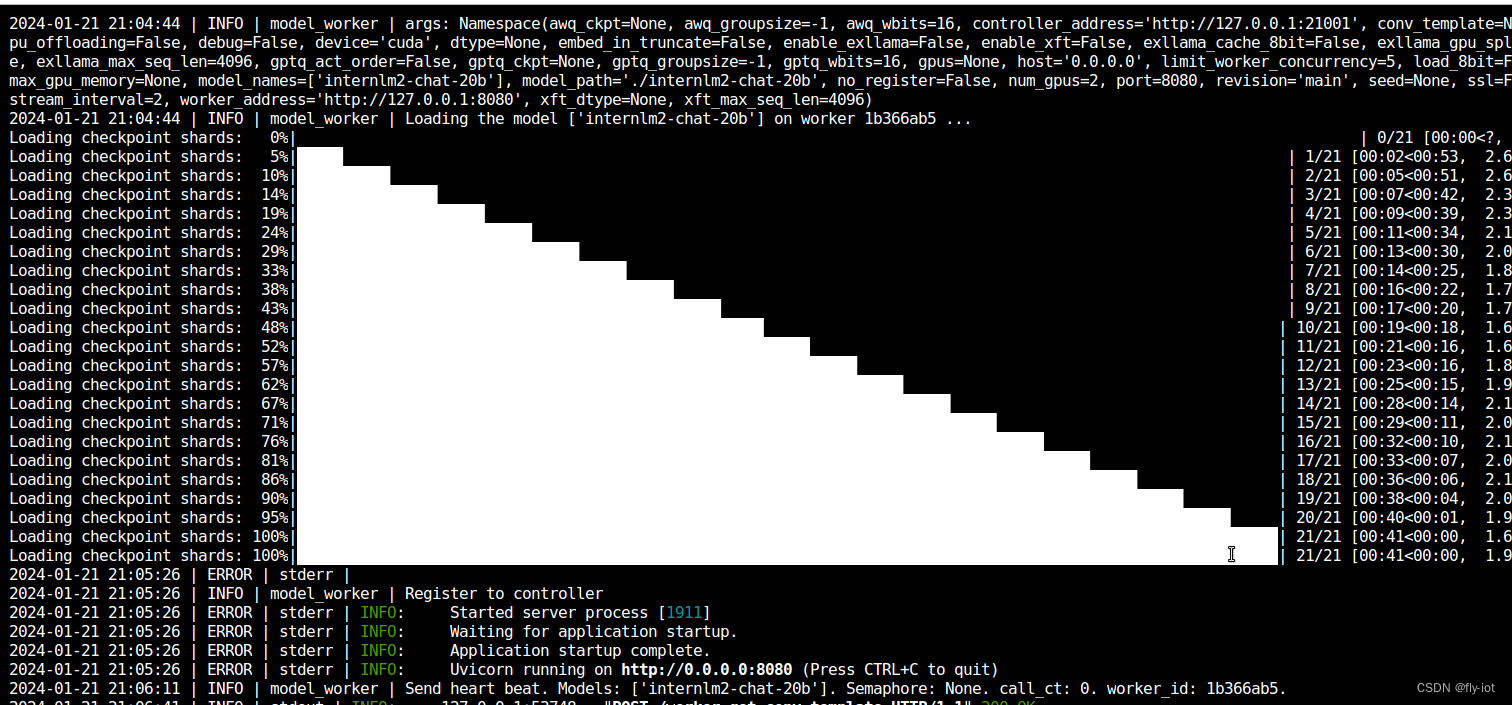
nohup python3 -m fastchat.serve.model_worker  --num-gpus 2 --model-names internlm2-chat-20b \
  --model-path ./internlm2-chat-20b --controller-address http://127.0.0.1:21001 \
  --worker-address http://127.0.0.1:8080 --host 0.0.0.0 --port 8080 > model_worker.log 2>&1 &
启动成功:
测试api 接口:
curl http://localhost:8000/v1/chat/completions   -H "Content-Type: application/json" -d '{
     "model": "internlm2-chat-20b",
     "messages": [{"role": "user", "content": "你是谁"}],
     "temperature": 0.7, "stream": true
}'
stream 可以正常返回。但是 非流返回错误:
2024-01-21 21:40:12 | ERROR | stderr |   File "/root/miniconda3/lib/python3.8/site-packages/fastapi/routing.py", line 294, in app
2024-01-21 21:40:12 | ERROR | stderr |     raw_response = await run_endpoint_function(
2024-01-21 21:40:12 | ERROR | stderr |   File "/root/miniconda3/lib/python3.8/site-packages/fastapi/routing.py", line 191, in run_endpoint_function
2024-01-21 21:40:12 | ERROR | stderr |     return await dependant.call(**values)
2024-01-21 21:40:12 | ERROR | stderr |   File "/root/miniconda3/lib/python3.8/site-packages/fastchat/serve/base_model_worker.py", line 206, in api_generate
2024-01-21 21:40:12 | ERROR | stderr |     output = await asyncio.to_thread(worker.generate_gate, params)
2024-01-21 21:40:12 | ERROR | stderr | AttributeError: module 'asyncio' has no attribute 'to_thread'
估计需要安装 python3.10 高版本才可以。
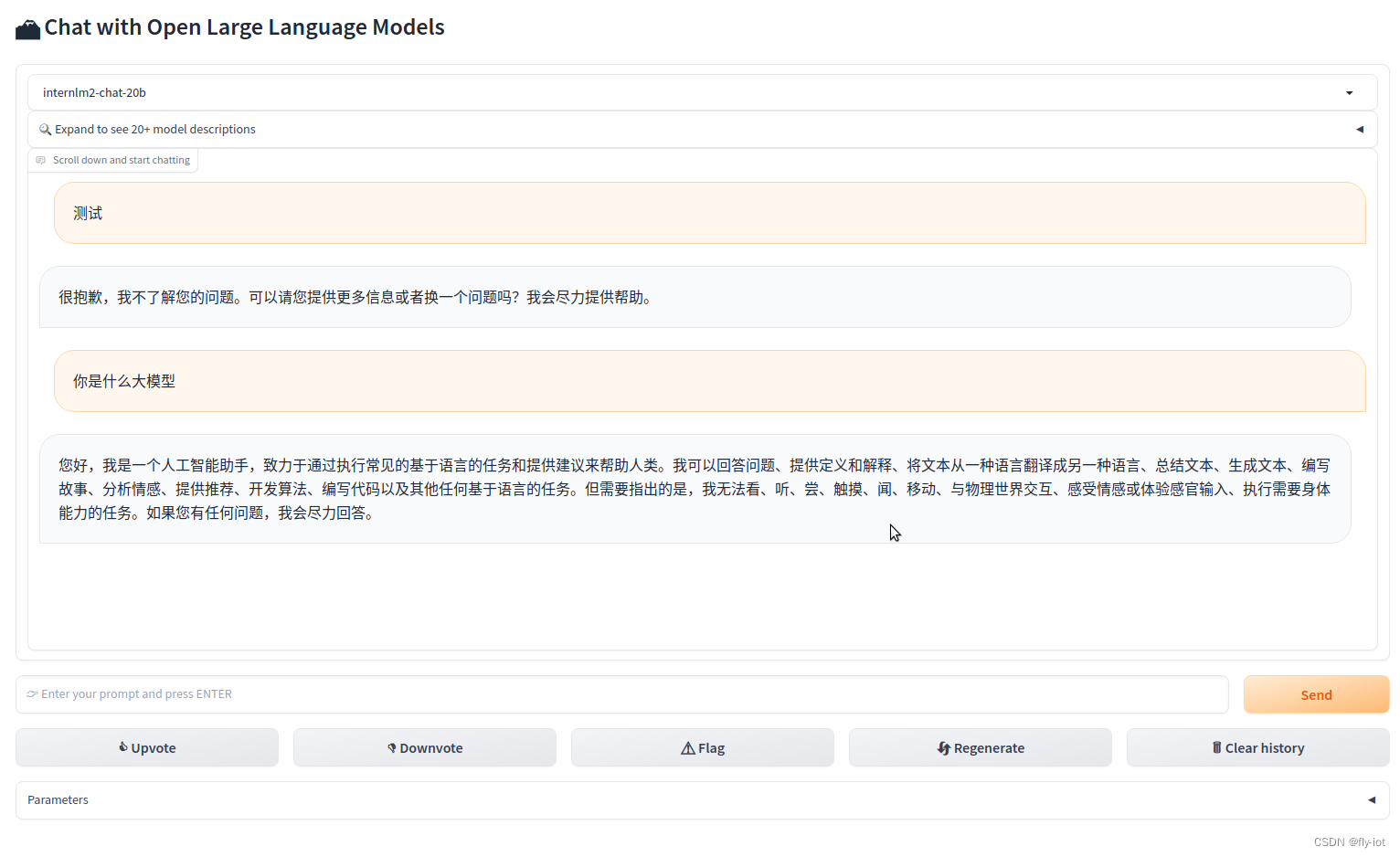
界面展示成功:
python3 -m fastchat.serve.test_throughput --controller-address http://127.0.0.1:21001 --model-name internlm2-chat-20b --n-thread 1
当版本不对时候,使用python3.10 报错:
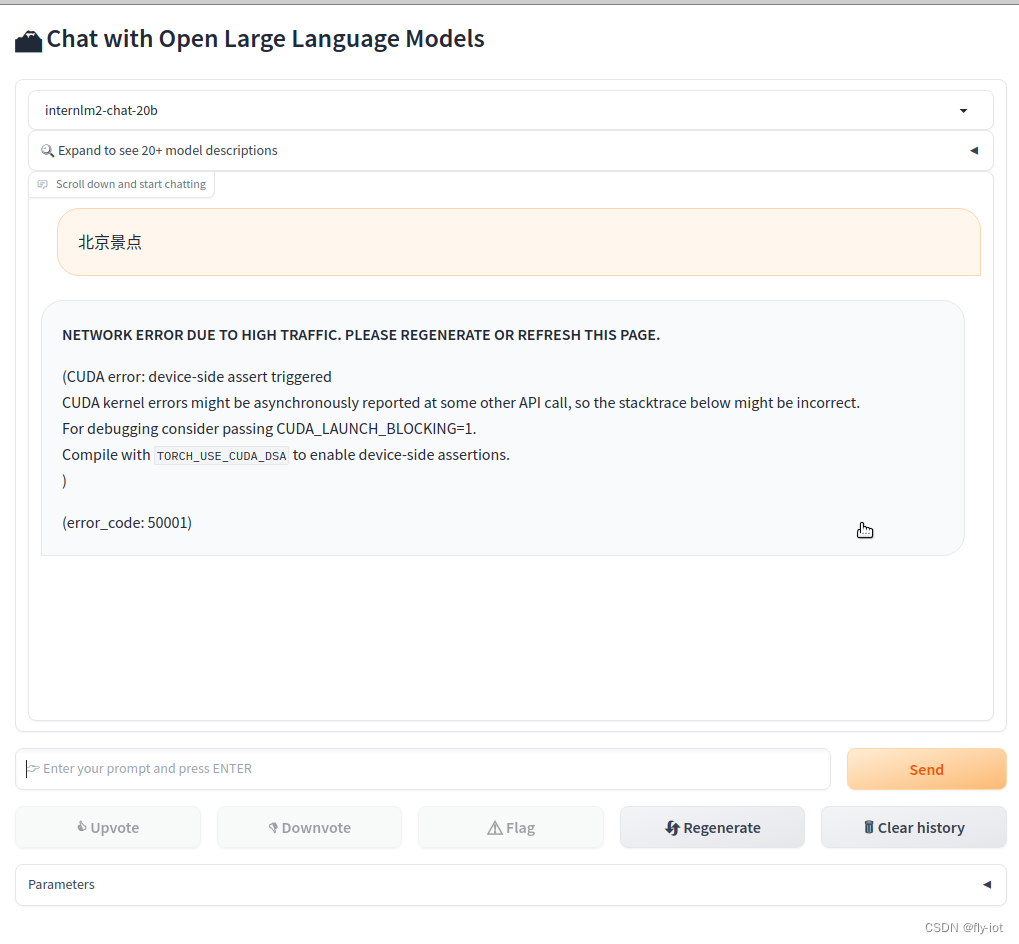
"object":"error","message":"**NETWORK ERROR DUE TO HIGH TRAFFIC. PLEASE REGENERATE OR REFRESH THIS PAGE.**\n\n(CUDA error: device-side assert triggered\nCUDA kernel errors might be asynchronously reported at some other API call, so the stacktrace below might be incorrect.\nFor debugging consider passing CUDA_LAUNCH_BLOCKING=1.\nCompile with `TORCH_USE_CUDA_DSA` to enable device-side assertions.\n)","code":50001}
5,总结
总体上效果还不错。速度也挺快的。需要 40G的显存才可以启动成功。
而且可以使用webui 启动成功。


