
火车票车票查询-Python
温馨提示:这篇文章已超过390天没有更新,请注意相关的内容是否还可用!
一、相关代码
# @Time: 2024/1/22 20:24
# @Author: 马龙强
# @File: 实现12306查票购票.py
# @software: PyCharm
"""
网址:https://www.12306.cn/index/
数据:车次信息
查票链接:https://kyfw.12306.cn/otn/leftTicket/queryE?leftTicketDTO.train_date=2024-01-23&leftTicketDTO.from_station=LON&leftTicketDTO.to_station=XUN&purpose_codes=ADULT
"""
import requests
from pprint import pprint
import json
#导入漂亮的制表
from prettytable import PrettyTable
"""查票功能
1.输入出发城市
2.输入目的城市
3.输入出发时间
根据输入城市 -> 通过 city.json 找到对应城市字母(station.json 对应车站)
12306自动购票
"""
#读取json文件
f = open('city.json',encoding='utf-8').read()
#转成json字典
city_data = json.loads(f)
# print(city_data)
from_city = input('请输入出发的城市:')
site_city = input('请输入到达的城市:')
from_time = input('请输入出发的时间:')  #2024-01-25
print('出发城市字母',city_data[from_city])
print('目的城市字母',city_data[site_city])
"""发送请求:模拟浏览器对于url地址发送请求"""
#请求网址
headers = {
    "User-Agent": "Mozilla/5.0 (Windows NT 10.0; Win64; x64) AppleWebKit/537.36 (KHTML, like Gecko) Chrome/107.0.0.0 Safari/537.36",
    "Cookie": "_uab_collina=170592620040439510680099; JSESSIONID=80E55A815952C4C2E5B1AC826CC88FF0; BIGipServerpassport=1005060362.50215.0000; guidesStatus=off; highContrastMode=defaltMode; cursorStatus=off; route=6f50b51faa11b987e576cdb301e545c4; BIGipServerotn=2095579402.64545.0000; _jc_save_fromStation=%u6F2F%u6CB3%2CLON; _jc_save_toStation=%u4FE1%u9633%2CXUN; _jc_save_fromDate=2024-01-23; _jc_save_toDate=2024-01-22; _jc_save_wfdc_flag=dc"
}
url = f'https://kyfw.12306.cn/otn/leftTicket/queryE?leftTicketDTO.train_date={from_time}&leftTicketDTO.from_station={city_data[from_city]}&leftTicketDTO.to_station={city_data[site_city]}&purpose_codes=ADULT'
#发送请求
response = requests.get(url=url,headers=headers)
# print(response.json())
# print(response.text)
json_data = response.json()
#实例化一个对象
tb = PrettyTable()
#设置一个字段名
tb.field_names = [
    '序号',
    '车次',
    '出发时间',
    '到达时间',
    '时长',
    '特等座',
    '一等座',
    '二等座',
    '软卧',
    '硬卧',
    '硬座',
    '无座',
]
#设置序号
page = 1
# pprint(json_data)
#提取车次信息所在列表
result = json_data['data']['result']
# pprint(result)
#for循环遍历,提取列表里面的元素
for i in result:
    # print(i)
    #字符串分割 -> index列表
    index = i.split('|')
    # print(index)
    num = index[3]  #车次
    time_1 = index[8]   #出发时间
    time_2 = index[9]   #到达时间
    time_3 = index[10]  #时长
    topGrade = index[32]    #特等座
    first_class = index[31] #一等座
    second_class = index[30]    #二等座
    hrad_sleeper = index[28]    #硬卧
    hard_seat = index[29]   #硬座
    no_seat = index[26]     #无座
    soft_sleeper = index[23]    #软卧
    dit = {
        '车次': num,
        '出发时间': time_1,
        '到达时间': time_2,
        '时长': time_3,
        '特等座': topGrade,
        '一等座': first_class,
        '二等座': second_class,
        '软卧': soft_sleeper,
        '硬卧': hrad_sleeper,
        '硬座': hard_seat,
        '无座': no_seat,
    }
    #车次
    # print(index)
    # page = 0
    # for j in index:
    #     print(page,j,sep='****')
    #     page+=1
    # break
    #添加字段内容
    tb.add_row([
        page,
        num,
        time_1,
        time_2,
        time_3,
        topGrade,
        first_class,
        second_class,
        soft_sleeper,
        hrad_sleeper,
        hard_seat,
        no_seat,
    ])
    # print(dit)
    page +=1
print(tb)
二、结果
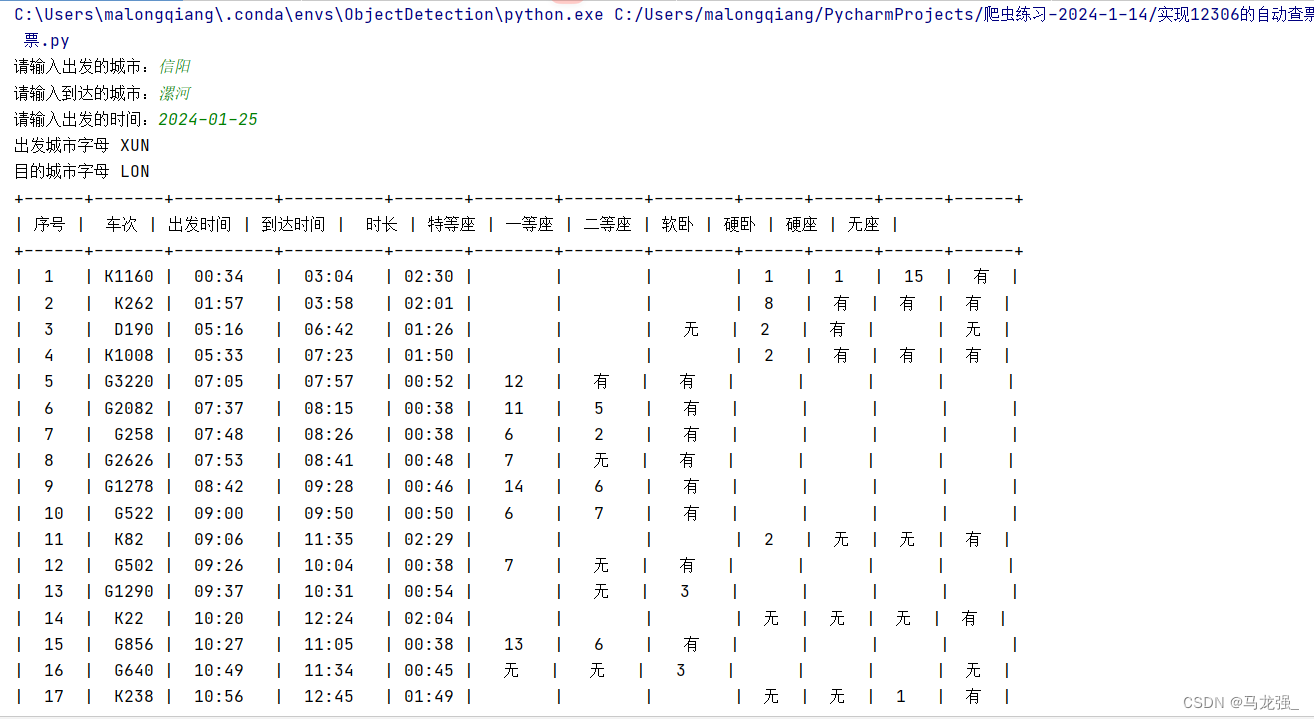

三、注意12306城市对应缩写city.json的获取
1.相关链接:12306城市名对应字母缩写 - 悟透 - 博客园 (cnblogs.com)
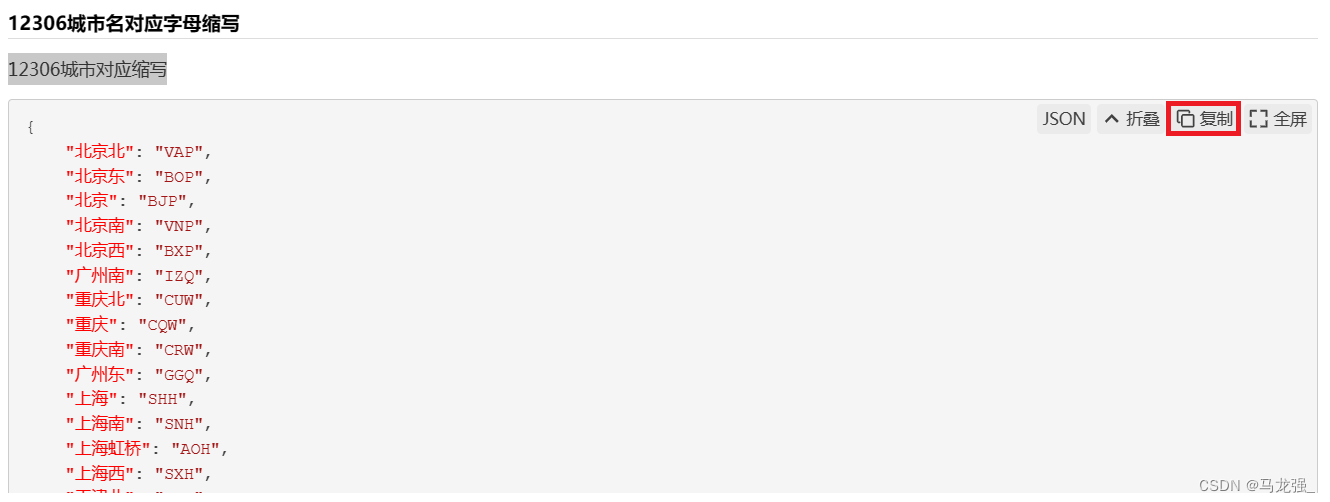
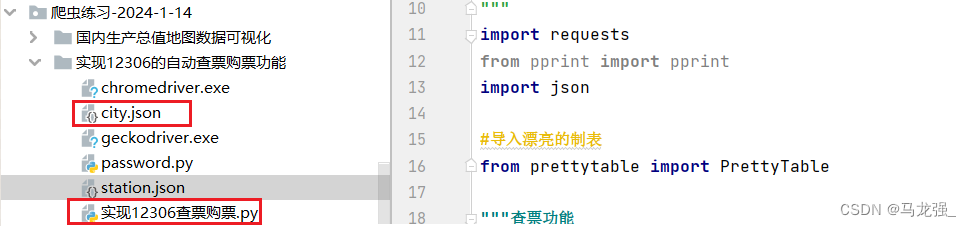
2.在桌面创建文本文件,复制内容到文本文件中,保存后,更改后缀为.json,放到与代码同级的目录中
四、过程请查看代码注释

免责声明:我们致力于保护作者版权,注重分享,被刊用文章因无法核实真实出处,未能及时与作者取得联系,或有版权异议的,请联系管理员,我们会立即处理! 部分文章是来自自研大数据AI进行生成,内容摘自(百度百科,百度知道,头条百科,中国民法典,刑法,牛津词典,新华词典,汉语词典,国家院校,科普平台)等数据,内容仅供学习参考,不准确地方联系删除处理! 图片声明:本站部分配图来自人工智能系统AI生成,觅知网授权图片,PxHere摄影无版权图库和百度,360,搜狗等多加搜索引擎自动关键词搜索配图,如有侵权的图片,请第一时间联系我们,邮箱:ciyunidc@ciyunshuju.com。本站只作为美观性配图使用,无任何非法侵犯第三方意图,一切解释权归图片著作权方,本站不承担任何责任。如有恶意碰瓷者,必当奉陪到底严惩不贷!


