
(二)原生js案例之数码时钟计时
原生js实现的数字时间上下切换显示时间的效果,有参考相关设计,思路比较难,代码其实很简单
效果
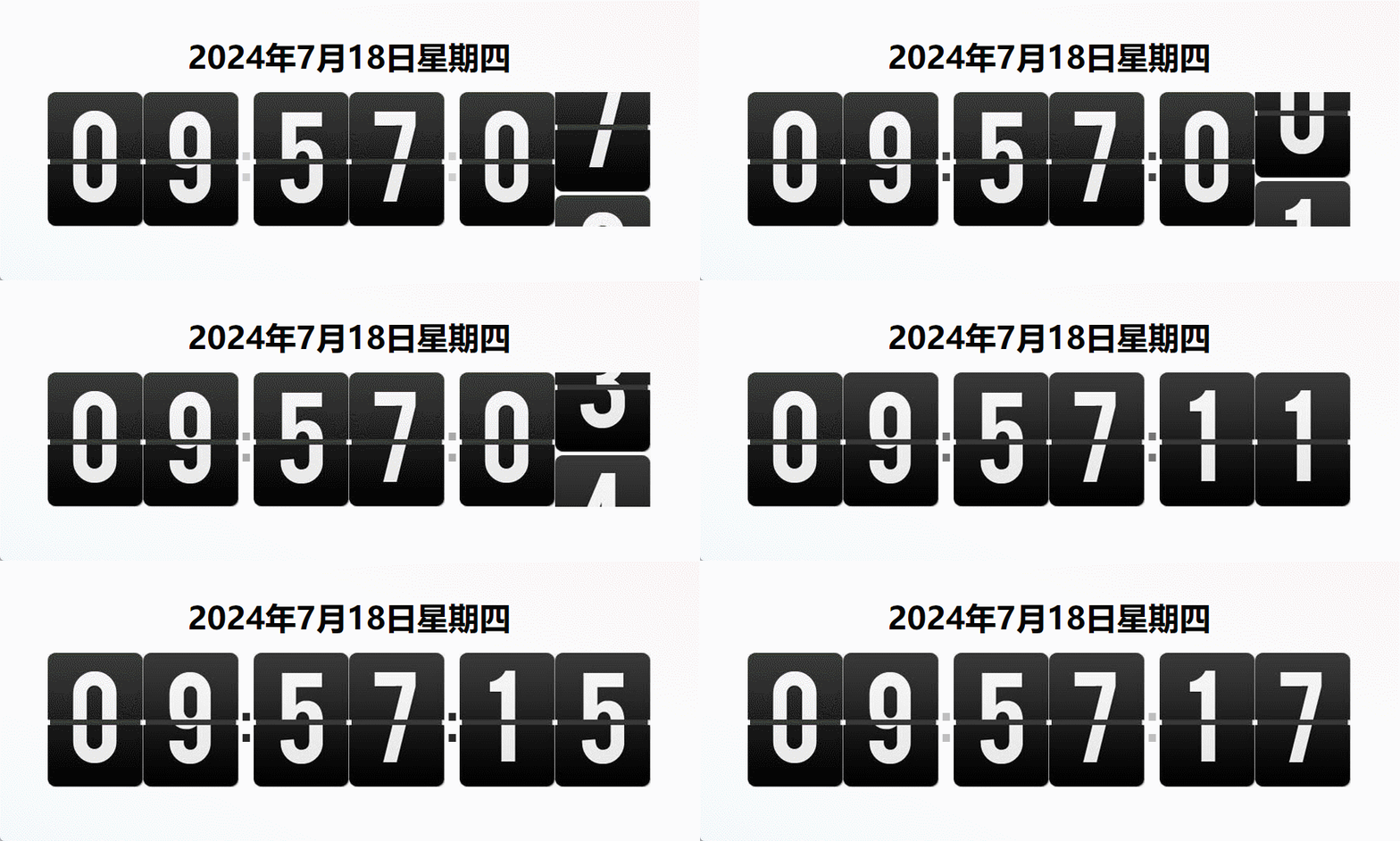
代码实现
- 必要的样式
* { padding: 0; margin: 0; } .content{ /* text-align: center; */ display: flex; align-items: center; justify-content: center; flex-direction: column; height: 100vh; background: linear-gradient(202deg,#F3E7E9 0%,#FFFFFF 53%,#E3EEFF 100%); } #title{ margin:20px; font-size: 40px; } ul { list-style: none; overflow: hidden; } li { float: left; } li.time-box { width: 122px; height: 172px; overflow: hidden; position: relative; } li.colon{ animation: dotLignt 1s linear infinite alternate; font-size: 80px; height: 172px; line-height: 172px; font-family: 'Franklin Gothic Medium', 'Arial Narrow', Arial, sans-serif; } /* 闪烁东湖 */ @keyframes dotLignt { 0% { opacity: 1; } 50% { opacity: 50%; } 100% { opacity: 0; } }- 静态页面
-

-

- :
-

-

- :
-

-

- js核心代码
    window.onload = function () {
        const oBody = document.body
        const oP = oBody.querySelector('#time')
        const oTitle = document.querySelector('#title')
        const oImg = document.querySelectorAll('img.time')
        const oH1 = document.querySelector('#h1')
        const oH2 = document.querySelector('#h2')
        const oFen1 = document.querySelector('#fen1')
        const oFen2 = document.querySelector('#fen2')
        const oMiao1 = document.querySelector('#miao1')
        const oMiao2 = document.querySelector('#miao2')
        let isInit = true
        fnTime()
        function fnTime() {
          const myTime = new Date()
          const year = myTime.getFullYear()
          const month = myTime.getMonth() + 1
          const day = myTime.getDate()
          const hour = myTime.getHours()
          const minute = myTime.getMinutes()
          const second = myTime.getSeconds()
          //星期
          let week = myTime.getDay()
          switch (week) {
            case 0:
              week = '星期日'
              break
            case 1:
              week = '星期一'
              break
            case 2:
              week = '星期二'
              break
            case 3:
              week = '星期三'
              break
            case 4:
              week = '星期四'
              break
            case 5:
              week = '星期五'
              break
            case 6:
              week = '星期六'
              break
            default:
              week = ''
          }
          const time = fnAddZero(hour) + fnAddZero(minute) + fnAddZero(second)
          // oP.innerHTML = time
          oTitle.innerHTML = year + '年' + month + '月' + day + '日' + week
          //初始化加载一次,防止刷新的时候出现闪屏
          if(isInit){
            for (let i = 0; i =70){
                      clearInterval(m2);
                      setTimeout(function () {
                          childImg.remove();
                          ht1=0;
                      },100)
                  }
              },1)
            }
        },1000);
        let ht2=0;
        let h2 = 0
        setInterval(function () {
            let a = fnTime();
            //获得当前的子结点
            if(a[1] != h2){
              h2 = a[1];
              let childImg = oH2.getElementsByTagName('img')[0];
              let imgM = document.createElement('img');
              imgM.src='img/'+a[1]+'.jpg';
              oH2.appendChild(imgM);
              let m2 = setInterval(function () {
                  ht2+=1;
                  oH2.scrollTop=ht2;
                  if (ht2>=70){
                      clearInterval(m2);
                      setTimeout(function () {
                          childImg.remove();
                          ht2=0;
                      },100)
                  }
              },1)
            }
        },1000);
        let ft1=0;
        let f1 = 0
        setInterval(function () {
            let a = fnTime();
            //获得当前的子结点
            if(a[2] != f1){
              f1 = a[2];
              let childImg = oFen1.getElementsByTagName('img')[0];
              let imgM = document.createElement('img');
              imgM.src='img/'+a[2]+'.jpg';
              oFen1.appendChild(imgM);
              let m2 = setInterval(function () {
                  ft1+=1;
                  // console.log(mt2);
                  oFen1.scrollTop=ft1;
                  if (ft1>=70){
                      clearInterval(m2);
                      setTimeout(function () {
                          childImg.remove();
                          ft1=0;
                      },100)
                  }
              },1)
            }
        },1000);

        let ft2=0;
        let f2 = 0
        setInterval(function () {
            let a = fnTime();
            //获得当前的子结点
            if(a[3] != f2){
              f2 = a[3];
              let childImg = oFen2.getElementsByTagName('img')[0];
              let imgM = document.createElement('img');
              imgM.src='img/'+a[3]+'.jpg';
              oFen2.appendChild(imgM);
              let m2 = setInterval(function () {
                  ft2+=1;
                  oFen2.scrollTop=ft2;
                  if (ft2>=70){
                      clearInterval(m2);
                      setTimeout(function () {
                          childImg.remove();
                          ft2=0;
                      },100)
                  }
              },1)
            }
        },1000);
        let mt1=0;
        let m1 = 0
        setInterval(function () {
            let a = fnTime();
            console.log("🚀 ~ a:", a)
            //获得当前的子结点
            if(a[4] != m1){
              console.log("🚀 ~ m1:", m1)
              console.log("🚀 ~ a[4]:", a[4])
              m1 = a[4];
              let childImg = oMiao1.getElementsByTagName('img')[0];
              let imgM = document.createElement('img');
              imgM.src='img/'+a[4]+'.jpg';
              oMiao1.appendChild(imgM);
              let m2 = setInterval(function () {
                  mt1+=1;
                  // console.log(mt2);
                  oMiao1.scrollTop=mt1;
                  if (mt1>=70){
                      clearInterval(m2);
                      setTimeout(function () {
                          childImg.remove();
                          mt1=0;
                      },100)
                  }
              },1)
            }
        },1000);
        let mt2=0;
        setInterval(function () {
            let a = fnTime();
            //获得当前的子结点
            let childImg = oMiao2.getElementsByTagName('img')[0];
            let imgM = document.createElement('img');
            imgM.src='img/'+a[5]+'.jpg';
            oMiao2.appendChild(imgM);
            let m2 = setInterval(function () {
                mt2+=1;
                // console.log(mt2);
                oMiao2.scrollTop=mt2;
                if (mt2>=70){
                    clearInterval(m2);
                    setTimeout(function () {
                        childImg.remove();
                        mt2=0;
                    },100)
                }
            },1)
        },1000);
  }
这样就实现了我们的数字时间的切换效果
-
- 静态页面
免责声明:我们致力于保护作者版权,注重分享,被刊用文章因无法核实真实出处,未能及时与作者取得联系,或有版权异议的,请联系管理员,我们会立即处理! 部分文章是来自自研大数据AI进行生成,内容摘自(百度百科,百度知道,头条百科,中国民法典,刑法,牛津词典,新华词典,汉语词典,国家院校,科普平台)等数据,内容仅供学习参考,不准确地方联系删除处理! 图片声明:本站部分配图来自人工智能系统AI生成,觅知网授权图片,PxHere摄影无版权图库和百度,360,搜狗等多加搜索引擎自动关键词搜索配图,如有侵权的图片,请第一时间联系我们,邮箱:ciyunidc@ciyunshuju.com。本站只作为美观性配图使用,无任何非法侵犯第三方意图,一切解释权归图片著作权方,本站不承担任何责任。如有恶意碰瓷者,必当奉陪到底严惩不贷!


