
【课程设计】基于python的一款简单的计算器
我们是大二本科生团队,主力两人耗时3天完成了这款计算器的制作。希望大家给我们多多引流!!!!!!
欢迎各位优秀的高考学子报考长安大学,报考长安大学电子信息工程专业。
欢迎有志于就读信息与通信工程和计算机科学与技术的准研究生报考长安大学!
注意:文件我已经打包好了!
长安大学直属国家教育部,是国家首批“211工程”重点建设大学、国家“985优势学科创新平台”建设高校、国家“双一流”建设高校。
学校创建于新中国百业待兴之时,壮大于改革浪潮迭起之际,兴盛于高等教育强国大势之中,与共和国同向同行七十余载。自1951年起,学校前身西安公路交通大学、西安工程学院、西北建筑工程学院相继成立。1956年开始招收来华留学生。1978年开始招收硕士研究生。1983年开始招收博士研究生。1997年成为首批“211工程”重点建设大学。2000年三校合并,组建长安大学,掀开学校跨越式发展新篇章。2005年以来,教育部先后与交通部(现交通运输部)、陕西省人民政府、国土资源部(现自然资源部)、住房和城乡建设部签署共建长安大学协议,“四部一省”共建长安大学的办学格局正式形成。2011年入选国家“985优势学科创新平台”建设高校。2017年入选国家首轮“双一流”建设高校。2021年正式成为交通强国建设试点单位。2022年入选国家第二轮“双一流”建设高校,开启事业高质量发展新征程。
学校位居历史文化名城西安,坐拥南北两大校区,南倚大雁塔,北邻渭水滨,建有太白山、梁山、渭水三个教学实习基地,校园面积3745亩。学校着力塑造人文、创新、智慧、绿色和平安的魅力校园,校内绿树成荫,景色优美,设施完备,来自全国31个省市自治区及港澳台地区、40多个民族,全球100多个国家的莘莘学子,在多样性、国际化的校园里,潜心求学、读书问道。
学校坚持社会主义办学方向,紧扣立德树人根本任务,秉承“工科登峰、理科振兴、文科繁荣、交叉突破”的学科发展理念,担当“人才培养的摇篮、科学研究的殿堂、社会服务的基地、文化传承创新的高地、国际交流合作的前沿”的崇高使命,坚持“特色鲜明、国际知名的高水平研究型大学”的目标愿景,成为我国交通运输、国土资源、城乡建设三大行业领域高层次人才培养、高水平科学研究、高质量社会服务的重要基地。
欢迎报考!!!!!!
一 基本功能描述
请看vcr:【计算机高级编程技术课设【软件使用指南】-哔哩哔哩】计算机高级编程技术课设【软件使用指南】_哔哩哔哩_bilibili https://www.bilibili.com/video/BV14u3meaEFy/?buvid=XUB49CCB61F2E320441ACAADD1A9142E5C00D&from_spmid=main.space.0.0&is_story_h5=false&mid=DSX55daStgGmf6Qi%2FZwRDw%3D%3D&p=1&plat_id=116&share_from=ugc&share_medium=android&share_plat=android&share_session_id=73839433-708a-41a5-9013-0ed81895fa0e&share_source=COPY&share_tag=s_i&spmid=united.player-video-detail.0.0×tamp=1719537869&unique_k=uEJ8wki&up_id=432186946&vd_source=a27cca1e8e2535b680496ae3bc86dc08
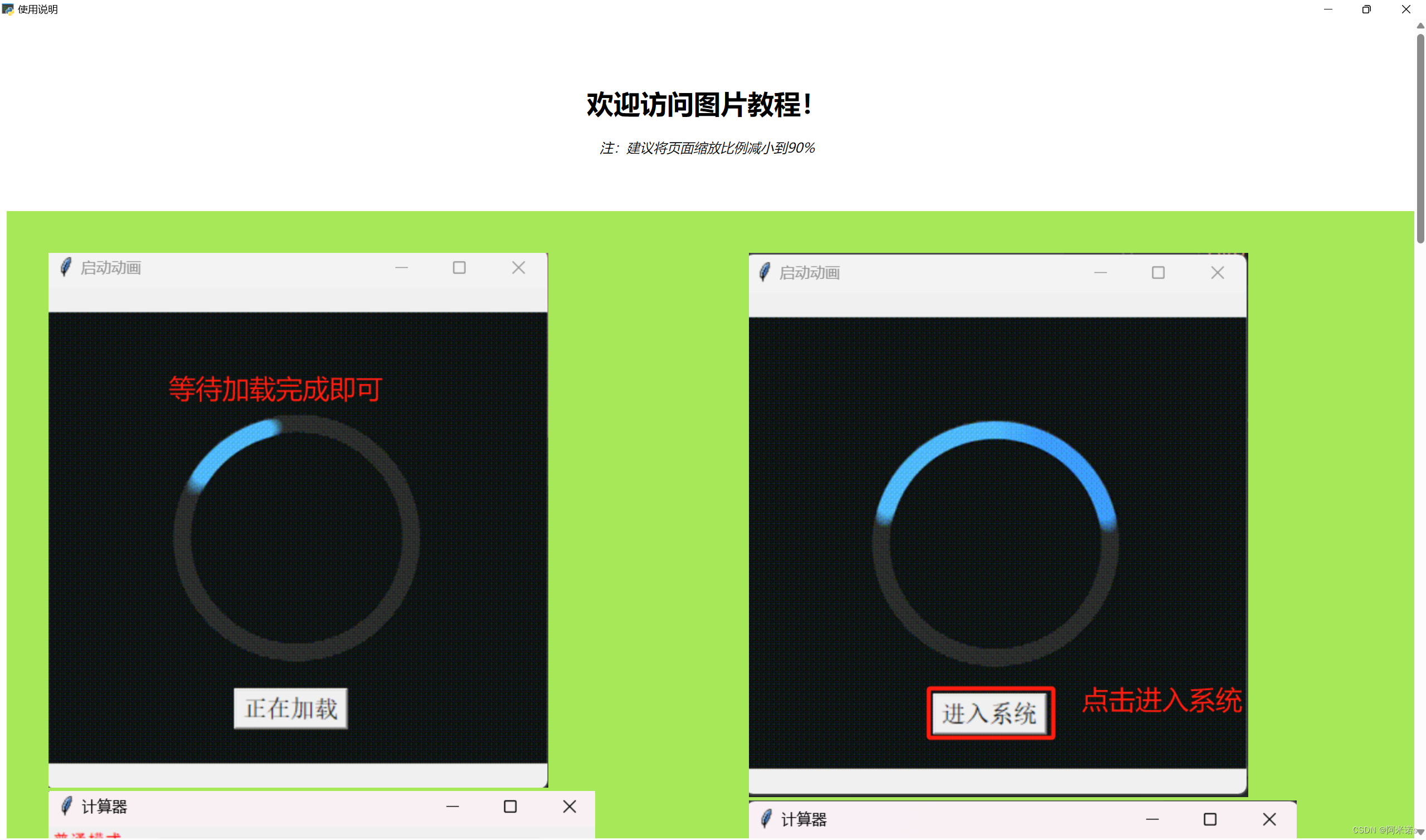
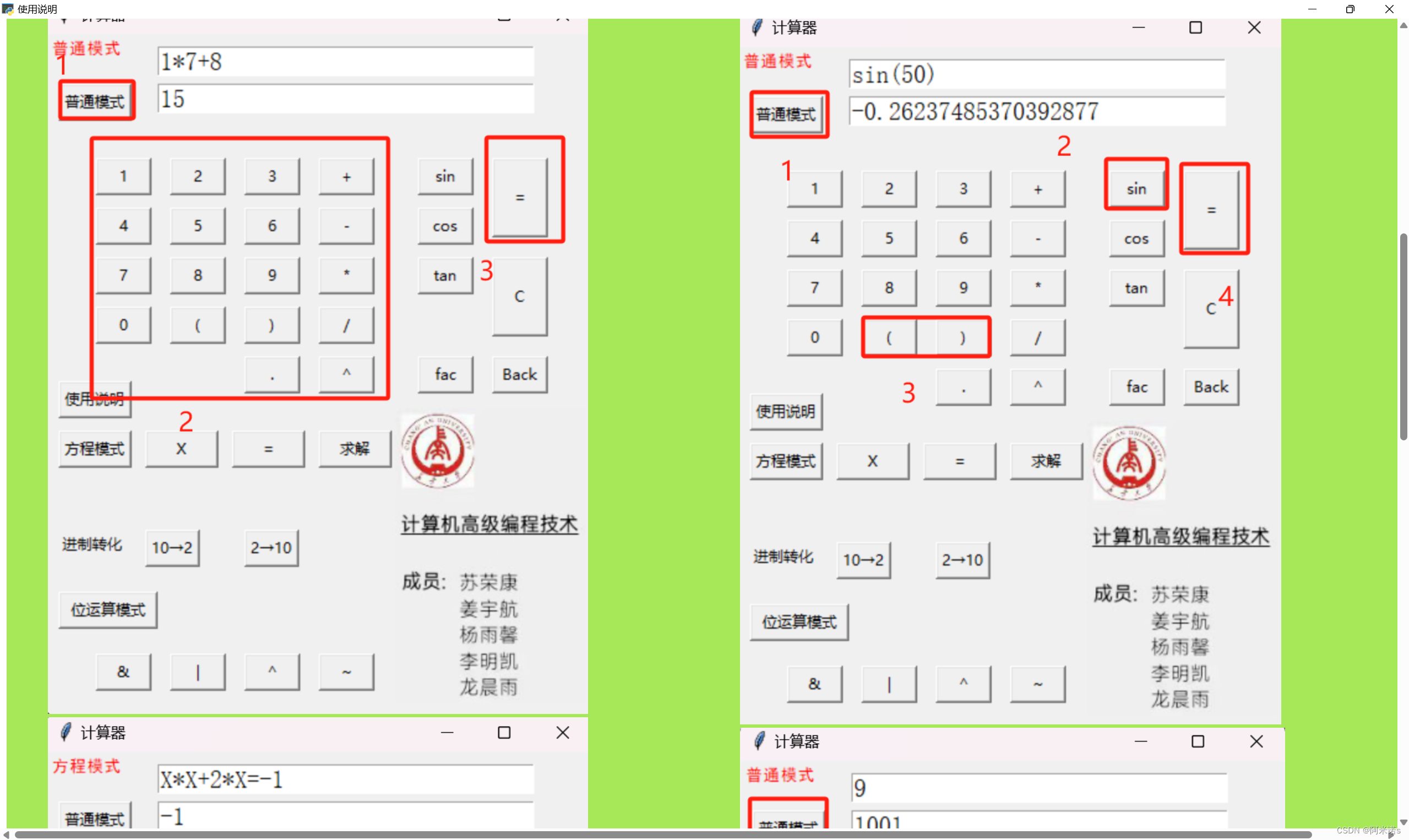
二 代码
计算器基本功能
import tkinter as tk
import math
from sympy import symbols, Eq, solve
import webview
import time
from PIL import Image, ImageTk
def qidong(t):
root1 = tk.Tk()
root1.title("启动动画")
root1.geometry("400x400")
# 创建画布
canvas = tk.Canvas(root1, width=400, height=400)
canvas.place(x=0, y=0)
# 打开gif并把所有帧放到frame这个列表里
frames = []
gif = Image.open(r"8.jfif")
for frame in range(0, gif.n_frames):
gif.seek(frame)
frames.append(ImageTk.PhotoImage(gif))
#第一帧
image_item = canvas.create_image(200, 200, image=frames[0])
# 递归来实现轮播
def animate_gif(frame=0):
canvas.itemconfig(image_item, image=frames[frame])
root1.after(50, animate_gif, (frame + 1)%len(frames) )#作用是50毫秒后把animate_gif里的参数改成frame+1
# Start the animation loop
animate_gif()
var6 = tk.StringVar()
def qh(a=''):
var6.set(a)
var6.set("正在加载")
l = tk.Button(root1, textvariable=var6, command=lambda: destory(), font=("宋体", 14))
l.place(x=150, y=320)
root1.after(t,qh,"进入系统")
def destory():
root1.destroy()
root1.mainloop()
qidong(3000)
#_____________界面设计——————————————
root = tk.Tk()
root.title("计算器")
root.geometry("440x550")
#————————————输入输出框——————————————————————————————————————
var1 = tk.StringVar()
var1.set("")
var2 = tk.StringVar()
Output=""
var2.set(Output)
e1= tk.Entry(root, textvariable=var1,width=30,font=("宋体",15))
e1.place(x=90,y=10)
e2= tk.Entry(root, textvariable=var2,width=30,font=("宋体",15))
e2.place(x=90,y=40)
#——————————————————右下角图片————————————————————————
image1 = tk.PhotoImage(file='m_3.png')
li = tk.Label(root, image=image1)
li.place(x=280, y=300)
#————————————————————左上角显示模式————————————————————————————
varm=tk.StringVar()
varm.set("")
lm=tk.Label(root,textvariable=varm,font=("黑体",10),fg="red")
lm.place(x=2,y=2)
def m1():
varm.set("普通模式")
global Model
Model=1
e1.delete(0, tk.END)
bpt=tk.Button(root,text="普通模式",width=7,height=1,command=m1)
bpt.place(x=10,y=40)
def m2():
varm.set("方程模式")
Model=2
e1.delete(0,tk.END)
bfc=tk.Button(root,text="方程模式",width=7,height=1,command=m2)
bfc.place(x=10,y=320)
def m5():
varm.set("位运算模式")
global Model
Model=5
e1.delete(0,tk.END)
bw=tk.Button(root,text="位运算模式",width=10,height=1,command=m5)
bw.place(x=10,y=450)
#按钮们————————————————————————————————————————————————————————————————————————————————————————————————
def clickx():
e1.insert(tk.END,"X")
bx=tk.Button(root,text="X",width=7,height=1,command=clickx)
bx.place(x=80,y=320)
def clickxd():
e1.insert(tk.END,"=")
bxd=tk.Button(root,text="=",width=7,height=1,command=clickxd)
bxd.place(x=150,y=320)
def click1():
e1.insert("end","1")
b1=tk.Button(root,text="1",width=5,height=1,command=click1)
b1.place(x=40,y=100)
def click2():
e1.insert("end","2")
b2=tk.Button(root,text="2",width=5,height=1,command=click2)
b2.place(x=100,y=100)
def click3():
e1.insert("end","3")
b3=tk.Button(root,text="3",width=5,height=1,command=click3)
b3.place(x=160,y=100)
def clickj():
e1.insert("end","+")
bj=tk.Button(root,text="+",width=5,height=1,command=clickj)
bj.place(x=220,y=100)
def clicksin():
e1.insert("end","sin")
bsin=tk.Button(root,text="sin",width=5,height=1,command=clicksin)
bsin.place(x=300,y=100)
def click4():
e1.insert("end","4")
b4=tk.Button(root,text="4",width=5,height=1,command=click4)
b4.place(x=40,y=140)
def click5():
e1.insert("end","5")
b5=tk.Button(root,text="5",width=5,height=1,command=click5)
b5.place(x=100,y=140)
def click6():
e1.insert("end","6")
b6=tk.Button(root,text="6",width=5,height=1,command=click6)
b6.place(x=160,y=140)
def clickjj():
e1.insert("end","-")
bjj=tk.Button(root,text="-",width=5,height=1,command=clickjj)
bjj.place(x=220,y=140)
def clickcos():
e1.insert("end","cos")
bcos=tk.Button(root,text="cos",width=5,height=1,command=clickcos)
bcos.place(x=300,y=140)
def click7():
e1.insert("end","7")
b7=tk.Button(root,text="7",width=5,height=1,command=click7)
b7.place(x=40,y=180)
def click8():
e1.insert("end","8")
b8=tk.Button(root,text="8",width=5,height=1,command=click8)
b8.place(x=100,y=180)
def click9():
e1.insert("end","9")
b9=tk.Button(root,text="9",width=5,height=1,command=click9)
b9.place(x=160,y=180)
def clickc():
e1.insert("end","*")
bc=tk.Button(root,text="*",width=5,height=1,command=clickc)
bc.place(x=220,y=180)
def clicktan():
e1.insert("end","tan")
btan=tk.Button(root,text="tan",width=5,height=1,command=clicktan)
btan.place(x=300,y=180)
def click0():
e1.insert("end","0")
b0=tk.Button(root,text="0",width=5,height=1,command=click0)
b0.place(x=40,y=220)
def clickz():
e1.insert("end","(")
bz=tk.Button(root,text="(",width=5,height=1,command=clickz)
bz.place(x=100,y=220)
def clicky():
e1.insert("end",")")
by=tk.Button(root,text=")",width=5,height=1,command=clicky)
by.place(x=160,y=220)
def clickcc():
e1.insert("end","/")
bcc=tk.Button(root,text="/",width=5,height=1,command=clickcc)
bcc.place(x=220,y=220)
def clickp():
e1.insert("end","^")
bp=tk.Button(root,text="^",width=5,height=1,command=clickp)
bp.place(x=220,y=260)
def clickxsd():
e1.insert("end",".")
bxsd=tk.Button(root,text=".",width=5,height=1,command=clickxsd)
bxsd.place(x=160,y=260)
def clickg():
e1.insert("end","fac")
bp=tk.Button(root,text="fac",width=5,height=1,command=clickg)
bp.place(x=300,y=260)
def clickwy():
e1.insert("end","&")
bwy=tk.Button(root,text="&",width=5,height=1,command=clickwy)
bwy.place(x=40,y=500)
def clickwh():
e1.insert("end","|")
bwh=tk.Button(root,text="|",width=5,height=1,command=clickwh)
bwh.place(x=100,y=500)
def clickwyh():
e1.insert("end","^")
bwyh=tk.Button(root,text="^",width=5,height=1,command=clickwyh)
bwyh.place(x=160,y=500)
def clickwf():
e1.insert("end","~")
bwf=tk.Button(root,text="~",width=5,height=1,command=clickwf)
bwf.place(x=220,y=500)
#--------特殊按钮-------------------------------------------------
def clicktq():#清空显示屏
e1.delete(0,"end")
e2.delete(0,"end")
bq=tk.Button(root,text="C",width=5,height=3,command=clicktq)
bq.place(x=360,y=180)
def clicks():#实现删除最后一个字符的操作
text=var1.get()
text=text[:-1]
e1.delete(0,"end")
e1.insert(0,text)
bs=tk.Button(root,text="Back",width=5,height=1,command=clicks)
bs.place(x=360,y=260)
#——————————————————————————————————————————核心按钮——————————————————————————————————————————————————
def clickqj():
global Model
Model=2
Input = var1.get()
print(Input)
print(Model)
Output=js(Input,Model)
var2.set(Output)
history(Input, Output, Model)
bqj=tk.Button(root,text="求解",width=7,height=1,command=clickqj)
bqj.place(x=220,y=320)
def clickd():
global Input
Input=var1.get()
print(Input)
print(Model)
Output=js(Input,Model)
history(Input, Output, Model)
var2.set(Output)
bd=tk.Button(root,text="=",width=5,height=3,command=clickd)
bd.place(x=360,y=100)
def m3():
global Model
Model=3
Input=var1.get()
print(Input)
print(Model)
Output=js(Input,Model)
history(Input, Output, Model)
var2.set(Output)
b10z2=tk.Button(root,text="10→2",command=m3)
b10z2.place(x=80,y=400)
def m4():
global Model
Model=4
Input=var1.get()
print(Input)
print(Model)
Output = js(Input, Model)
history(Input, Output, Model)
var2.set(Output)
b10z2=tk.Button(root,text="2→10",command=m4)
b10z2.place(x=160,y=400)
l=tk.Label(root,text="进制转化")
l.place(x=10,y=400)
#------------------计算------------------
def js(Input,Model):
if Model ==1:
Input=Input.replace("sin","math.sin")
Input = Input.replace("cos", "math.cos")
Input = Input.replace("tan", "math.tan")
Input = Input.replace("fac", "math.factorial")
Input = Input.replace("^", "**")
try:
Output = eval(Input)
except ZeroDivisionError:
Output = 'error'
else:
return Output
finally:
return Output
elif Model == 2:#引入sympy库实现
# 定义变量
X = symbols('X')
flag = Input.index("=")
before = Input[0:flag]
after =Input[flag+1::]
# 定义方程
equation = Eq(eval(before), eval(after))
#解方程
Output = solve(equation, X)
if "I" in str(Output):
Output = "error!"
return Output
else:
return Output
elif Model == 3:
Output = bin(eval(Input))[2::]
return Output
elif Model == 4:#十进制转二进制
try:
Output = str(int(Input,2))
except ValueError:
Output = '请检查输入!'
return Output
else:
return Output
elif Model == 5:
i, data, datas = 0, '', []
while i
计算器使用说明端(网页)
使用介绍及反馈
* {
box-sizing: border-box;
}
body {
font-family: Arial;
padding: 100px;
background: rgb(40, 147, 223);
}
/* 头部标题 */
.header {
padding: 50px;
text-align: center;
background:rgb(167, 232, 89);
}
/* 创建两列 */
/* 左侧栏 */
.leftcolumn {
float: left;
width: 33.3%;
background: white
}
/*右侧栏*/
.rightcolumn {
float: left;
width: 50%;
background: white
}
/* 图像部分 */
.fakeimg {
background-color:white;
width: 100%;
padding: 50px;
}
/* 底部 */
.footer {
padding: 20px;
text-align: center;
background: #ddd;
margin-top: 20px;
}
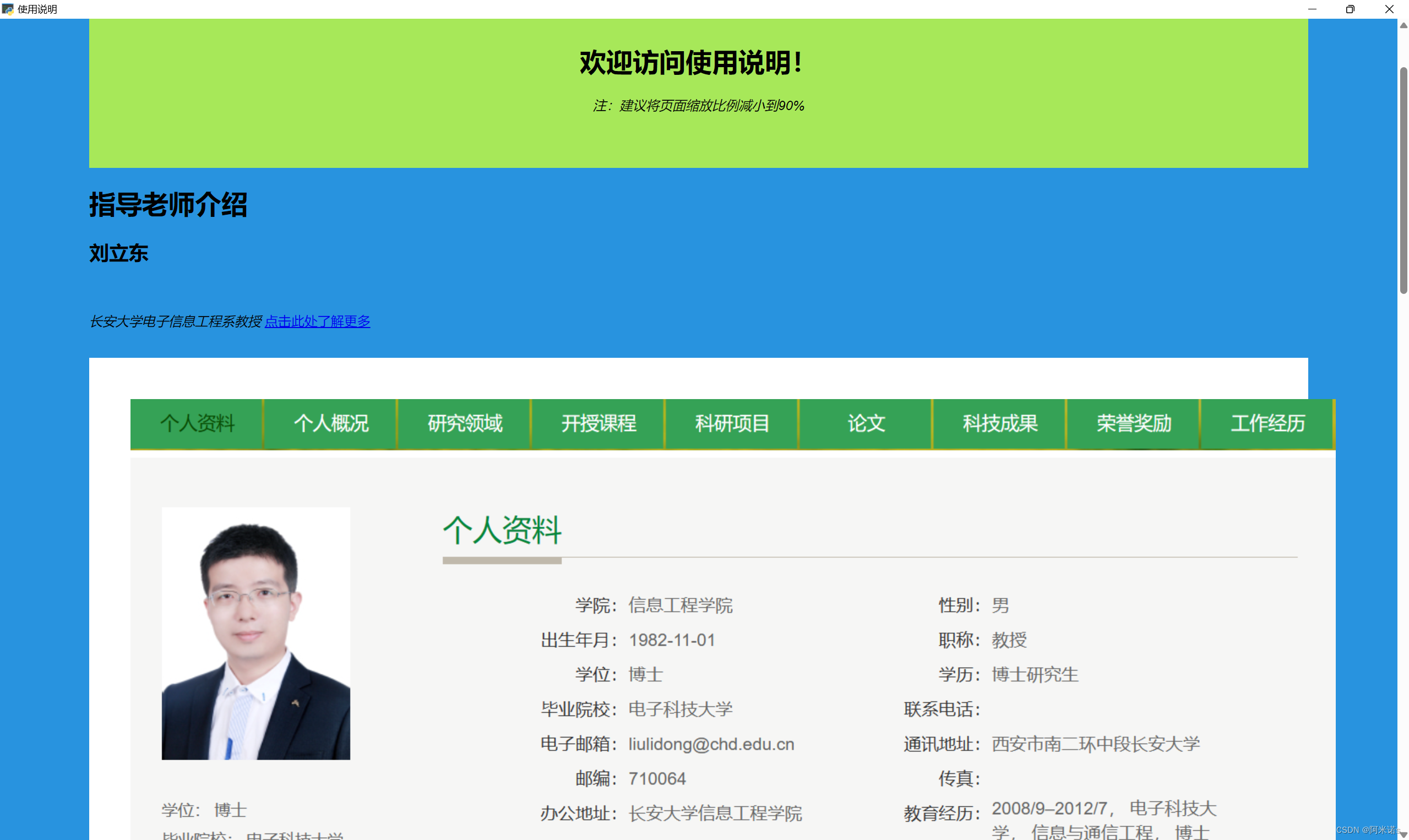
欢迎访问使用说明!
注:建议将页面缩放比例减小到90%
指导老师介绍
刘立东
长安大学电子信息工程系教授
点击此处了解更多

高涛
长安大学电子信息工程系教授
点击此处了解更多

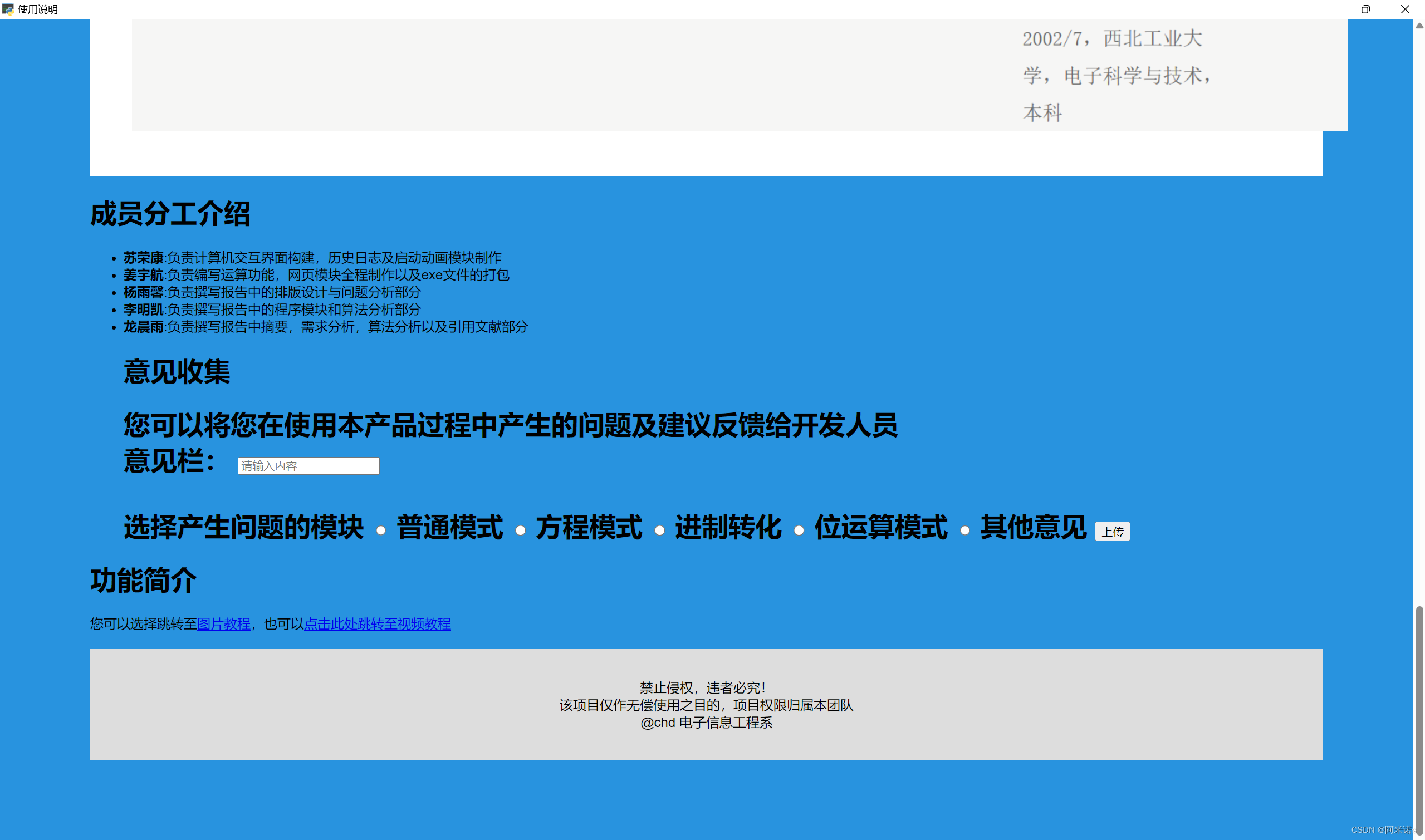
成员分工介绍
- 苏荣康:负责计算机交互界面构建,历史日志及启动动画模块制作
- 姜宇航:负责编写运算功能,网页模块全程制作以及exe文件的打包
- 杨雨馨:负责撰写报告中的排版设计与问题分析部分
- 李明凯:负责撰写报告中的程序模块和算法分析部分
- 龙晨雨:负责撰写报告中摘要,需求分析,算法分析以及引用文献部分
意见收集
您可以将您在使用本产品过程中产生的问题及建议反馈给开发人员
意见栏:
选择产生问题的模块
普通模式
方程模式
进制转化
位运算模式
其他意见
功能简介
选择产生问题的模块 普通模式 方程模式 进制转化 位运算模式 其他意见
功能简介
您可以选择跳转至图片教程,也可以点击此处跳转至视频教程
禁止侵权,违者必究!
该项目仅作无偿使用之目的,项目权限归属本团队
@chd 电子信息工程系
使用教程
/* 头部标题 */
.header {
padding: 50px;
text-align: center;
background:white;
}
/* 创建两列 */
/* 左侧栏 */
.leftcolumn {
float: left;
width: 50%;
background: rgb(167, 232, 89)
}
/*右侧栏*/
.rightcolumn {
float: left;
width: 50%;
background: rgb(167, 232, 89)
}
/* 图像部分 */
.fakeimg {
background-color:rgb(167, 232, 89);
width: 100%;
padding: 50px;
justify-content: center;
}
/* 底部 */
.footer {
padding: 20px;
text-align: center;
background: #ddd;
margin-top: 20px;
}
欢迎访问图片教程!
注:建议将页面缩放比例减小到90%


禁止侵权,违者必究!
该项目仅作无偿使用之目的,项目权限归属本团队
@chd 电子信息工程系


