
【SpringBoot+SseEmitter】 和【Vue3+EventSource】 实时数据推送
【SpringBoot+SseEmitter】 和【Vue3+EventSource】 实时数据推送
- 1、SpringBoot实现SseEmitter
- 1.1简易业务层
- 2、Vue3对接EventSource
- 3、使用
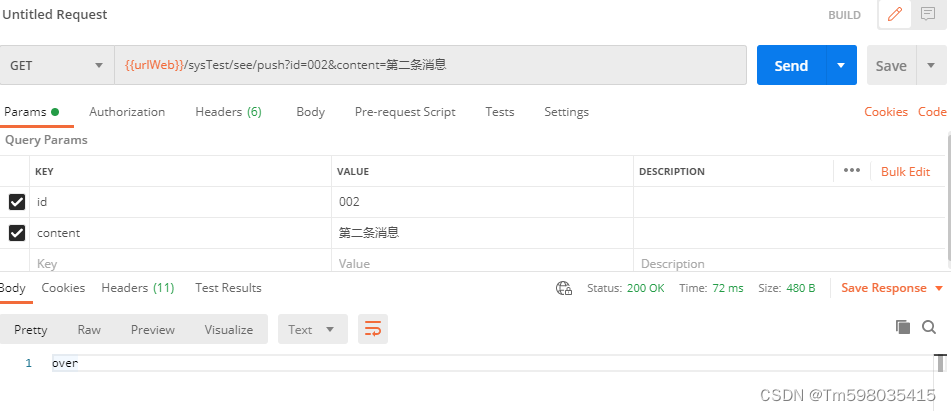
- 3.1、 postMan调用后端发送消息接口
- 3.2、前端实时接收到数据
- 4、踩坑
- 4.1、nginx对于EventSource连接要特殊处理
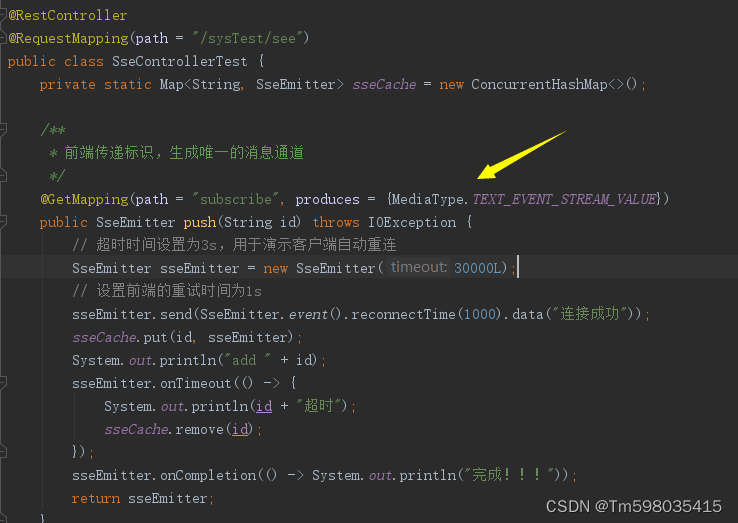
- 4.2、连接通道接口类型一定要设置MediaType.TEXT_EVENT_STREAM_VALUE
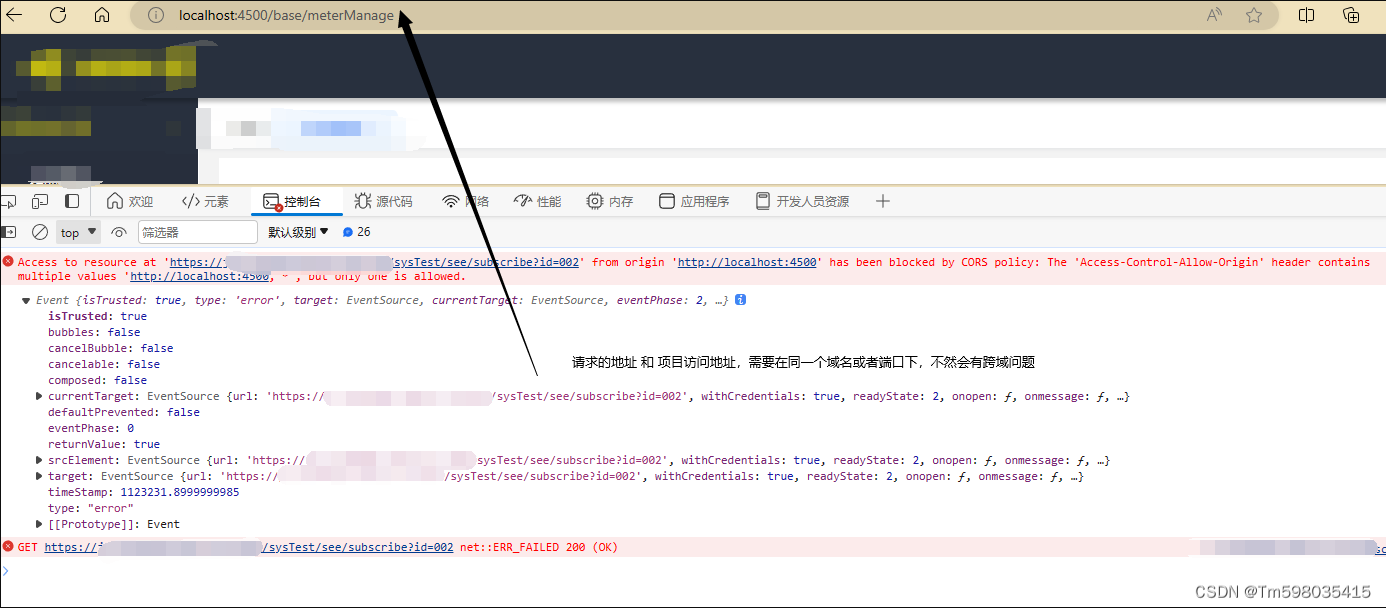
- 4.3、 跨越问题,项目地址和接口地址需要在同一域名下
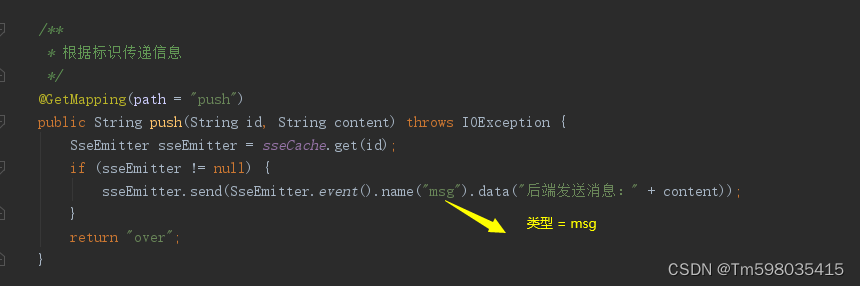
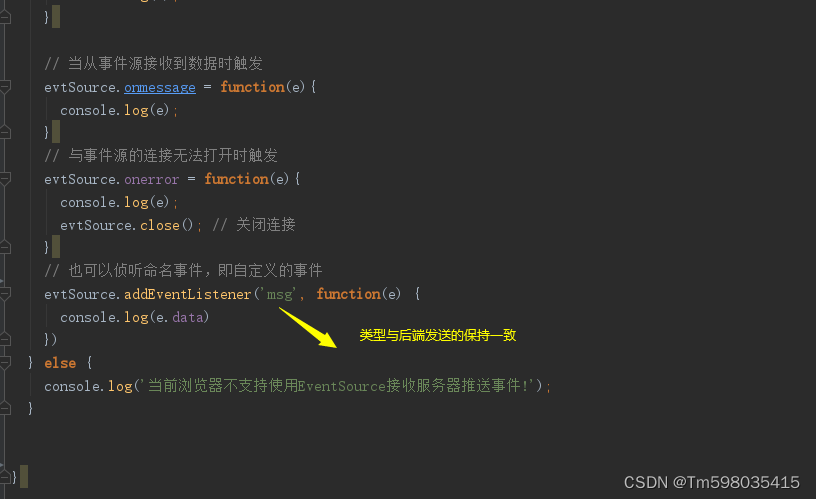
- 4.4 、EventSource监听事件的类型需要与后端发送的类型一致
EventSource 的优点
- 简单易用:EventSource 使用简单,基于标准的 HTTP 协议,无需复杂的握手过程。
- 自动重连:EventSource 具有内置的重连机制,确保连接中断后自动重新连接。
- 轻量级:EventSource 使用长轮询机制,消耗的资源相对较少,适合低带宽环境。
- 跨域支持:EventSource 允许在跨域环境下进行通信,通过适当的响应头授权来自不同域的客户端连接。
1、SpringBoot实现SseEmitter
1.1简易业务层
import org.springframework.http.MediaType;
import org.springframework.web.bind.annotation.GetMapping;
import org.springframework.web.bind.annotation.RequestMapping;
import org.springframework.web.bind.annotation.RestController;
import org.springframework.web.servlet.mvc.method.annotation.SseEmitter;
import java.io.IOException;
import java.util.Map;
import java.util.concurrent.ConcurrentHashMap;
/**
 * Author tm
 * Date 2023/9/25
 * Version 1.0
 */
@RestController
@RequestMapping(path = "/sysTest/see")
public class SseControllerTest {
    private static Map sseCache = new ConcurrentHashMap();
    /**
     * 前端传递标识,生成唯一的消息通道
     */
    @GetMapping(path = "subscribe", produces = {MediaType.TEXT_EVENT_STREAM_VALUE})
    public SseEmitter push(String id) throws IOException {
        // 超时时间设置为3s,用于演示客户端自动重连
        SseEmitter sseEmitter = new SseEmitter(30000L);
        // 设置前端的重试时间为1s
        sseEmitter.send(SseEmitter.event().reconnectTime(1000).data("连接成功"));
        sseCache.put(id, sseEmitter);
        System.out.println("add " + id);
        sseEmitter.onTimeout(() -> {
            System.out.println(id + "超时");
            sseCache.remove(id);
        });
        sseEmitter.onCompletion(() -> System.out.println("完成!!!"));
        return sseEmitter;
    }
    /**
     * 根据标识传递信息
     */
    @GetMapping(path = "push")
    public String push(String id, String content) throws IOException {
        SseEmitter sseEmitter = sseCache.get(id);
        if (sseEmitter != null) {
            sseEmitter.send(SseEmitter.event().name("msg").data("后端发送消息:" + content));
        }
        return "over";
    }
    /**
     * 根据标识移除SseEmitter
     */
    @GetMapping(path = "over")
    public String over(String id) {
        SseEmitter sseEmitter = sseCache.get(id);
        if (sseEmitter != null) {
            sseEmitter.complete();
            sseCache.remove(id);
        }
        return "over";
    }
}
2、Vue3对接EventSource
const  initEventSource = ()=>{
  if (typeof (EventSource) !== 'undefined') {
    const evtSource = new EventSource('https://xxx.xxx.x.x/sysTest/see/subscribe?id=002', { withCredentials: true }) // 后端接口,要配置允许跨域属性
    // 与事件源的连接刚打开时触发
    evtSource.onopen = function(e){
      console.log(e);
    }
    // 当从事件源接收到数据时触发
    evtSource.onmessage = function(e){
      console.log(e);
    }
    // 与事件源的连接无法打开时触发
    evtSource.onerror = function(e){
      console.log(e);
      evtSource.close(); // 关闭连接
    }
    // 也可以侦听命名事件,即自定义的事件
    evtSource.addEventListener('msg', function(e) {
      console.log(e.data)
    })
  } else {
    console.log('当前浏览器不支持使用EventSource接收服务器推送事件!');
  }

}
3、使用
使用postMan调用接口测试
3.1、 postMan调用后端发送消息接口
3.2、前端实时接收到数据

4、踩坑
4.1、nginx对于EventSource连接要特殊处理
#eventSource
location /es/ {
    proxy_pass  http://请求地址/;
    #必须要设置当前Connection 属性
    proxy_set_header Connection '';
    proxy_http_version 1.1;
    chunked_transfer_encoding off;
    proxy_buffering off;
    proxy_cache off;
}
4.2、连接通道接口类型一定要设置MediaType.TEXT_EVENT_STREAM_VALUE
4.3、 跨越问题,项目地址和接口地址需要在同一域名下
4.4 、EventSource监听事件的类型需要与后端发送的类型一致
免责声明:我们致力于保护作者版权,注重分享,被刊用文章因无法核实真实出处,未能及时与作者取得联系,或有版权异议的,请联系管理员,我们会立即处理! 部分文章是来自自研大数据AI进行生成,内容摘自(百度百科,百度知道,头条百科,中国民法典,刑法,牛津词典,新华词典,汉语词典,国家院校,科普平台)等数据,内容仅供学习参考,不准确地方联系删除处理! 图片声明:本站部分配图来自人工智能系统AI生成,觅知网授权图片,PxHere摄影无版权图库和百度,360,搜狗等多加搜索引擎自动关键词搜索配图,如有侵权的图片,请第一时间联系我们,邮箱:ciyunidc@ciyunshuju.com。本站只作为美观性配图使用,无任何非法侵犯第三方意图,一切解释权归图片著作权方,本站不承担任何责任。如有恶意碰瓷者,必当奉陪到底严惩不贷!


